4 Quick Start Guide for Initial Operation
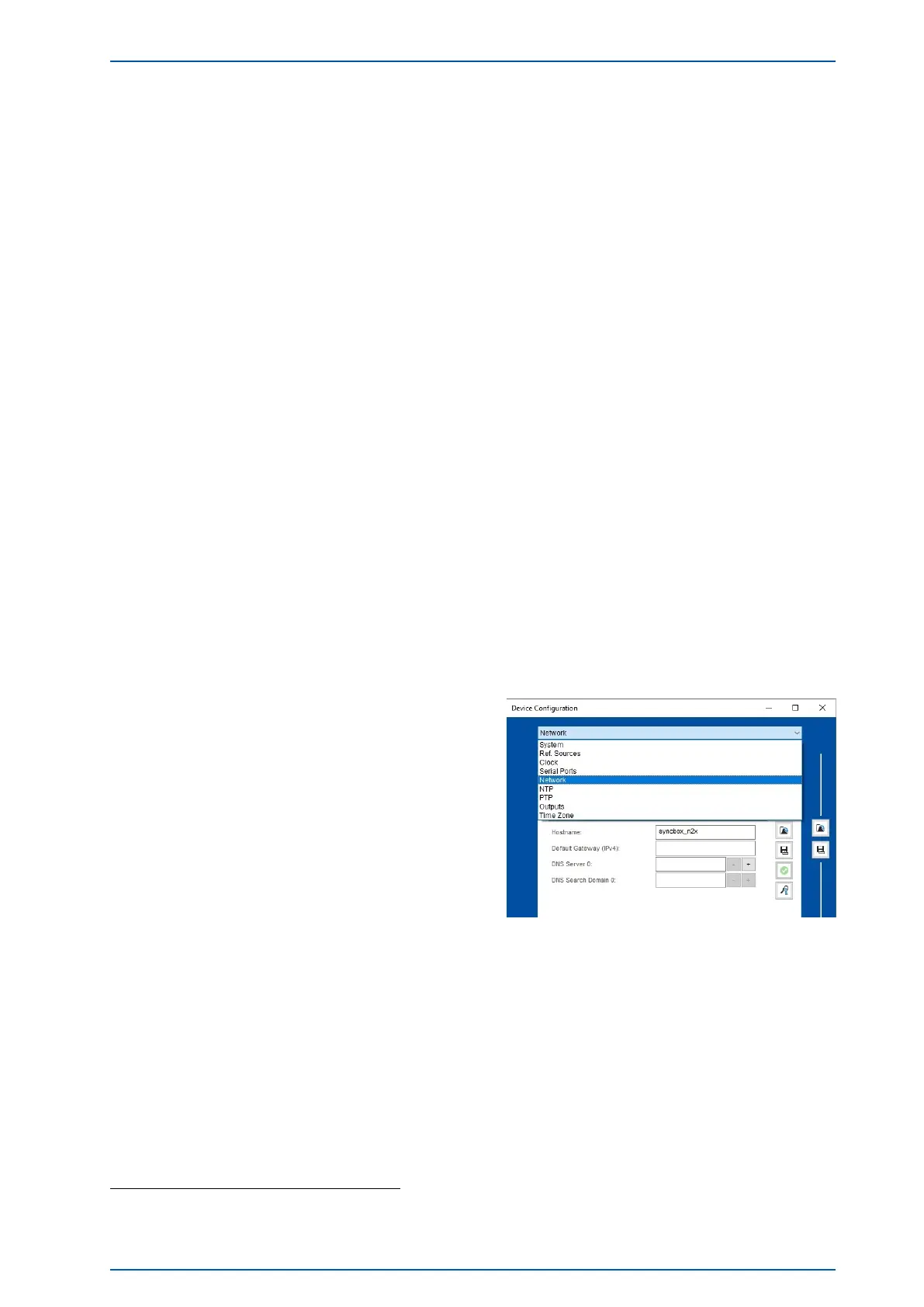
The N2X supports the following menus and possibilities of configuration and status monitoring.
Configuration
System Saving of current configuration
Reference Source Selection of reference sources (NTP or PTP)
Clock Configuration of system time
Serial connectors Configuration of serial parameter (Baud Rate, Framing,...)
Network Configuration of network parameter (IP, DHCP, virtual Interface,...)
NTP Configuration of NTP parameter (Ext. Server, Hostname, Polling,...)
PTP Configuration of PTP parameter (Role, PTP Modus, Profile, Protocol, ...)
Outputs Configuration of provided outputs (IRIG Codes, IRIG Timescale,
Synth. Freq,...)
Time Zone Configuration of time zone (UTC, CET/CEST, Daylight Saving,...)
All parameters can be configured as follows. With a right-hand click on the module/the assembly a dialogue
window will be opened. Select "Configure Device" here. Now you are in the configuration menu of the mod-
ule/assembly group.
To configure the network parameters, select "Network"
in the Drop Down menu. By default, the DHCP service
is enabled so an IP address is automatically assigned.
If no DHCP server could be found or no IP address has been assigned via DHCP by any other reason, a
fallback IP address 169.254.xxx.yyy will be set automatically (Zeroconf
1
).
Depending on whether the N2X should synchronize via PTP or NTP, further parameters need to be con-
figured for this purpose.
1
Zeroconf: If a computer configures a link local IP address, it selects an IP address between 169.254.1.0 and 169.254.254.255 by using a
random number generator.
SyncBox N2X Date: 17th September 2019 15


 To Next Page