MEITRACK T711L GPS Vehicle Tracker User Guide
Copyright © Meitrack Group 2021. All rights reserved. - 8 -
6 First Use
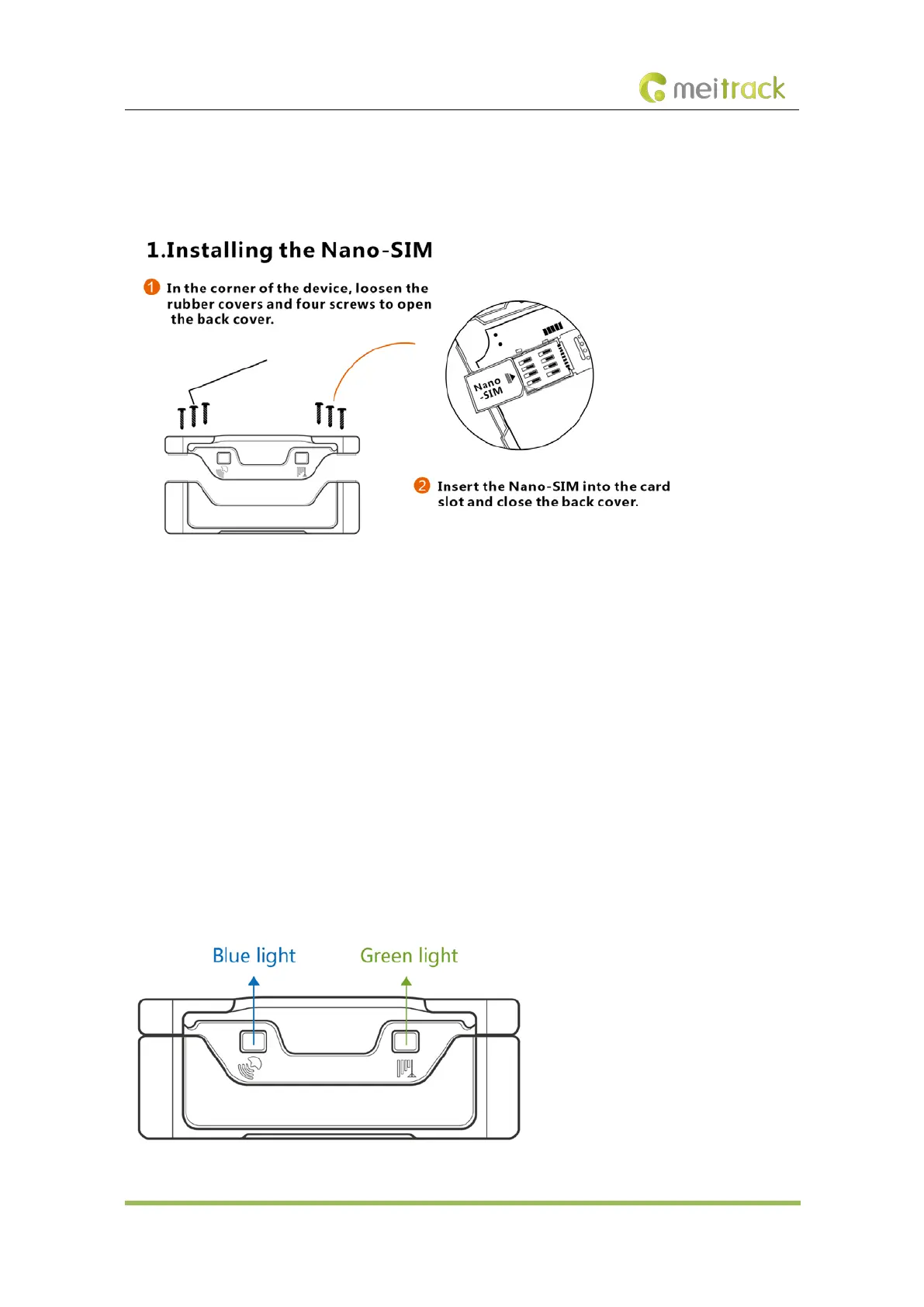
6.1 Installing a SIM Card
Perform the following steps to install a SIM card:
1. Use the screwdriver to open the back cover of the device.
2. Insert the nano-SIM card into the card slot (with the gold-plated contacts facing down).
3. Close the cover, and tighten the screws.
Note:
Ensure that the SIM card has sufficient balance. (After the SIM card is installed properly, make calls and send SMS
messages to confirm it.)
Ensure that the PIN lock of the SIM card has been closed properly.
Ensure that the SIM card in the device has subscribed the caller ID service if you want to use your authorized
phone numbers to call the device.
Power off the device before installing the SIM card.
6.2 LED Indicator
To turn on the device, connect the device to an external power supply (12 V or 24 V) or press and hold down the power
button for 3–5 seconds.



 To Next Page