Power is off or charging is complete
Flashing (every 0.1 second)
Flashing (1 second on and 2 seconds off)
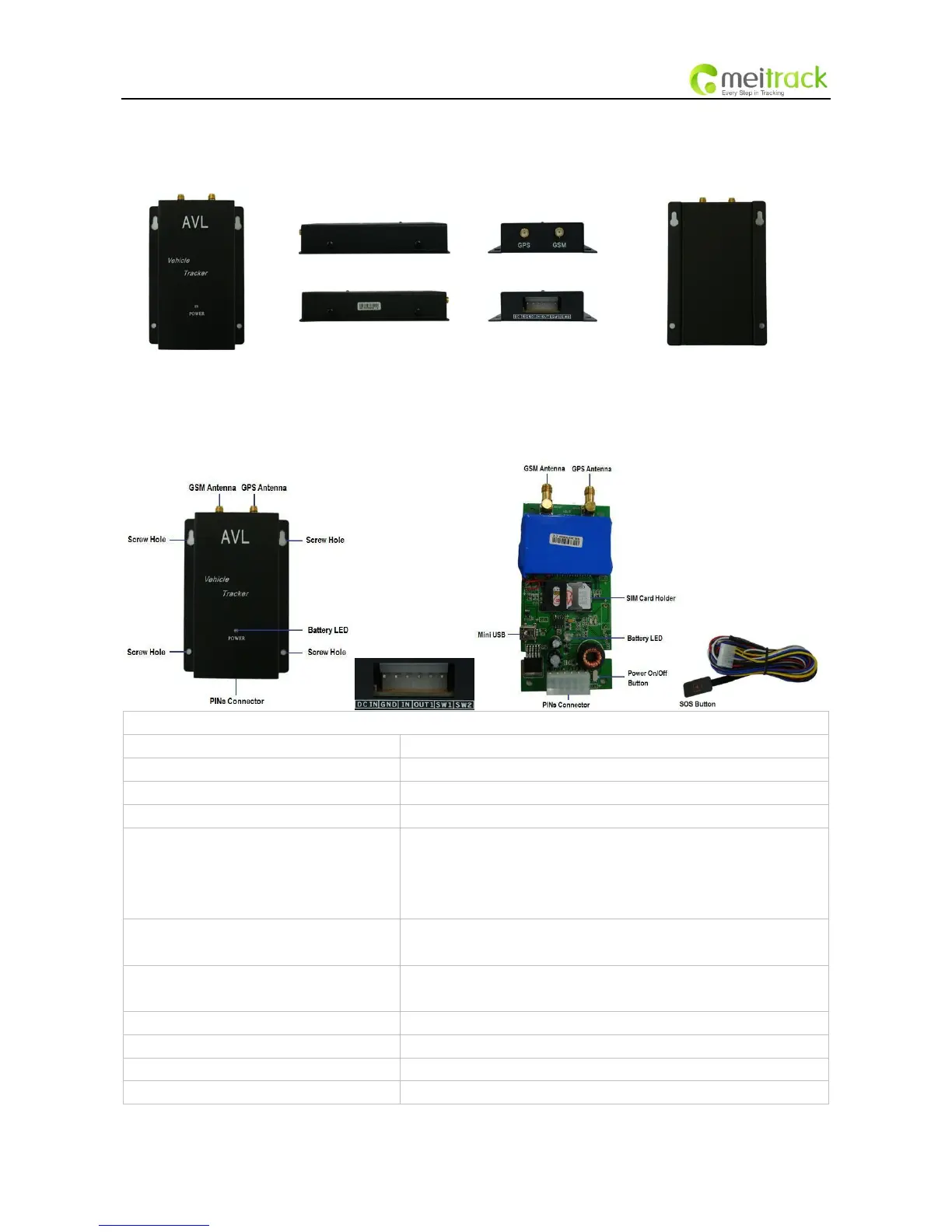
To turn on/off VT300.
Note: The switch is on off side as factory default. When the wires are
plugged in, VT300 will be switched on automatically as the two yellow cables
(SW1 and SW2) are connected together.
SOS button is connected with the wires. Press it to send SOS alarm to the
preauthorized phone number.
Used for firmware update and configuration on PC. (USB-to-Serial Adaptor
is required for firmware update and configuration by computer)
Connector for GSM antenna
Connector for GPS antenna
There are 4 screw holes on the tracker, 2 along either side that act as fixing



 To Next Page