- 8 -
7. Track
7.1 Track by SMS
- Track on Demand - Reply with longitude, latitude, speed and date
Command: W******,000
Description: To get the current location of the tracker, send this command as an SMS or make a telephone
call directly to the tracker. After doing so, the device will report its longitude and latitude by SMS with the
format as follows:
Latitude = 22 32 36.63N Longitude = 114 04 57.37E, Speed = 2.6854Km/h, 2008-12-24,01:50
Example:
W000000,000
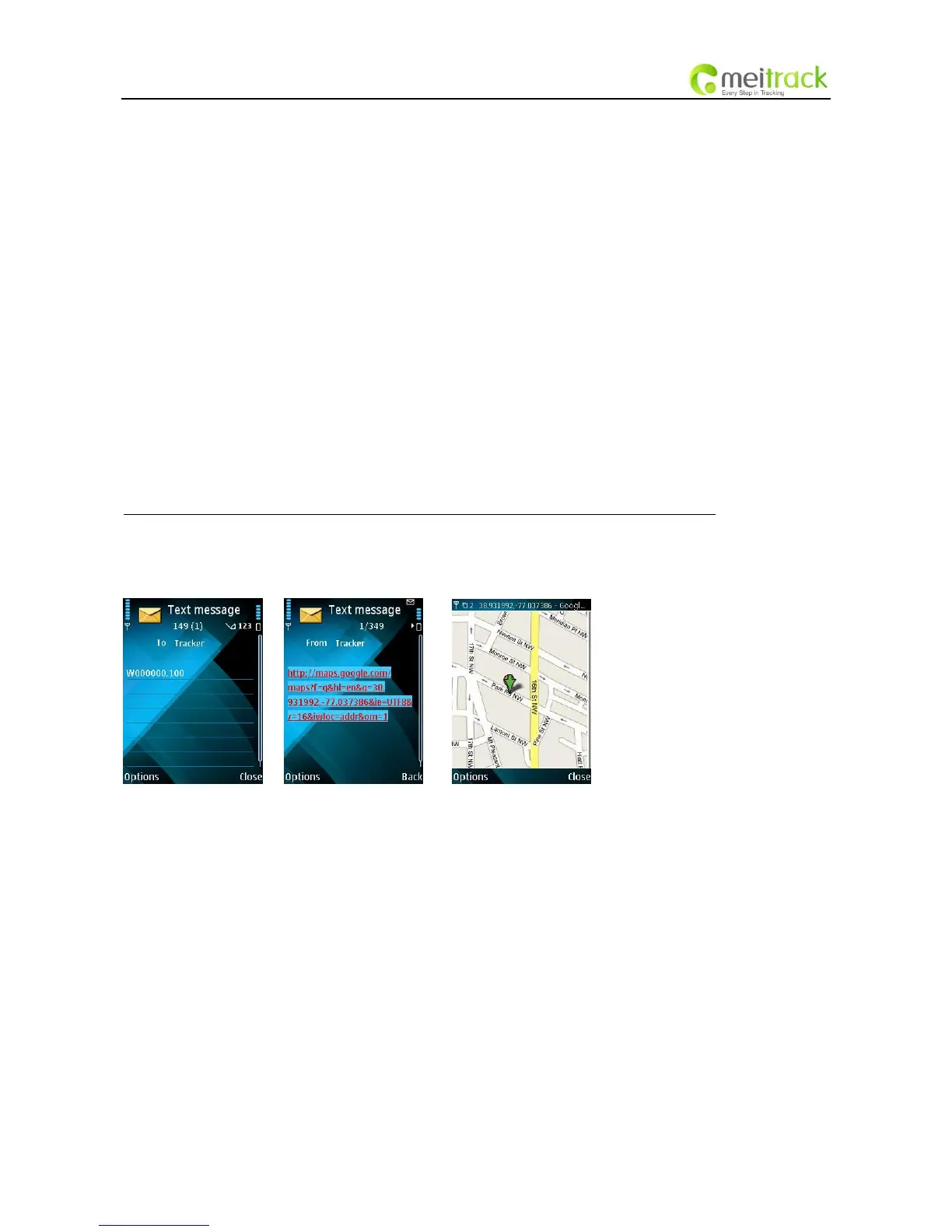
- Track on Demand - Reply with a link to Google Maps
Command: W******,100
Description: Send this command to the tracker and you will receive an SMS with an http link. Click on the
link and the location will be shown directly on your mobile phone using Google maps. For example:
http://maps.google.com/maps?f=q&hl=en&q=22.540103,114.082329&ie=UTF8&z=16&iwloc=addr&om=1
Note: Only smart phones and PDAs support this function.
Example:
W000000,100
7.2 Track by Calling
Make a missed call to the tracker and it will report its longitude and latitude by SMS with the following
format:
Latitude = 22 32 36.63N Longitude = 114 04 57.37E, Speed = 2.6854Km/h, 2008-12-24,01:50
7.3 Track by Preset Interval
Command: W******,002,XXX
Description: Set an interval for the tracker to continuously report its location by SMS
Note:
1. XXX is the interval in minutes;
2. XXX=000 to turn off tracking by time.
Example:



 To Next Page