26
4 Copy music files into the displayed folder.
Note: The USB drive will appear as the “Expansion” folder.
If Unable to Access from a Computer
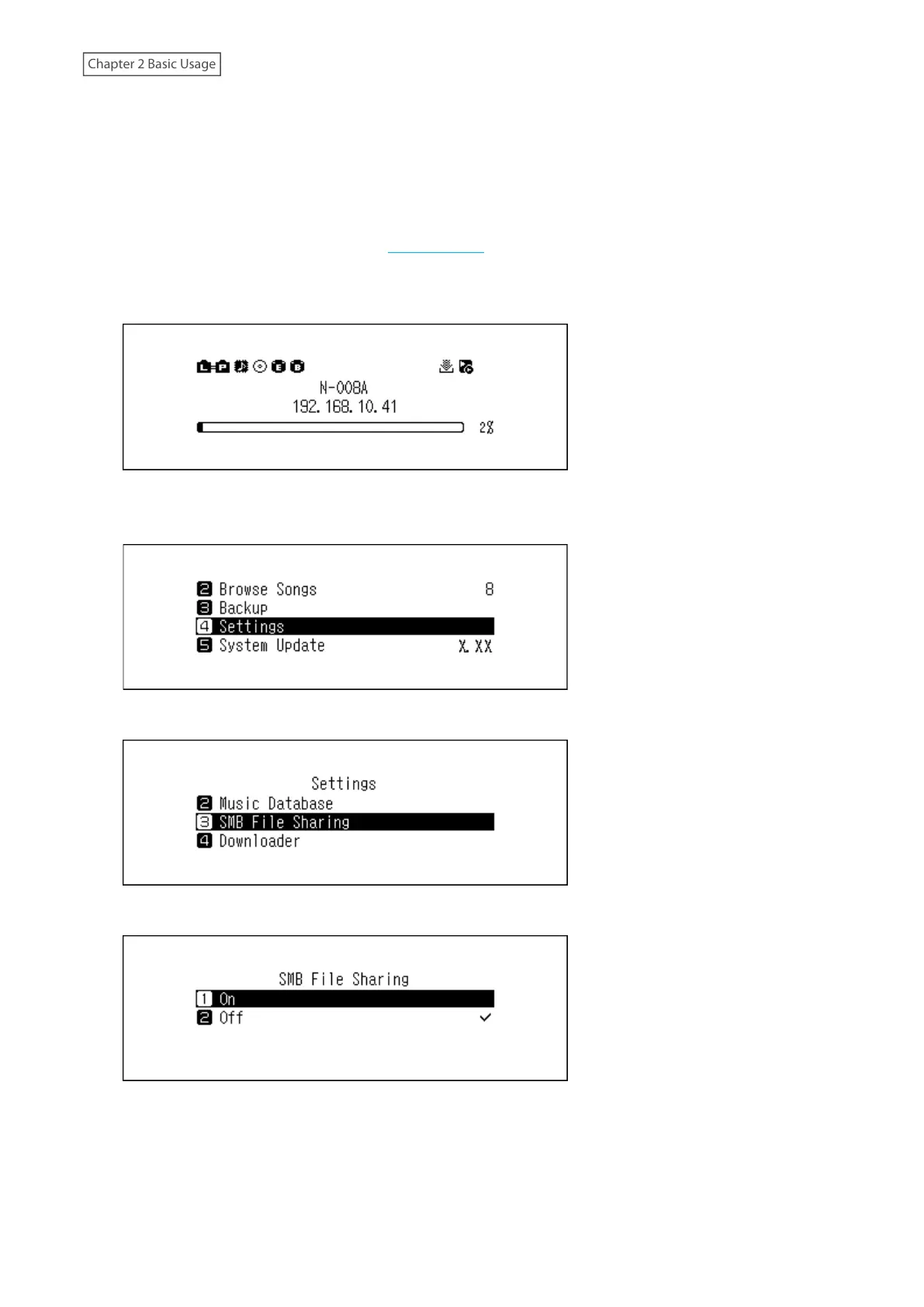
If the file sharing status icon, number 11 in the “Home Screen” section, is not displayed on the home screen, enable
the file sharing service. To enable the file sharing service, follow the procedure below.
1 Press the Menu/Enter button to display the menu list at the home screen.
Note: The screenshot above shows the N1 EX.
2 Press the Up/Down buttons and select “Settings”, then press the Menu/Enter button.
3 Press the Up/Down buttons and select “SMB File Sharing”, then press the Menu/Enter button.
4 Press the Up/Down buttons and select “On”, then press the Menu/Enter button.


 To Next Page
 Loading...

