29
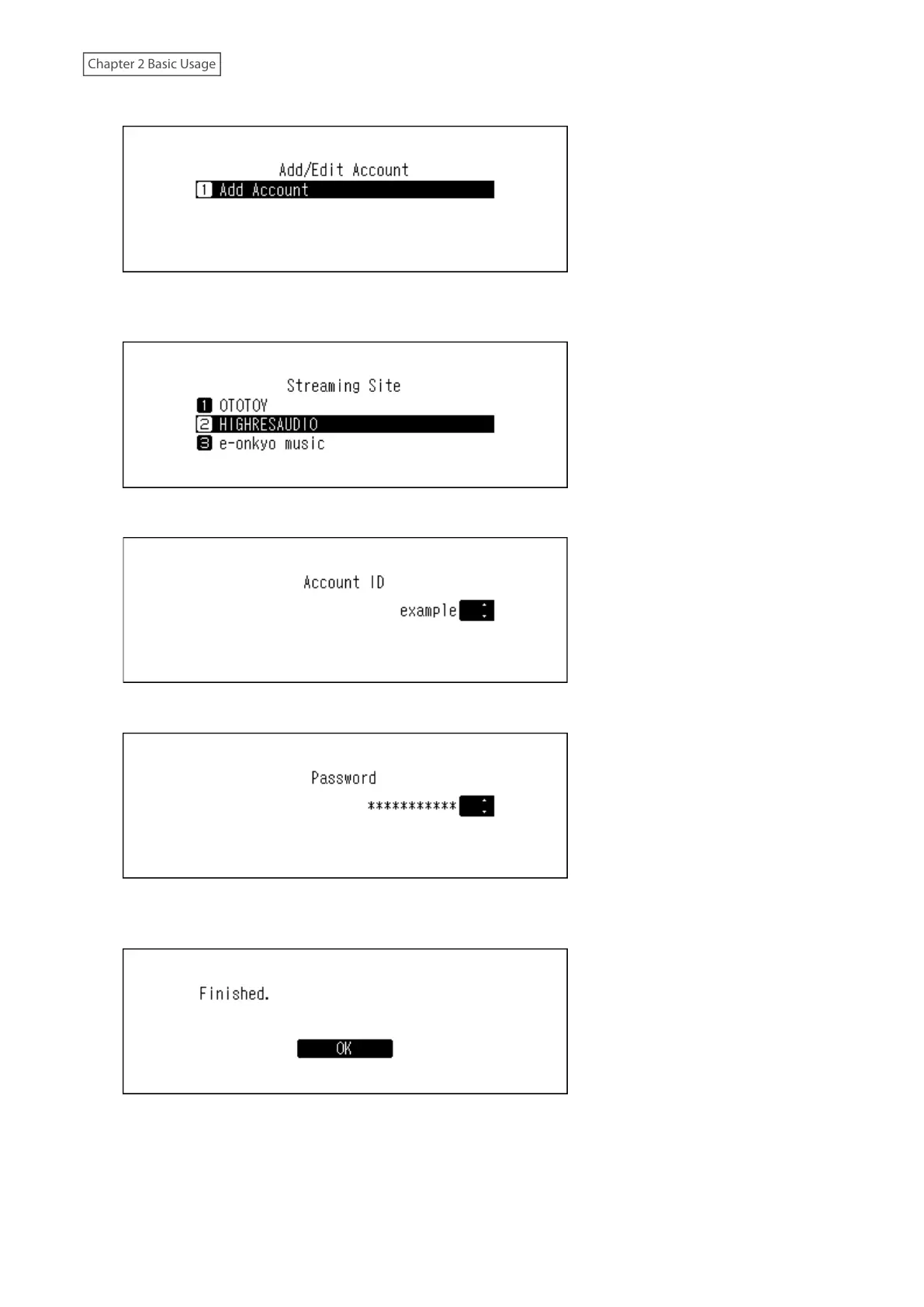
7 Press the Up/Down buttons and select “Add Account”, then press the Menu/Enter button.
8 Press the Up/Down buttons and select the streaming site to add an account, then press the Menu/Enter
button.
9 Press the Up/Down buttons and enter the account ID, then press the Menu/Enter button.
10 Press the Up/Down buttons and enter the account password, then press the Menu/Enter button.
11 When the credentials are authenticated, the following message will be displayed. Press the Menu/Enter
button.
After an account has been added, periodic downloads will be automatically enabled.
Note: If you want to download files immediately, go to Settings > Downloader > Periodic Downloads. Make sure “On”
is selected, then press the Menu/Enter button.


 To Next Page