43
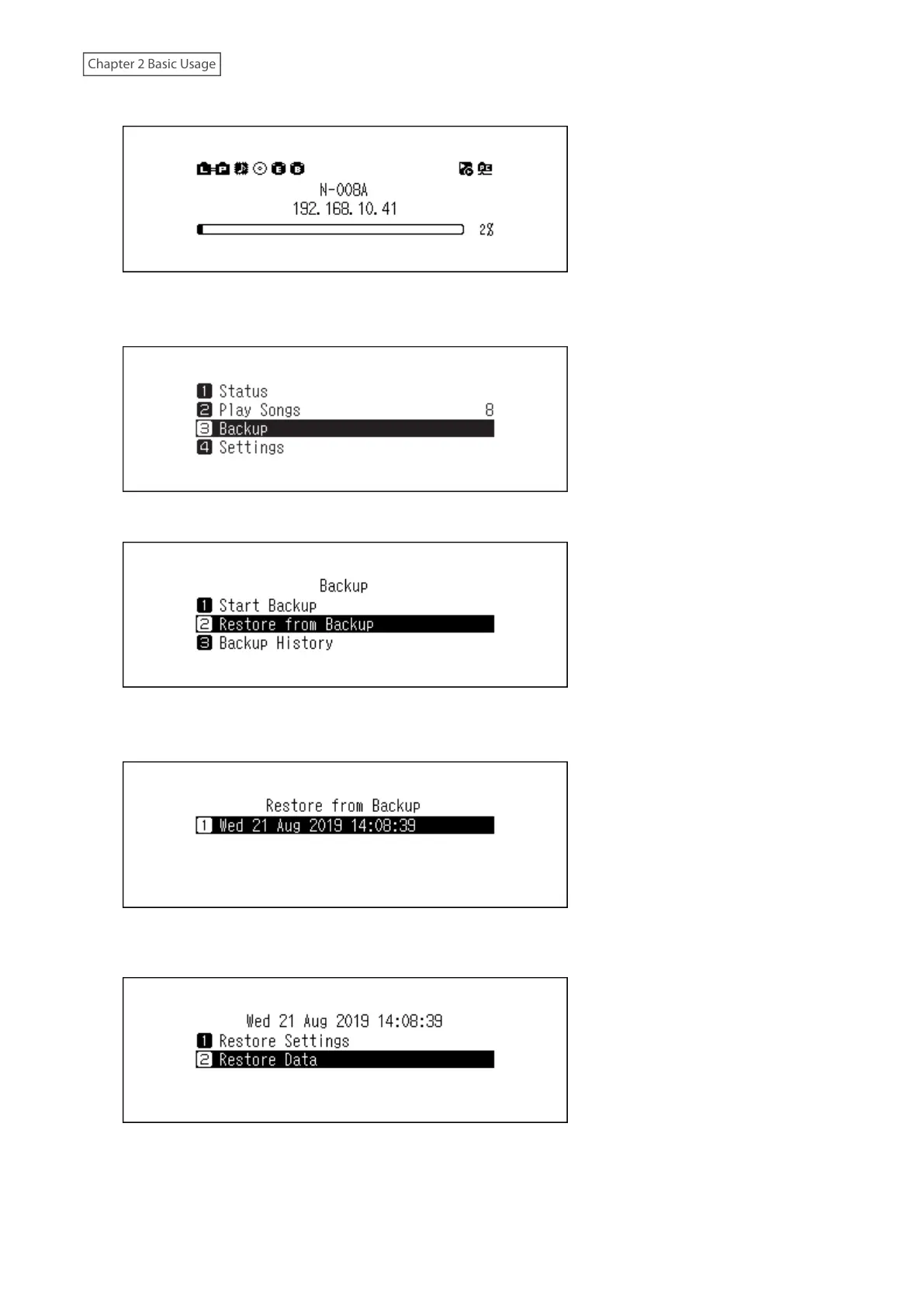
2 Press the Menu/Enter button to display the menu list at the home screen.
Note: The screenshot above shows the N1 EX.
3 Press the Up/Down buttons and select “Backup”, then press the Menu/Enter button.
4 Press the Up/Down buttons and select “Restore from Backup”, then press the Menu/Enter button.
Note: To display the backup history, navigate to Backup > Backup History.
5 Press the Up/Down buttons and select the date of backup, then press the Menu/Enter button.
6 Press the Up/Down buttons and select “Restore Data”, then press the Menu/Enter button. If selecting “Restore
Settings”, settings other than the hostname can also be restored from the backup settings.



 To Next Page