12 D24030 | Date 11/2018
Construction and description
2.6.2 Communication interfaces
The interfaces are intended for appliances which meet the requirements of IEC 60950-1.
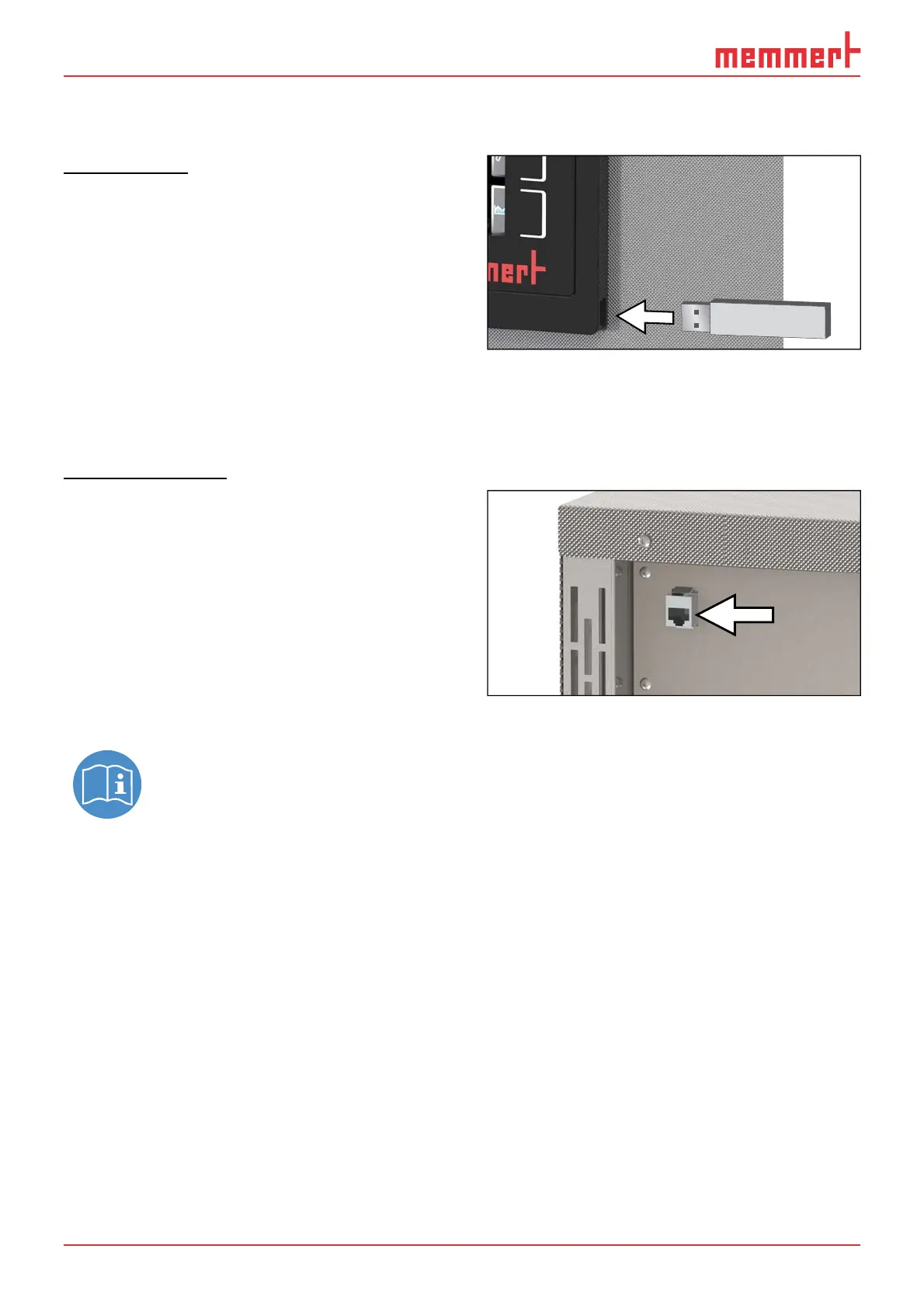
USB interface
The appliance is fitted by default with a USB
interface in accordance with the USB specifi-
cation. This way, you can
► transfer software stored on a USB stor-
age medium to the appliance (see page
56).
► export protocol logs from the appliance
to a USB storage medium (see page
58).
► transfer user ID data stored on a USB storage medium to the appliance (see page 59).
The USB port can be found on the right side of the ControlCOCKPIT (Fig. 4).
Ethernet interface
Via Ethernet interface, the appliance can be
connected to a network, so that you can
transfer programmes created with
AtmoCONTROL software to the appliance
and read out protocol logs. The Ethernet
interface is located on the rear of the
appliance (Fig. 5).
For identification purposes, each appliance
connected must have its own unique IP ad-
dress. Setting the IP address is described on
page 46 .
You will find a description of how to transfer programmes via Ethernet in the en-
closed AtmoCONTROL manual.
With an optional USB to Ethernet converter, the appliance can be directly connected to a com-
puter / laptop (see Optional accessories on page 16).
Fig. 4 USB interface
Fig. 5 Ethernet interface



 To Next Page