D24030 | Date 11/2018 39
Operation and control
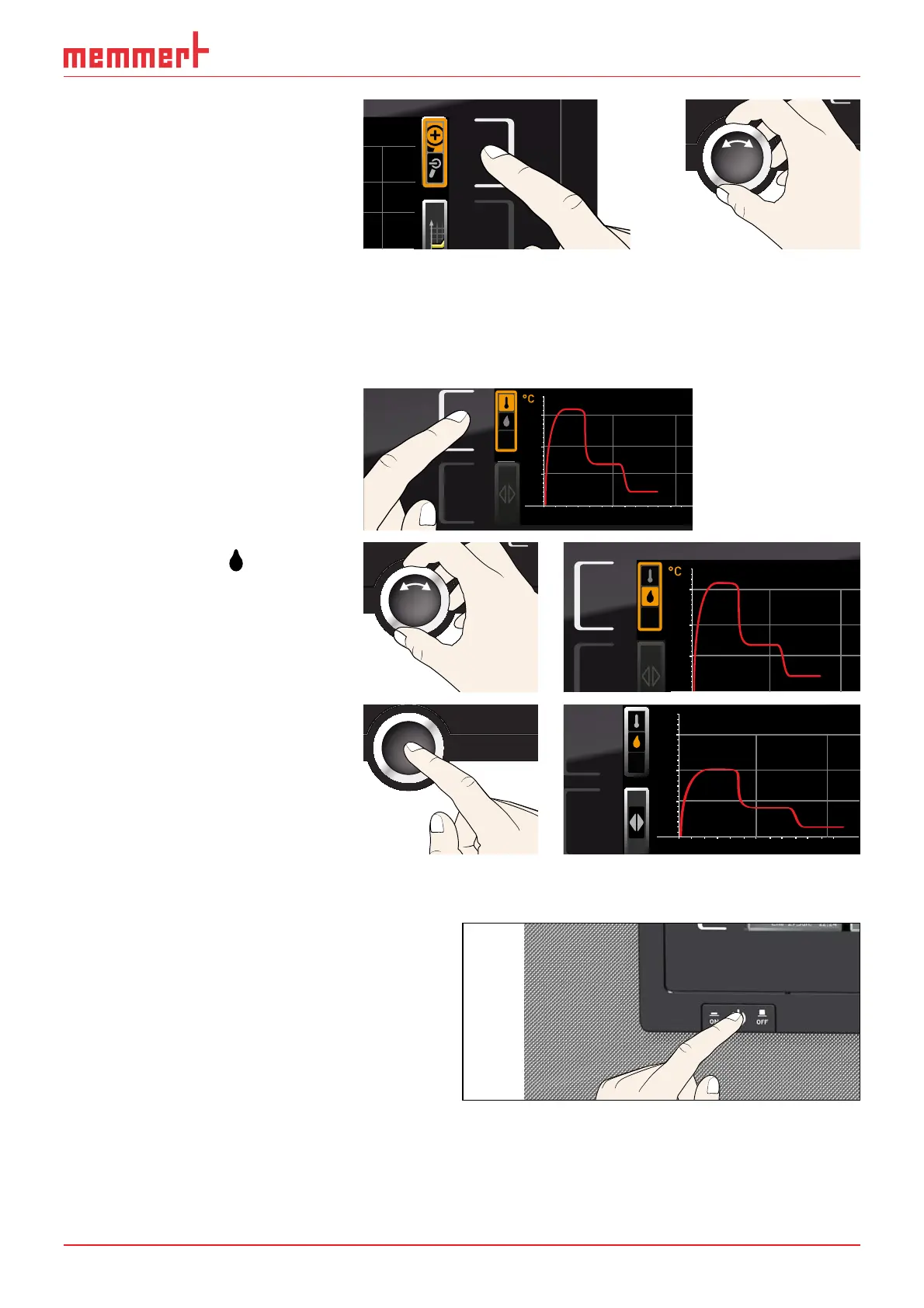
► To zoom the graph in or out:
Press the activation key next
to the magnifying glass sym-
bol. Select whether you want
to zoom in or out (+/–) with
the turn control and confirm
your selection by pressing the
confirmation key.
.2010 20:34
2
To close the graphical representation, again press the activation key which you have used to
activate it.
5.6.2 Humidity profi le (only for constant climate chambers HPP)
1. Activate graphic representa-
tion as described above and
then press the activation key
next to the parameter selec-
tion.
0 4 8 12162024
°C
40
20
60
80
100
Fr 20.10.2010 2
12.09.2012
14.00 16.00 18.00
38
39
40
2. Select humidity
with the
turn control.
°C
40
20
60
80
100
Fr 20.10.2010 2
12.09.2012
38
39
40
3. Press the confirmation key to
confirm. The humidity profile
is displayed. You can change
the display range as described
above, as well as extend or
reduce it.
0 4 8 12162024
°C
40
20
60
80
100
Fr 20.10.2010 20:3
12.09.2012
14.00 16.00 18.00
40
60
80
%rh
5.7 Ending operation
1. Switch off active appliance functions
(turn back the set values).
2. Remove the chamber load.
3. For constant climate chambers HPP:
Check the freshwater tank and fill up if
necessary (see page 24).
4. Switch off appliance (Fig. 23).
ON
Fig. 23 Switching off the appliance.



 To Next Page