24 D24030 | Date 11/2018
Putting into operation
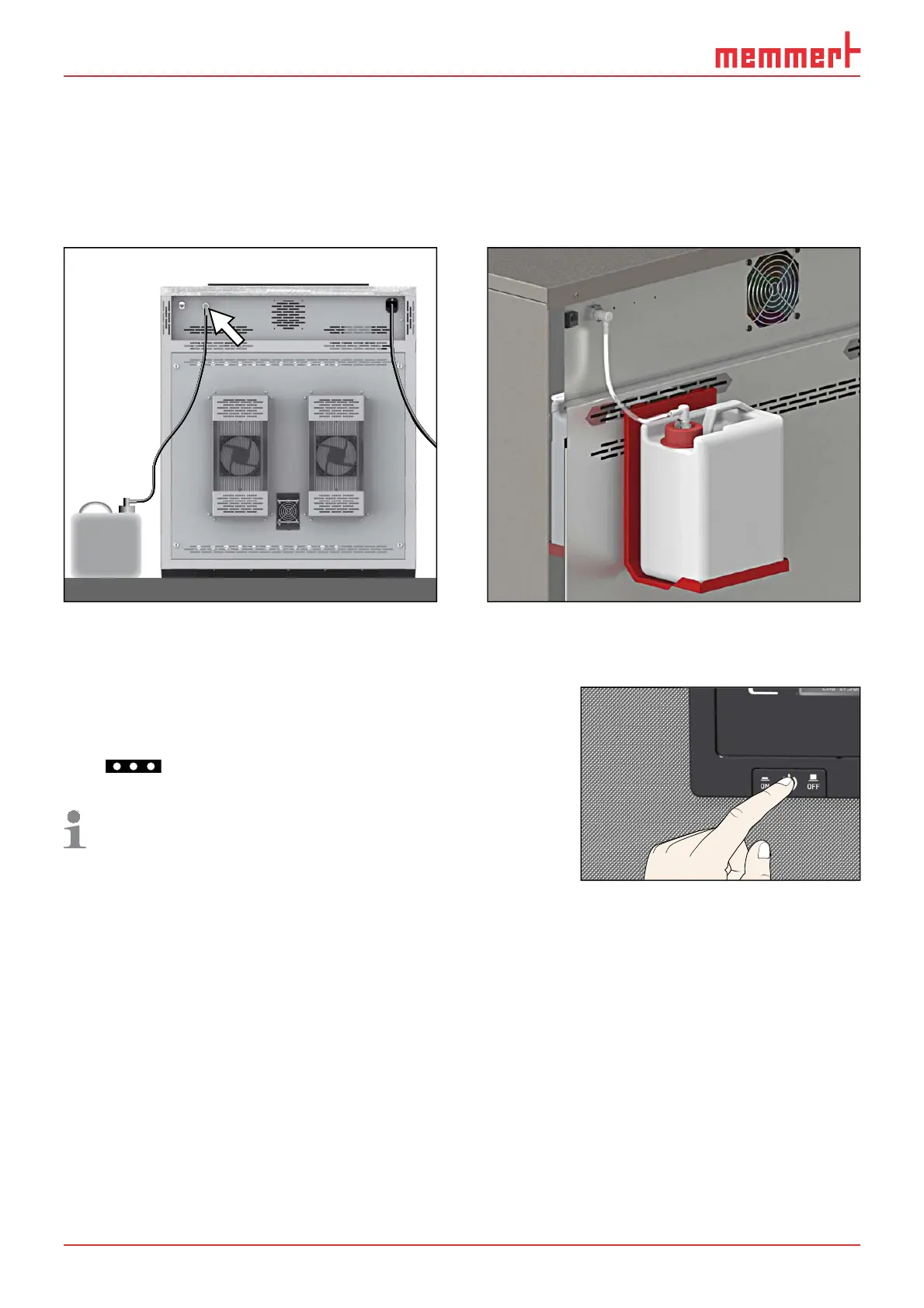
Fill the supplied water tank with water and connect it with the enclosed tube to the „H2O“
connection on the rear of the chamber (Fig. 12).
For appliances of sizes 400/750/1060, the tank can be attached to the appliance with the
included tank holder (Fig. 13). To do so, hook the tank holder into the slots on the rear of the
appliance. For wall mounting, the tank holder also has two drill holes (fastening material not
included in the delivery).
Fig. 12 Water connection Fig. 13 Tank holder
4.3 Switching on
Switch on the appliance by pressing the On/Off switch
on the front of the appliance ( Fig. 14 ).
The starting process is shown by three animated white
dots
. If the dots have another colour, an error has
occurred (see page 42).
After the first start-up, the appliance display is set to
English by default. You can change the language as
described from page 45. However, to get a basic
overview of operating the appliance, you should read
the following chapter first.
ON
Fig. 14 Switching on the ap-
pliance



 To Next Page