46 D24030 | Date 11/2018
Menu mode
All other settings can be made accordingly. The settings possible are described in the follow-
ing sections.
If no new values are entered or confirmed for approx. 30 seconds, the appliance automati-
cally returns to the main menu and restores the former values.
7.3 Setup
7.3.1 Overview
In the SETUP display, you can set the following parameters:
► the IP address and Subnet mask of the appliance's Ethernet interface (for connection to
a network)
► the Unit of the temperature display (°C or °F, see page 47)
► how the digital backwards counter with target time setting works (Timer mode, see page
48)
► the type of the slide-in unit (Grid or Shelf, see page 48)
► the heat output distribution (Balance, see page 49)
► Remote control (see page 49)
► Gateway (see page 50)
If the SETUP menu contains more entries than can be
displayed, this is indicated by the display “1/2”. This
means that there is a second „page“ of entries.
To display the hidden entries, use the turn control
to scroll beyond the lowest entry. The page display
changes to “2/2”.
7.3.2 IP address and subnet mask
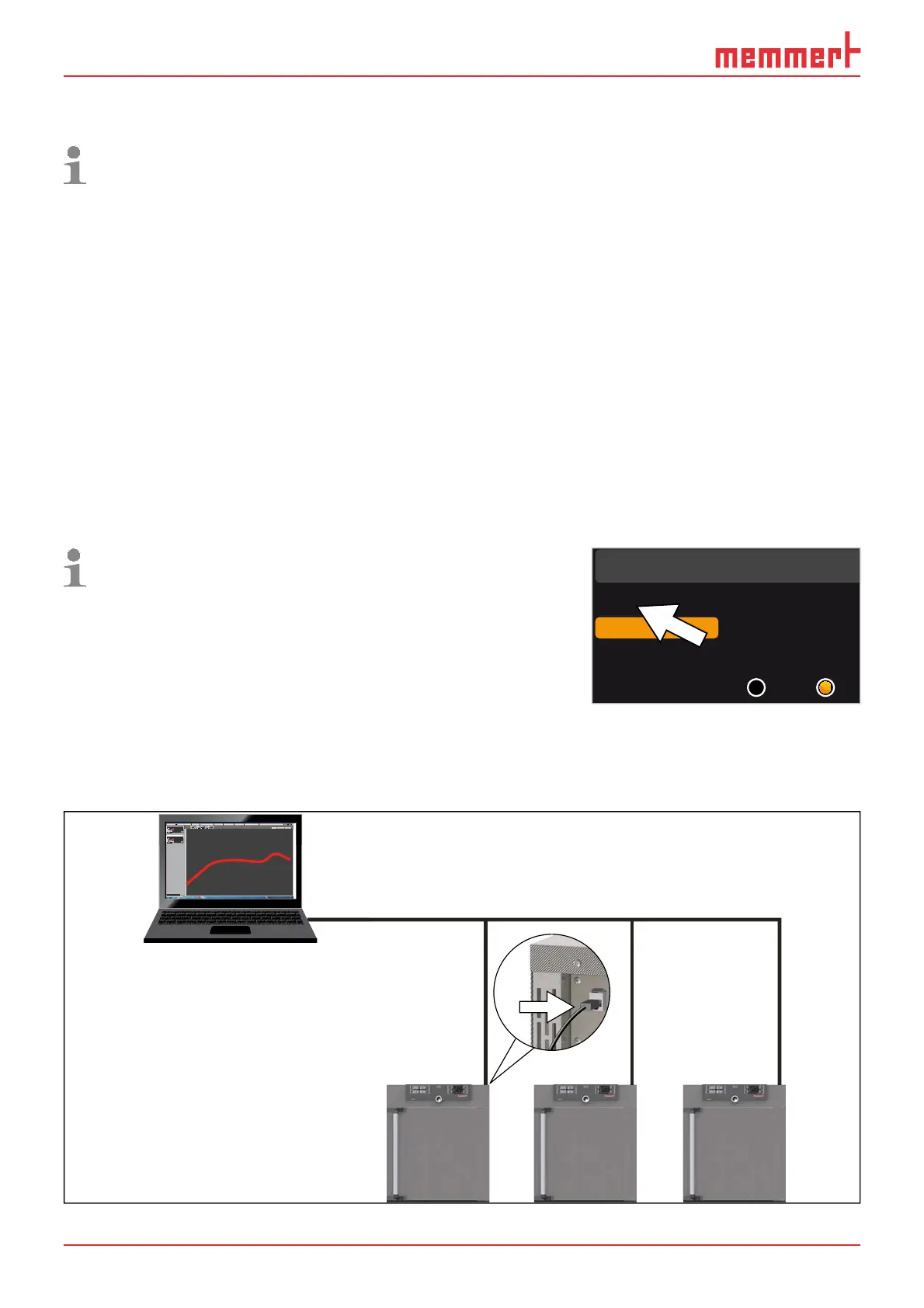
If you want to operate one ore more appliances in a network, each appliance must have its
own unique IP address for identification. By default, each appliance is delivered with the IP
address 192.168.100.100.
LAN 1: 192.168.1.233
192.168.1.216
LAN 2: 192.168.1.215
LAN 3: 192.168.1.241
1
2.1
.
Editor
Programmname
Simulation Protokoll
-
+
-
+
INP 250 Test 01
180
.0°C
i
HPP 250 Labor
i
37
.0°C
44
.4%rh
151
STAND BY
Programm negnulletsniEllokotorPtäreG efliHnekcurD
AtmoCONTROL
Fig. 25 Operation of several appliances in a network (schematic example)
Setu
Unit
IP adress 255.145.136.
Subnet mask 255.255.0.0
°C F
1/2



 To Next Page