D24030 | Date 11/2018 45
Menu mode
7.2 Basic operation in menu mode using the example of language
selection
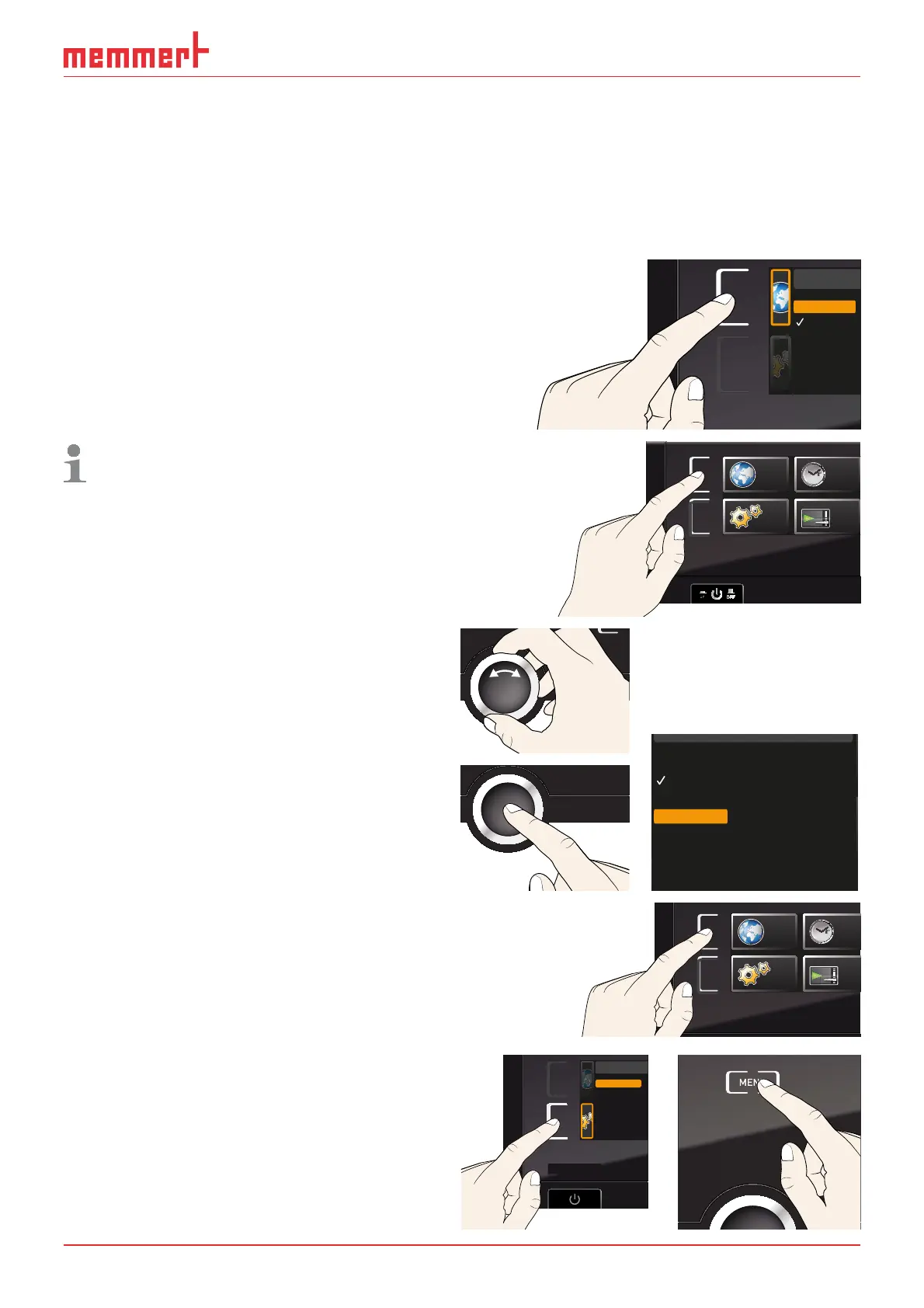
In general, all settings in menu mode are done just like in manual mode: Activate the re-
spective display, use the turn control for setting and press the confirmation key to accept
the change. A more detailed description is provided in the following, using the example of
language selection.
1. Activate the desired parameter (in this
example the language). To do so, press
the corresponding activation key on the
left or right of the respective display. The
activated display is enlarged.
ENGLISH
DEUTSCH
ESPANOL
POLSKI
CESTINA
FRANCAIS
If you want to exit or cancel your settings,
again press the activation key which you
have used to activate the display. The
appliance returns to the menu overview.
Only the settings that you have con-
firmed by pressing the confirmation key
before cancelling the setting procedure
are accepted.
SETUP
SIGNALTÖNE
CALIB
LANGUAGE
TIME
ON
2. With the turn control, select the desired
new setting, e.g. Español (Spanish).
3. Save the setting by pressing the confir-
mation key.
ENGLISH
DEUTSCH
MAGYAR
ITALIANO
ESPANOL
FRANCAIS
POLSKI
CESTINA
4. To return to the menu overview, press the
activation key again.
SETUP
SIGNALTÖ
CALI
LANGUAGE
TIM
You can now
► activate another menu function by press-
ing the corresponding activation key or
► return to manual mode by pressing the
MENU key.
Balance
Einheit
IP Adresse
Alarm Temp
Timer Mode
Unit
IP address
Subnet mask
Alarm Temp
Timer mode
Slide-in unit
ENGLISH
DEUTSCH
MAGYAR
ITALIANO
ESPANOL
FRANCAIS
POLSKI
CESTINA



 To Next Page