D24030 | Date 11/2018 47
Menu mode
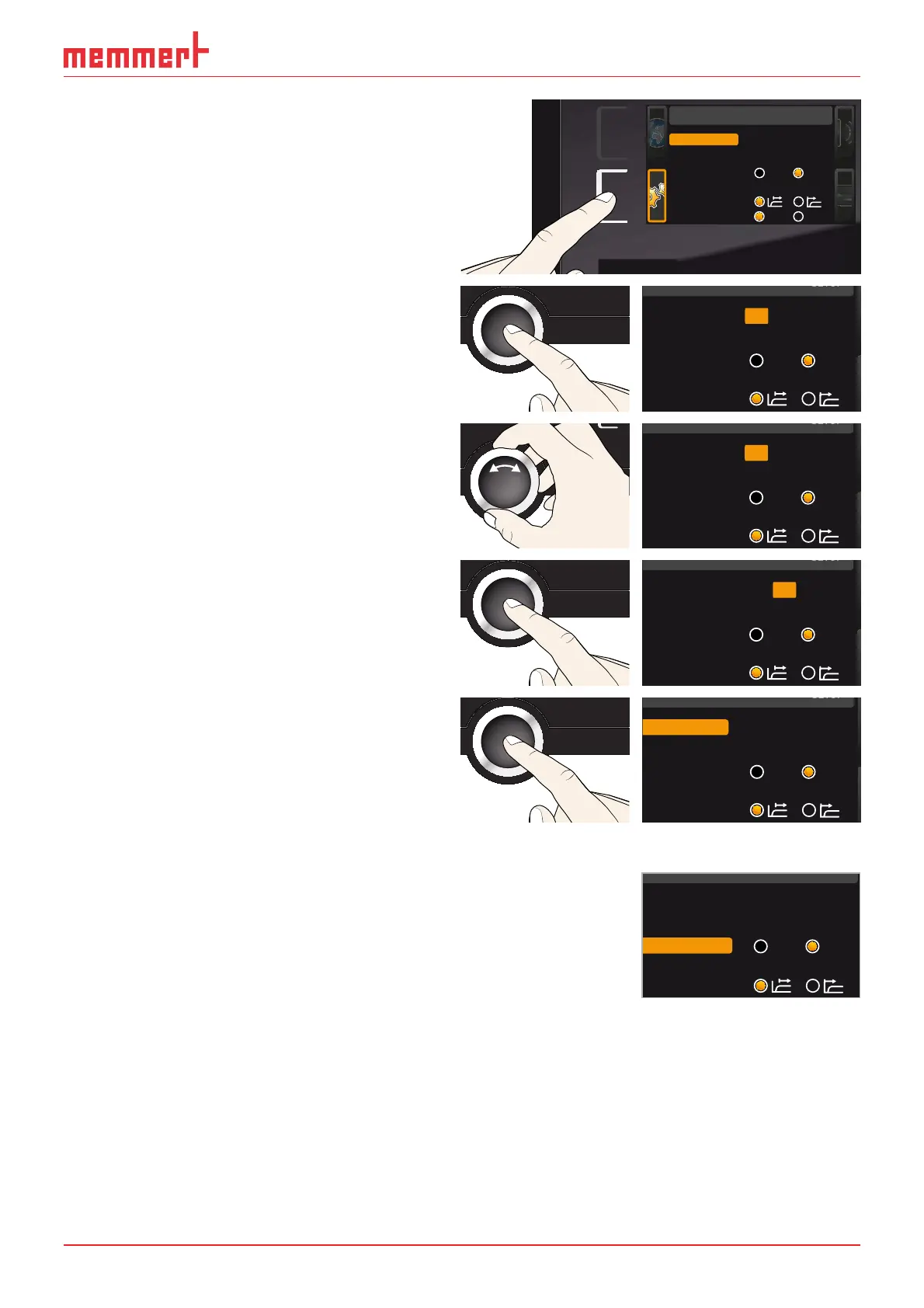
1. Activate the
SETUP display. The entry IP
address is automatically highlighted.
SETUP
Balance
Einheit
IP Adresse
+30%
192.168.100.100
Alarm Temp
°C F
TWW TWB
Timer Mode
SETUP
Unit
IP address 192.168. 100.100
Subnet mask 255.255. 0 .0
Alarm Temp
°C F
TWW TWB
Timer mode
Slide-in unit
Grid Shelf
2. Accept the selection by pressing the con-
firmation key. The first three digits of the
IP address are automatically selected.
Unit
IP address 192.168.100.100
Subnet mask 255.255.0.0
Alarm temp
°C F
TWW TWB
Timer mode
3. With the turn control, set the new num-
ber, e.g. 255.
Unit
IP address 255.168.100.100
Subnet mask 255.255.0.0
Alarm temp
°C F
TWW TWB
Timer mode
4. Accept the selection by pressing the
confirmation key. The next three digits of
the IP address are automatically selected.
Setting these is done according to the
description above.
Unit
IP address 255.168.100.100
Subnet mask 255.255.0.0
Alarm temp
°C F
TWW TWB
Timer mode
5. After setting the last three digits, accept
the new IP address by pressing the con-
firmation key. The selection returns to the
overview.
The subnet mask is set accordingly.
Unit
IP address 255.145.136.225
Subnet mask 255.255.0.0
Alarm temp
°C F
TWW TWB
Timer mode
7.3.3 Unit
Here, you can choose whether the temperature is displayed in °C
or °F.
Unit
IP address 255.145.136.225
Subnet mask 255.255.0.0
Alarm temp
°C °F
TWW TWB
Timer mode



 To Next Page