32
Service IPP 200-500/HPP 108 | 10/2008
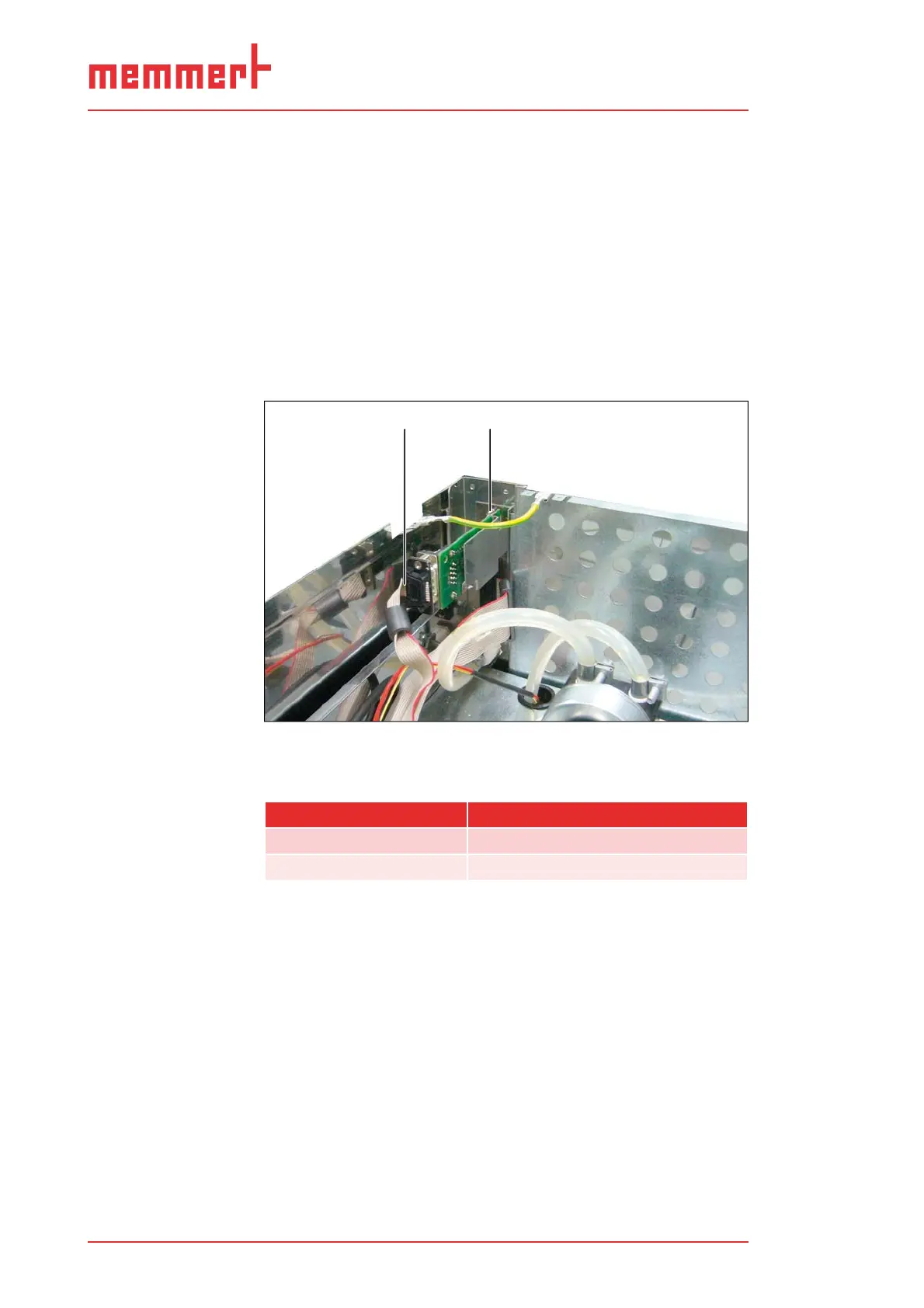
Replacing the interface module17.
Disconnect the mains plug.1.
Remove the top panel (see page 11).2.
Pull off the plug on the USB interface module or Ethernet 3.
module (depending on the appliance fittings) on the rear cas-
ing panel (1).
Undo 2 screws at top and bottom with which the module is 4.
attached to the rear wall (2); remove module.
Insert a new module and screw tight.5.
Connect the plug.6.
Re-attach the casing lid.7.
1
2
Replacing the interface moduleFig. 23:
Plug1
Screw connection 2
Spare part Spare part number
USB interface module B04118
Ethernet module B04121


 To Next Page