37
Service IPP 200-500/HPP 108 | 10/2008
If the fan is running, but the humidity inside the appliance does
not fall, you should proceed as follows:
Remove the top panel (see page 11).1.
Check that all plugs in the control unit are connected.2.
Check that the fuse for the control module is OK (see page 3.
34). If not: replace the fuse.
Check that the green LED on the power supply unit lights up 4.
for dehumidification (see page 34). If not: Replace the power
supply unit (see page 38).
If no errors can be found, either in the fan or the control 5.
module or power supply unit, the dehumidification Peltier
module with the fan must be replaced (see next chapter).
18.2.1 Replace fan and dehumidification Peltier module
Disconnect the mains plug.1.
Remove the top and rear panels (see pages 11 and 12).2.
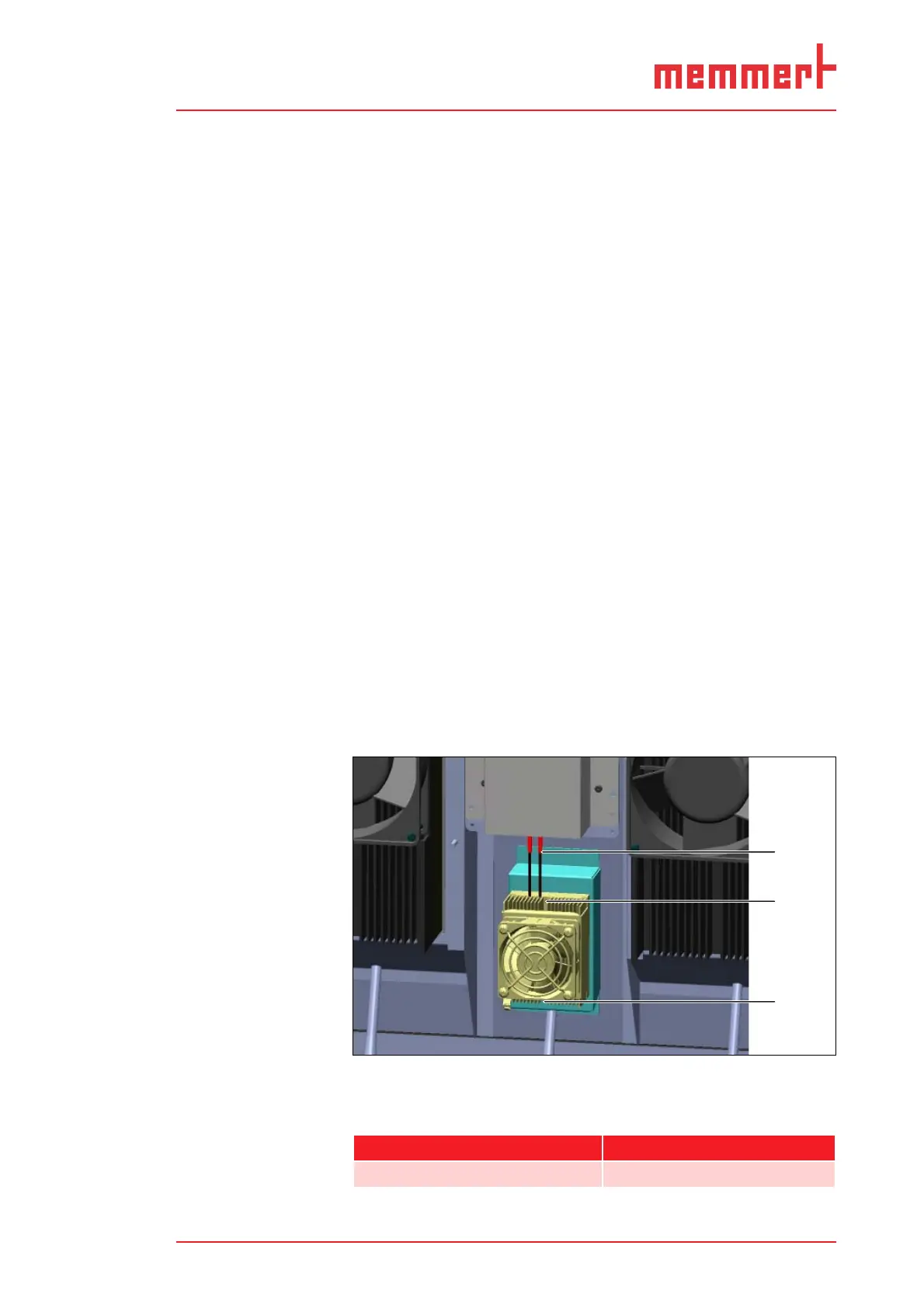
Undo the plug connector of the fan (1).3.
Undo the screw connection of the fan at the top and the bot-4.
tom (2).
Pull out the fan with the Peltier module to the rear.5.
Insert a new fan with Peltier module and screw it tight at the 6.
top and the bottom.
Connect the plug connector of the fan.7.
Mount all three cover grids on the rear side of the appliance. 8.
Re-attach the rear and top panels.
Reconnect the mains plug.9.
Check that the dehumidification is now working properly. If 10.
this is not the case, contact the manufacturer.
1
2
2
Replace the dehumidification Peltier module with fanFig. 28:
Plug connection 1
Screw connections at the top and bottom (2 screws)2
Spare part Spare part number
Dehumidification Peltier module E05394


 To Next Page