- 24 -
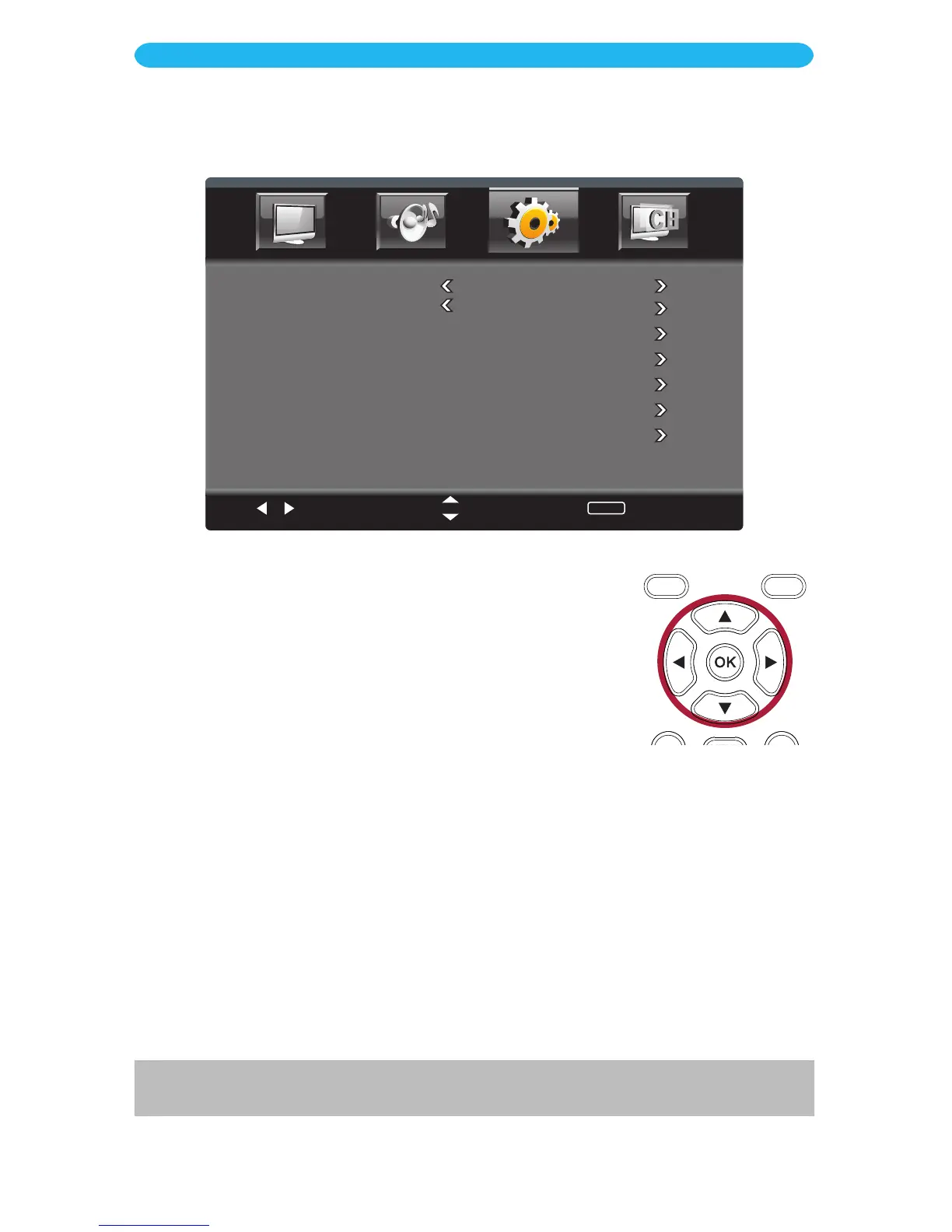
1 Press the MENU button to bring up the On-Screen menu.
2 Press the t/u buttons to select Setup.
3 Press the q button to select Parental Controls.
4 Press the OK button to enter.
5 Enter the child-lock code you previously set using the Number
buttons followed by the OK button. If you have never entered a
password, use the default password of “0000”.
6 Change the settings as below and the following pages.
ON SCREEN DISPLAY
Setup Menu - Parental Controls Submenu
Select
Move
MENU
Return
Change Password
System Lock On
Input Lock
US
Canada
RRT Setting
Reset RRT
CHANGE PASSWORD: Set the desired Lock password. If you forget, you can always use
1470 to access.
SYSTEM LOCK: Turn On to lock the system and have the TV adhere to the Lock options
you set in the following settings.
INPUT LOCK: Press the u button to enter the setting, described on page 25.
US RATING*: Press the u button to enter the setting, described on page 26
CANADIAN RATING*: Press the u button to enter the setting, described on page 27.
RRT SETTING**: Press the u button to enter the setting, described on page 28.
RESET RRT**: Press the u button to reset the RRT Settings.
* These options are only available when in TV mode.
** These options are only available when current stream has downloadable rating data.



 To Next Page