37
ENGLISH
12
POWER
CHANNEL
MENU
ENTER
CANCEL
AUTO
TRACKING
SLOW
PAUSE/STILL
STOP
PLAY
REW/
REC/OTR
SKIP
SEARCH
3
45
6
789
0
/F.FWD
SET
SLOW
TIMER REC TV MONI.
CALL
TV/VCR
AUDIO
SPEED
EJECT
CLOCK/
COUNTER
COUNT
RESET
ZERO
RETURN
INPUT
SELECT
INDEX
4
NOTE:
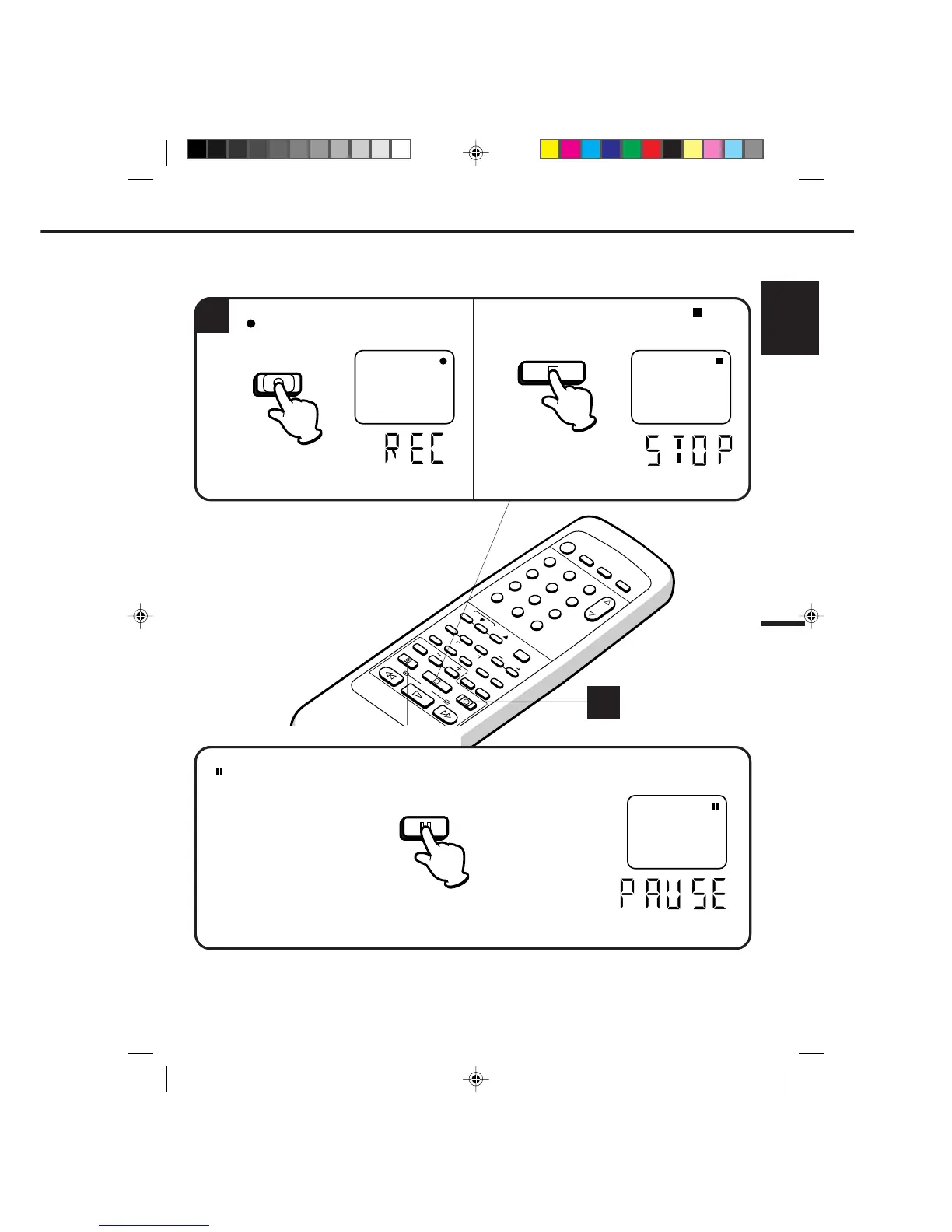
Press the REC/OTR button.
" " will appear on the screen about 4
seconds.
Press the PAUSE/STILL button to avoid recording unwanted material. Press again to continue the recording.
" " will appear on screen about 4 seconds and the REC indicator will light in the display to continue
pause mode.
Press the STOP button to stop recording. " " will
appear on screen about 4 seconds.
TO STOP RECORDING
AUTO REWIND FEATURE
This VCR will automatically rewind the tape when the tape has ended (except during OTR and TIMER REC). It will also
eject the tape and turn the VCR’s power OFF.
NOTE: The pause function will be released after 5 minutes to prevent damage to the tape or the VCR. The
VCR will change to the STOP mode.
TO STOP RECORDING TEMPORARILY
The STOP indicator will light in the display about
4 seconds.
CH 110
4
PAUSE/STILL
STOP
REC/OTR
4C90301A-E(P30-37) 26'04'1999, 10:51 AM37


 To Next Page