38
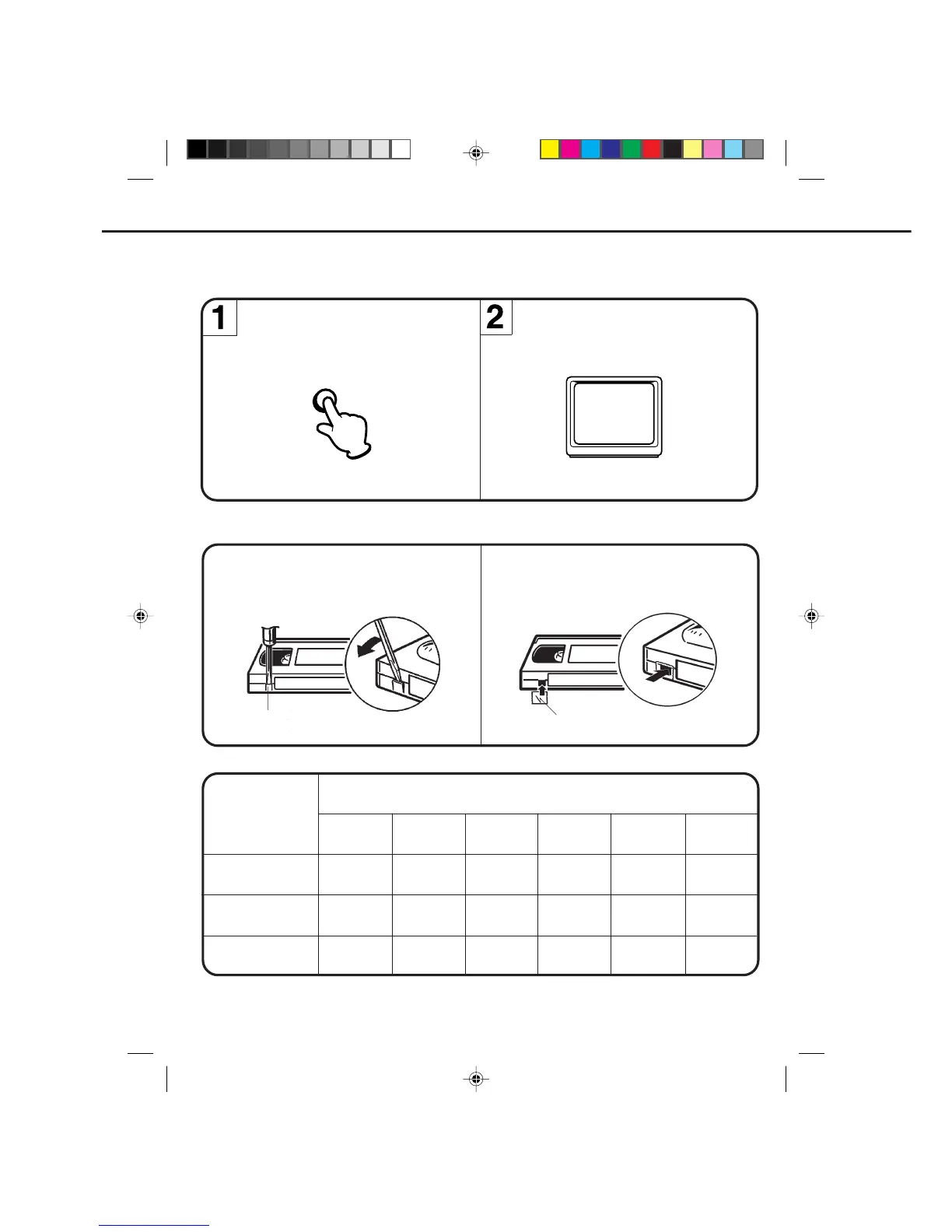
While the VCR is recording, press the TV/VCR
selector button to select the TV position.
The TV/VCR indicator will go off and recording
will continue.
Select the TV channel you want to watch by
using the TV channel selector.
RECORDING ONE PROGRAM WHILE WATCHING ANOTHER
After recording, break off the erase prevention
tab if you do not wish to record over the tape.
Cover the hole with adhesive tape.
Be careful the tape does not extend past the edges
of the cassette housing.
TAPE SPEED AND MAXIMUM RECORDING/PLAYBACK TIME
TAPE SPEED
SP
(Standard Play)
LP
(Long Play)
SLP
(Super Long Play)
VIDEO CASSETTE TAPE
Erase prevention tab
Adhesive tape
NOTE: Some CATV hookups do not permit viewing one channel while recording another. See pages 18-21.
1 hour
30 minutes
1-1/2 hours
1 hour
2 hours
3 hours
1-1/2 hours
4-1/2 hours
3 hours
T-90
6 hours
4 hours
2 hours
5-1/3 hours
2-2/3 hours
7 hours
10-1/2 hours
3-1/2 hours
T-210 T-160 T-120 T-60 T-30
8 hours
RECORDING A TV PROGRAM (CONTINUED)
TV/VCR
TO RECORD AGAIN
TO PREVENT AN ACCIDENTAL RECORDING
4C90301A-E(P30-37) 26'04'1999, 10:51 AM38


 To Next Page