• Reset the MX
• Factory reset the MX by holding the factory reset button for 10-15 seconds
• Try switching cables, or testing your cable on another device
Reference https://documentation.meraki.com/MX for additional information and troubleshooting tips.
If you are still experiencing hardware issues, please contact Cisco Meraki support by logging in to dashboard and using
the Help option near the top of the page, then opening and email case or calling using the contact information on that
page.
Warranty
MX Warranty coverage periods are as follows:
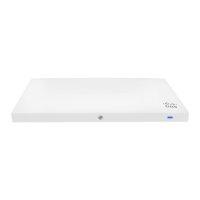
MX (e.g.
MX75)
Lifetime Full lifetime hardware warranty with next-day advanced replacement included.
MX
Accessories
1 Year
The following are considered accessories:
SFP Modules, all mounting kits and stands, interface modules, additional power cords
Note: The above table is a general guideline for warranty terms and is not final. Warranty terms are subject to printed
warranty information on the relevant online Meraki data sheets.
If your Cisco Meraki device fails and the problem cannot be resolved by troubleshooting, contact support to address the
issue. Once support determines that the device is in a failed state, they can process an RMA and send out a
replacement device free of charge. In most circumstances, the RMA will include a pre-paid shipping label so the faulty
equipment can be returned.
In order to initiate a hardware replacement for non-functioning hardware that is under warranty, you must have access to
the original packaging the hardware was shipped in. The original hardware packaging includes device serial number and
order information, and may be required for return shipping.
Meraki MX75 devices have been tested and found to comply with the limits for a Class A digital device, pursuant to part
15 of the FCC rules. A digital device that is marketed for use in a residential environment notwithstanding use in
commercial, business and industrial environments.
Additional warranty information can be found on: https://meraki.cisco.com/support#process:warranty
10


 To Next Page