Solid White
Fully operational/connected, uplink actively using wired
WAN
Solid Purple
Fully operational/connected, uplink actively using
integrated cellular failover
Back Panels
MX75
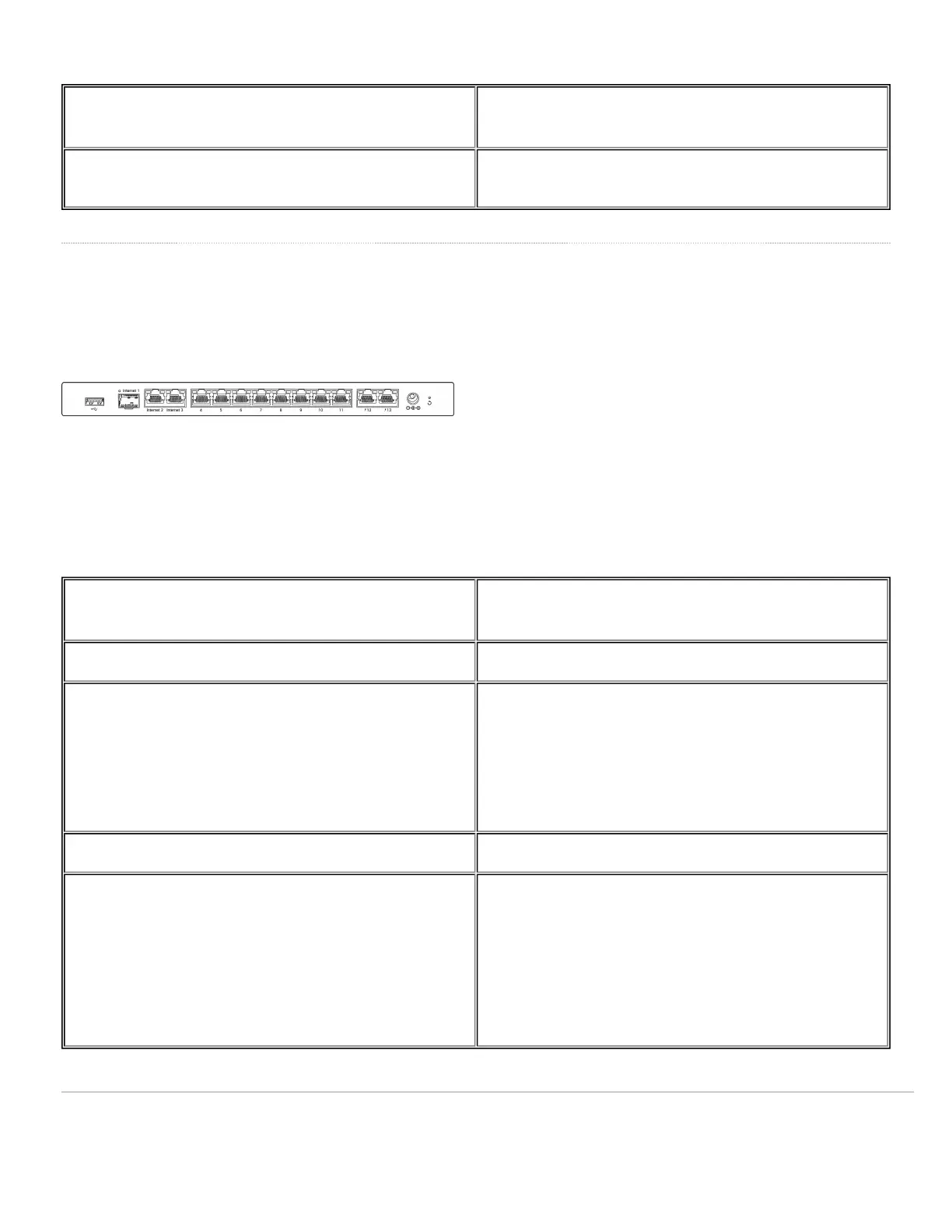
MX75 Back Panel Functions
Additional functions on the back panel are described below, from left to right.
USB port USB 3.0 port for debugging.
WAN / Internet port This port provides connectivity to the WAN.
LAN ports
These 10 ports provide connectivity to computers,
printers, access points, or Ethernet switches.
A steady green LED indicates bidirectional connectivity,
and flashing green indicates traffic.
Power input Designed for use only with the unit’s power supply.
Reset button
Insert a paper clip if a reset is required.
Press for 1 second to delete a downloaded configuration
and reboot.
Press and hold for more than 10 seconds to force a full
factory reset.
5


 To Next Page