System Menu
The System menu allows access to the system secondary settings: display language, main mode (2 or 8-
channel operation – only applicable to the 8-channel unit (MC8)), maximum output level, roll-off filter, word
clock termination and power switch illumination settings.
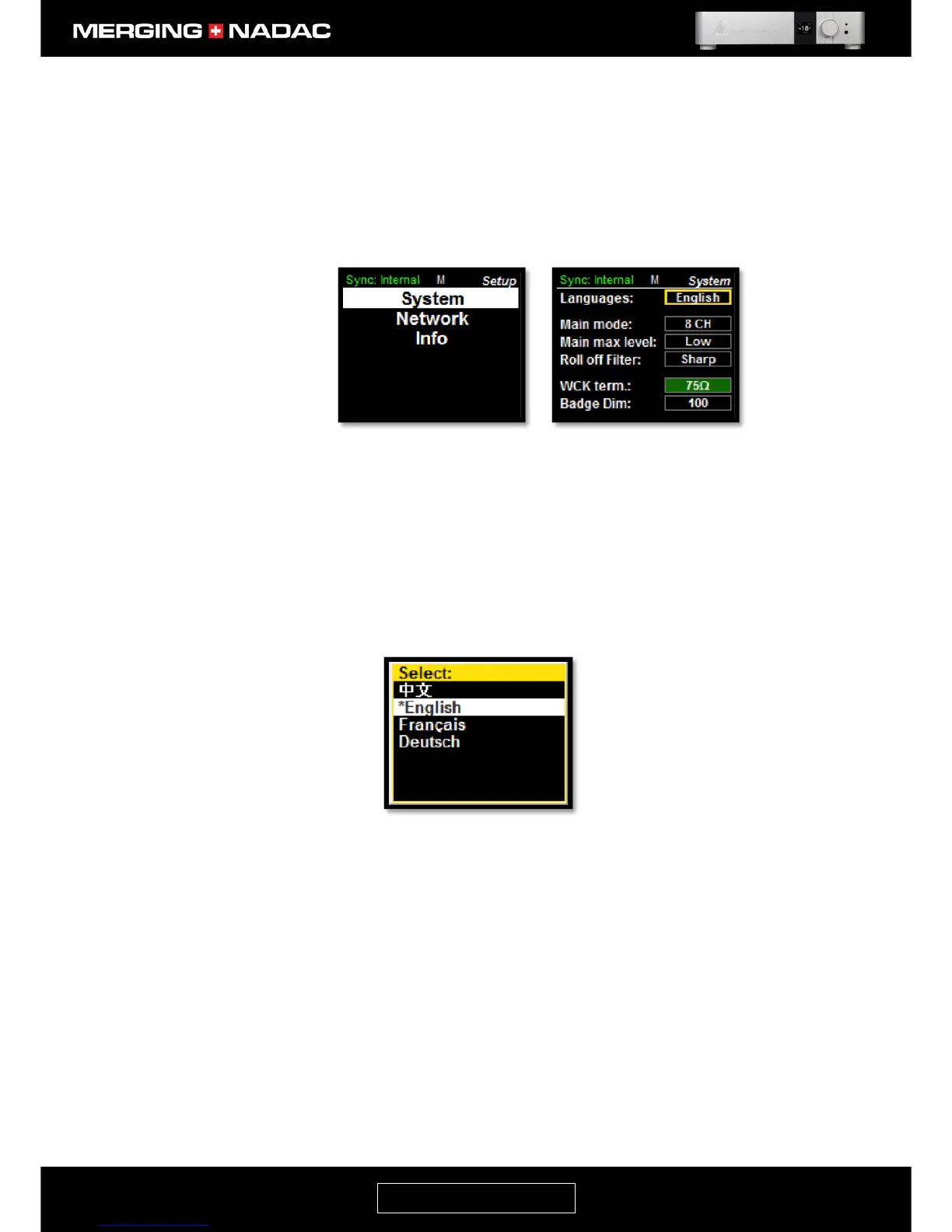
To enter the System menu: From the home screen press and hold the Rotary Control until the Main menu top
screen appears – Figure 20. Use the Rotary Control to highlight Setup, then briefly press the control. This will
open the Setup menu – Figure 24. With System highlighted, briefly press the control again and the System
menu will appear – Figure 25.
Languages Allows you to select the language used on the unit’s screen. Languages available
are: Chinese, English, French, German, Norwegian, Japanese, Korean.
To change the system language, use the Rotary Control to outline the Languages
options box in Figure 25, then briefly press the Rotary Control and a list of the
languages available will be displayed – Figure 26. Use the Rotary Control to
highlight the required language then briefly press the control. The display will
revert to the System menu, Figure 25, with the new system language shown in the
Languages option box.
Main Mode The 8-channel unit (MC8) can be switched to work in difference mode
8-Channel mode: 8 channels outputs (1-2-3-4-5-6-7-8)
Stereo mode: Combines the outputs of 4 D/A converters to drive each output
channel. This provides improved linearity, greater dynamic range and a lower noise
floor.
Stereo x4: Under this mode the NADAC the main 1-2 can are duplicated to 4 output
pairs (1-2/1-2/1-2/1-2)
To change the Main Mode setting, use the Rotary Control to outline the current
Main Mode setting, then briefly press the Rotary Control to open the Main Mode
options menu – Figure 27. Use the Rotary Control to highlight the required Main



 To Next Page