Appendix 2: MERGING+NADAC Firmware Update Guide
Before attempting to update the firmware of your MERGING+NADAC, please carefully read the
instructions below. If you are not confident that you can carry out this procedure, please ask your
local Merging Technologies reseller for assistance.
1. Obtain the latest certified firmware, either from your MERGING+NADAC reseller or contact us at
nadac@merging.com.
2. Make sure that the downloaded firmware file is on a computer that is on the same network as your
MERGING+NADAC.
3. Restart your MERGING+NADAC in Maintenance mode by following the steps below:
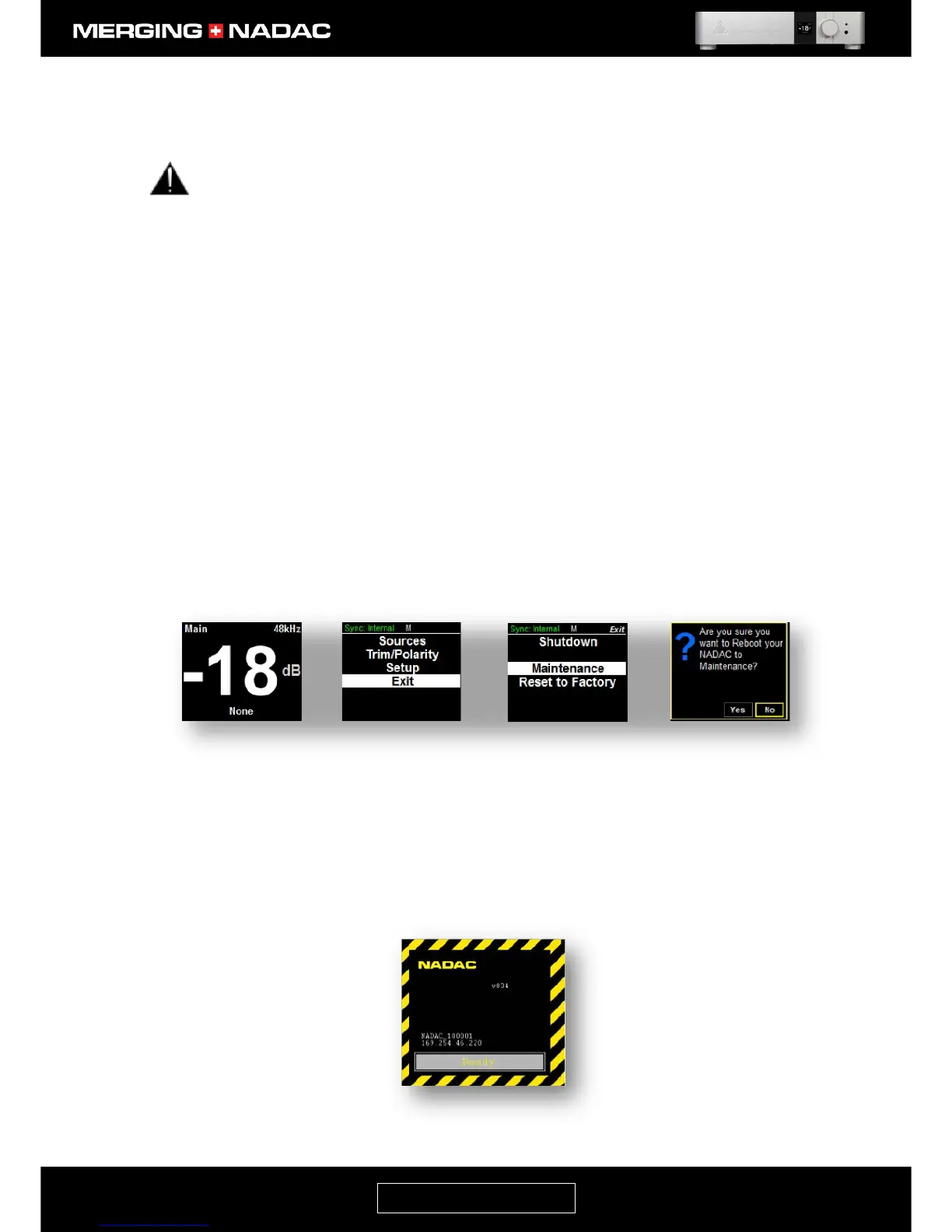
• From the home screen (Figure 87a) press and hold the Rotary control until the Main menu top screen
appears – Figure 87b.
• Use the Rotary Control to select Exit, then briefly press the Rotary Control to open the Exit menu – Figure
87c.
• Use the Rotary Control to select Maintenance, then briefly press the Rotary Control to open
the Maintenance menu – Figure 87d.
• Use the Rotary Control to outline the Yes box, then briefly press the control to start the unit rebooting
into Maintenance mode.
If the unit is shut down, you can make it boot up into Maintenance mode by pressing and holding down the
Rotary Control and then pushing the power button. Keep the Rotary Control pushed down until you see a
display with a yellow and black border like that shown in Figure 88.
4. Wait until the unit has fully booted in Maintenance mode and the progress bar in the Maintenance mode
screen says Ready – Figure 88.



 To Next Page