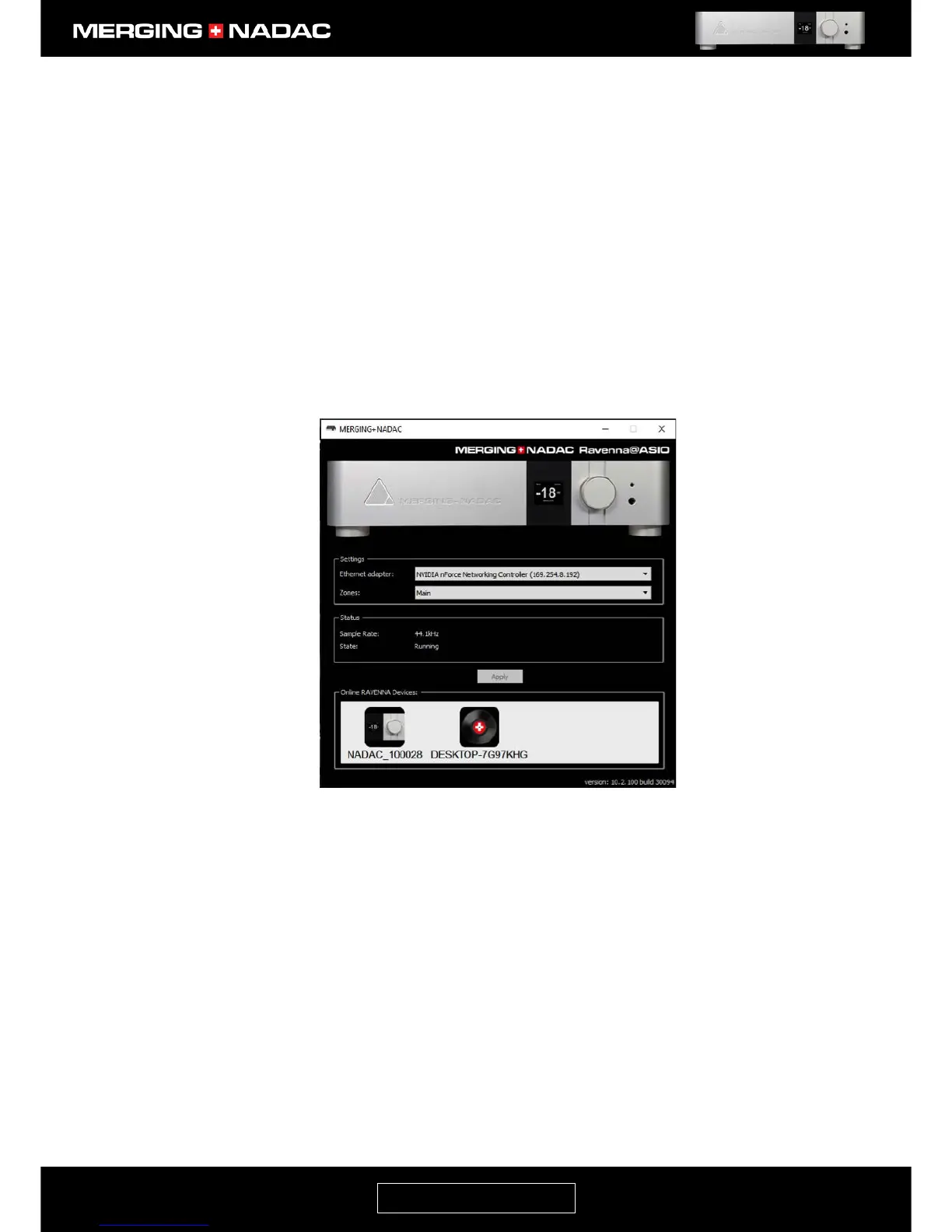
To launch the MERGING+NADAC App from Windows
1. Connect the NADAC to a computer in a basic network configuration as shown on page 41.
2. Open the NADAC RAVENNA ASIO Panel. For Windows 10 you will find this by opening the following
links: Windows Start Menu - All Apps > Merging Technologies > NADAC Panel. It will be slightly
different for earlier versions of Windows. This will open the NADAC Ravenna ASIO panel - Figure 76.
There will be a NADAC icon shown in the Online RAVENNA Devices area at the bottom of the window for
every unit on the network. Click on the icon corresponding to the unit that you wish to control and the
NADAC App Home page should open in a new window – Figure 80. Now proceed from step 4.



 To Next Page