Selecting sources
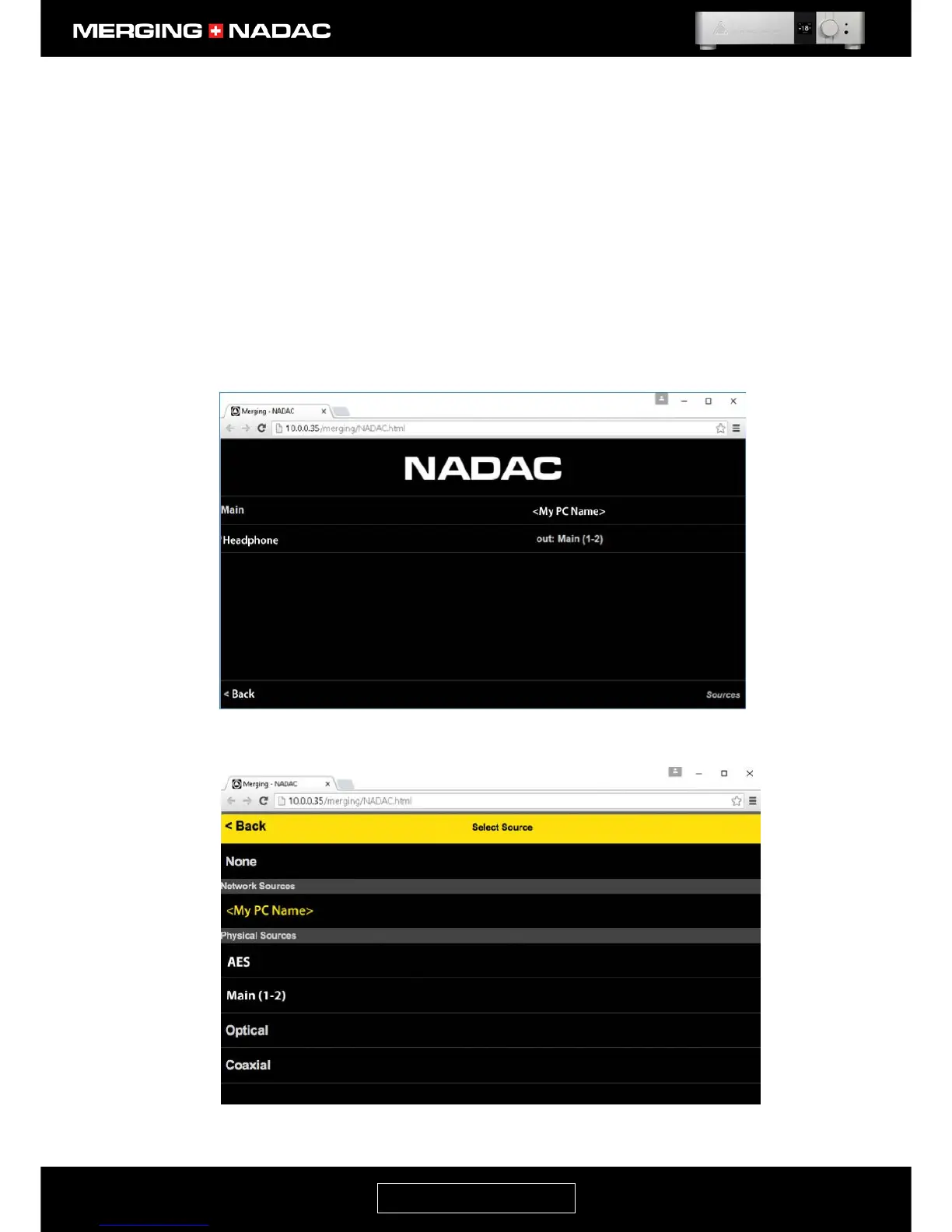
Main source Click on the Sources link at the bottom left corner of the main screen. This will open
the sources screen – Figure 85. Click on the currently selected Main source. In the
example, this is shown as the network source <My PC Name>. This will cause the
sources option screen to open – Figure 86. The currently selected source will be
highlighted in yellow. Click on the required source from the list of available options.
This will be selected and the screen will return to the sources screen – Figure 85.
Use the Back button in the bottom left hand corner of the screen to return to the
main screen. When a new source is selected, the volume level will automatically be
set to -20dB to avoid suddenly playing at an unexpectedly high level.
Headphone source Click on the Sources link at the bottom left corner of the main screen Figure 84.
This will open the sources screen – Figure 85. Click on the currently selected
Headphone source, then follow the procedure above for changing the Main source.



 To Next Page