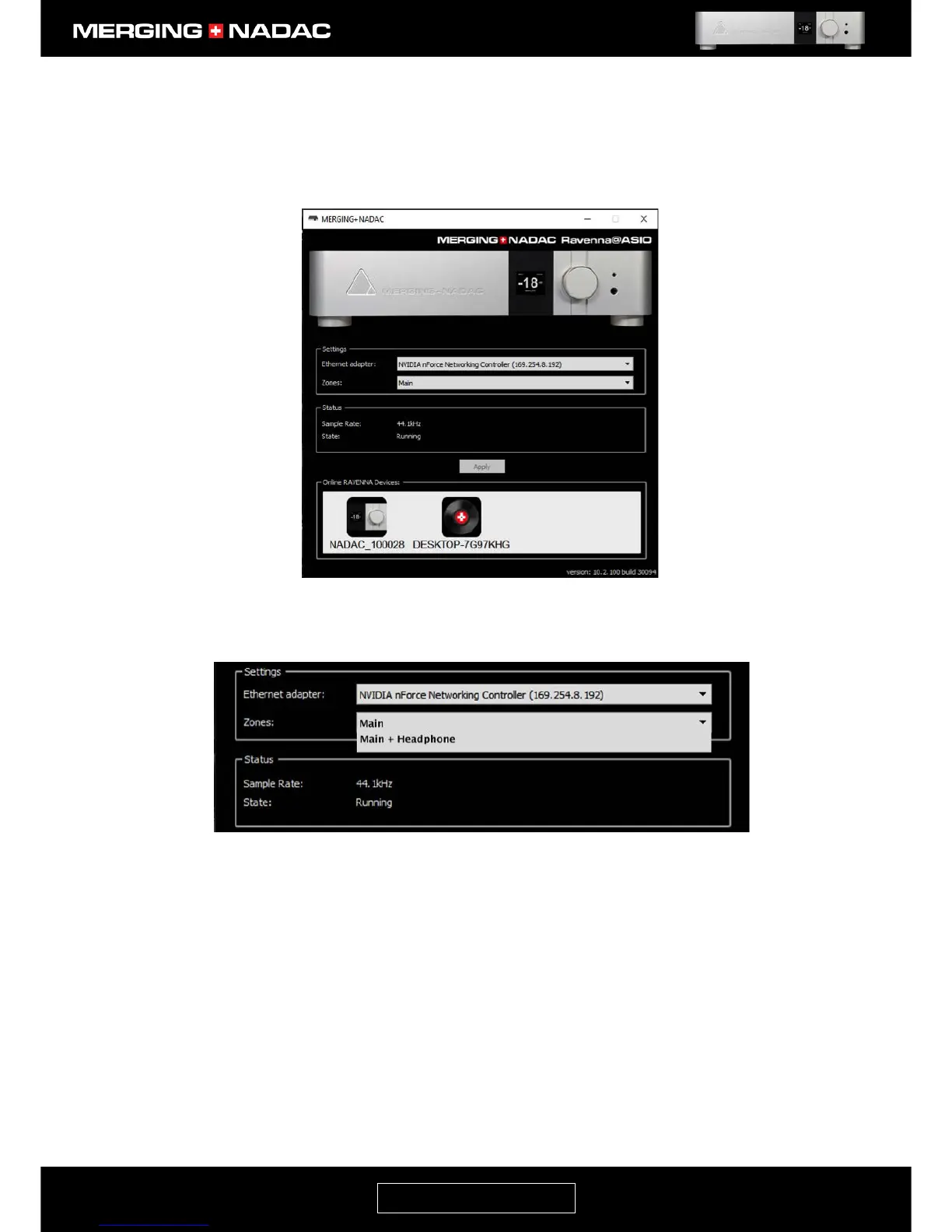
Note: The Emotion icon, shown in the bottom of the panel next to the NADAC icon, will only appear if the
Emotion music server software is running. You should start this or whatever music server software you use
now.
7. Configure the Merging Technologies RAVENNA ASIO Settings:
Ethernet adapter: This lists all the network ports available on your computer. In most cases there will only be
one, so you will not need to make any changes. If there is more than one, select the network port that the
MERGING+NADAC is connected to.
Zones: Two zones will be available. These are:
• Main: Delivers a stereo stream to the Main output.
• Main + Headphone: Delivers two different stereo outputs – one to the Main output and the other to the
Headphone output.
Select the zone setting that is appropriate for your application. For most users this will be Main.
Also in the enlarged view of the NADAC Ravenna ASIO panel shown in Figure 55 is a window labelled Status.
This shows two parameters:



 To Next Page