Quickstart Guide : A First Simple Project
Page 24
Physical I/O is connected to Logical I/O in ascending, numerical order automatically. For now, accept the default
routing by clicking on OK.
Open a New Project
Before any recording or playback can be undertaken you need somewhere to work so a Project must be created
with a suitable Mixer.
1. Launch Pyramix Virtual Studio
2. Choose Project > New.
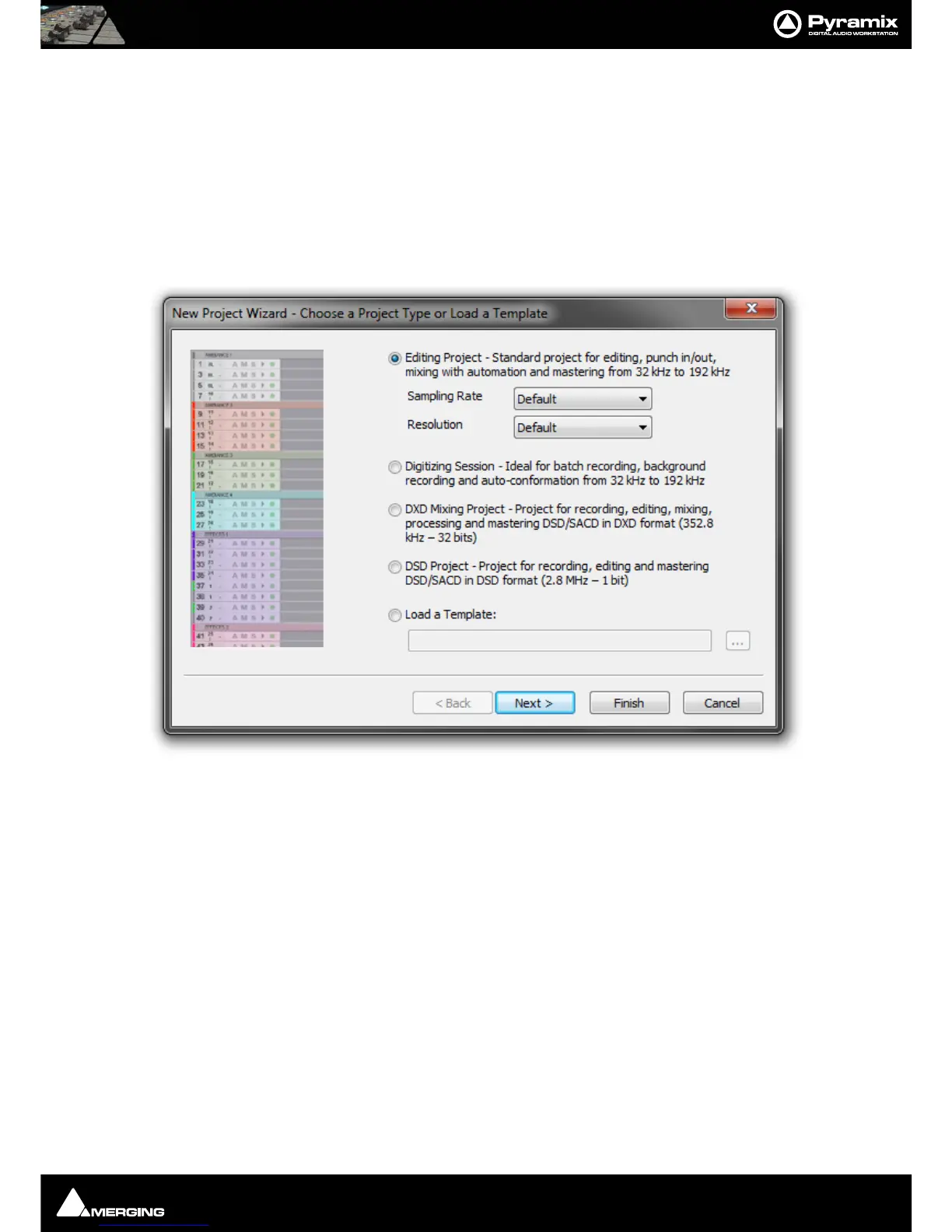
3. The New Project WIzard - Choose a Project Type window will open.
4. The default is Editing Project which is the type we will use.
5. Choose a suitable sampling rate from the Sampling Rate drop-down list. (Use 44.1kHz if in doubt and using
an analogue input)
6. Choose a suitable bit-depth from the Resolution drop-down list. (Use 24 bit if in doubt)
New Project Wizard - Choose a Project Type dialog



 To Next Page