Quickstart Guide : Navigation
Page 44
The Playhead can either be static, with scrolling tracks, or moving, in which case the track display ‘pages’ when
the boundaries are reached. (select with View > Fixed Cursor while playing or View > Free Cursor while play-
ing. A further option, View > Cursor Return after playing, when selected, returns the Playhead to the start point
when playback is stopped)
Time Scale Rulers
Pyramix is equipped with many Time Scale options. Each Time Scale has an associated Time Scale Ruler and Tool
Bar which appears above the Time Scale Ruler(s).
Main TimeCode Ruler
Near the top of the Project Editing Panel is a horizontal gray area with time code numbers. This is the Main Time-
Code Ruler. On the left, above the Track headers, the Time Range, i.e. the length of the visible Timeline window is
indicated.
The simplest way to move the Playhead Cursor within the Project Editing Panel is to position the mouse any-
where along the Time Scale Ruler and left-click. The Playhead will immediately move to the new position. You
can also left-click the Playhead Cursor and drag it along the Ruler.
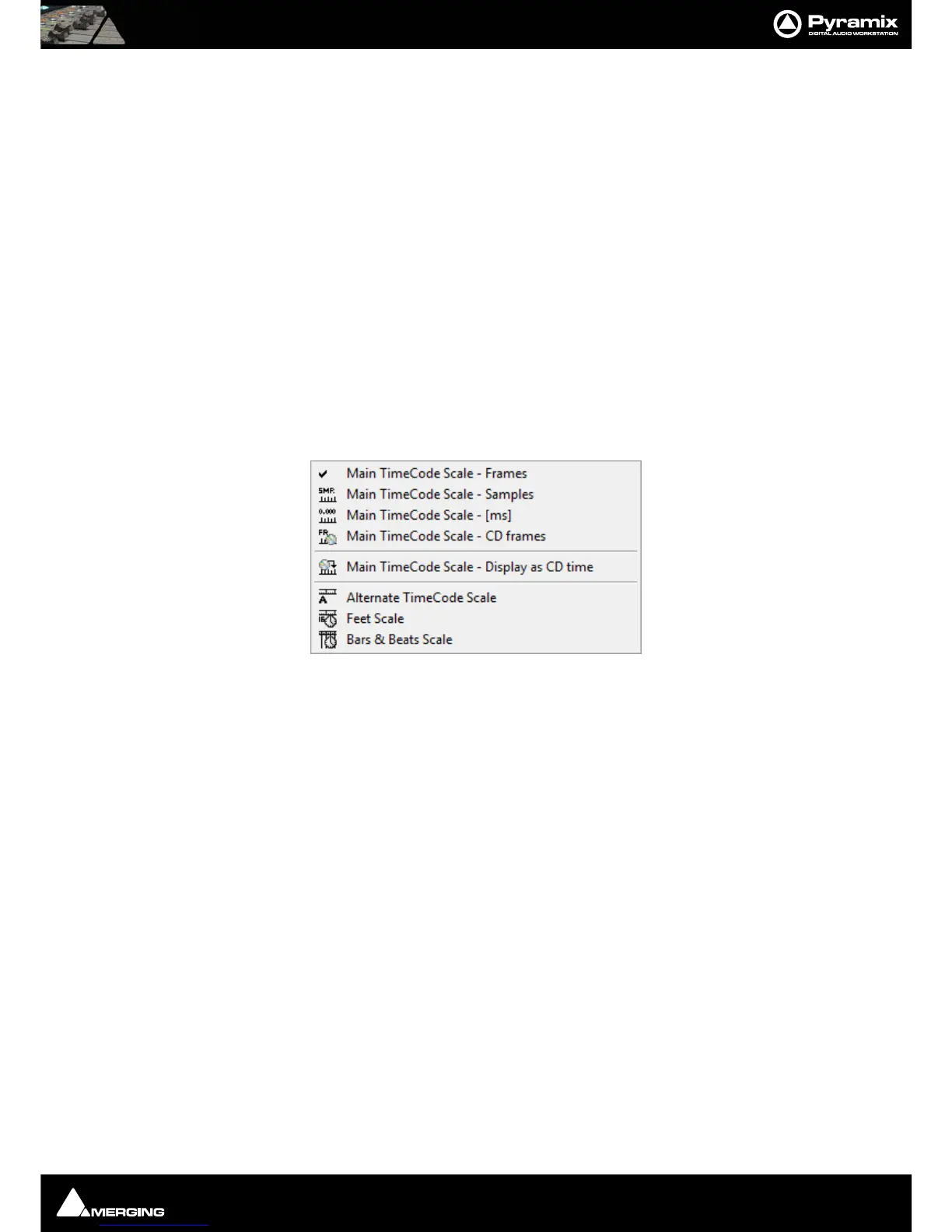
Context Menu
Clicking in the left hand, Header, area of a Time Scale Ruler pops up a context menu.
The first six entries offer a choice of display modes for the Main TimeCode Scale a tick appears next to the option
selected currently:
• Main TimeCode Scale - Frames
• Main TimeCode Scale - Samples
• Main TimeCode Scale - [ms]
• Main TimeCode Scale - CD frames
• Main TimeCode Scale - Display as CD Time
The remaining three entries add new Time Scale Rulers beneath the Main TimeCode Scale Ruler
•Alternate TimeCode Scale
•Feet Scale
• Bars & Beats Scale
Fixed or Moving Playhead Cursor
These options are selected via the View pull-down menu. The Playhead Cursor can be static with the Timeline
moving (choose: Fixed Cursor while playing) or the Playhead Cursor can move while the Timeline remains
static, ‘Paging’ when the Playhead Cursor hits the screen edge. (Choose: Free Cursor while playing).
The third option is Cursor Auto-Return after playing. When this is selected with either of the other options, the
Playhead Cursor will return to the point at which Play began when Stop is selected.
Main TimeCode Scale Ruler context menu



 To Next Page