Quickstart Guide : Starting a New Project
Page 32
Select the type(s) of channel strips required using the check boxes and the number needed from the drop down
lists on the right. Click the Next button to move on to the next page.
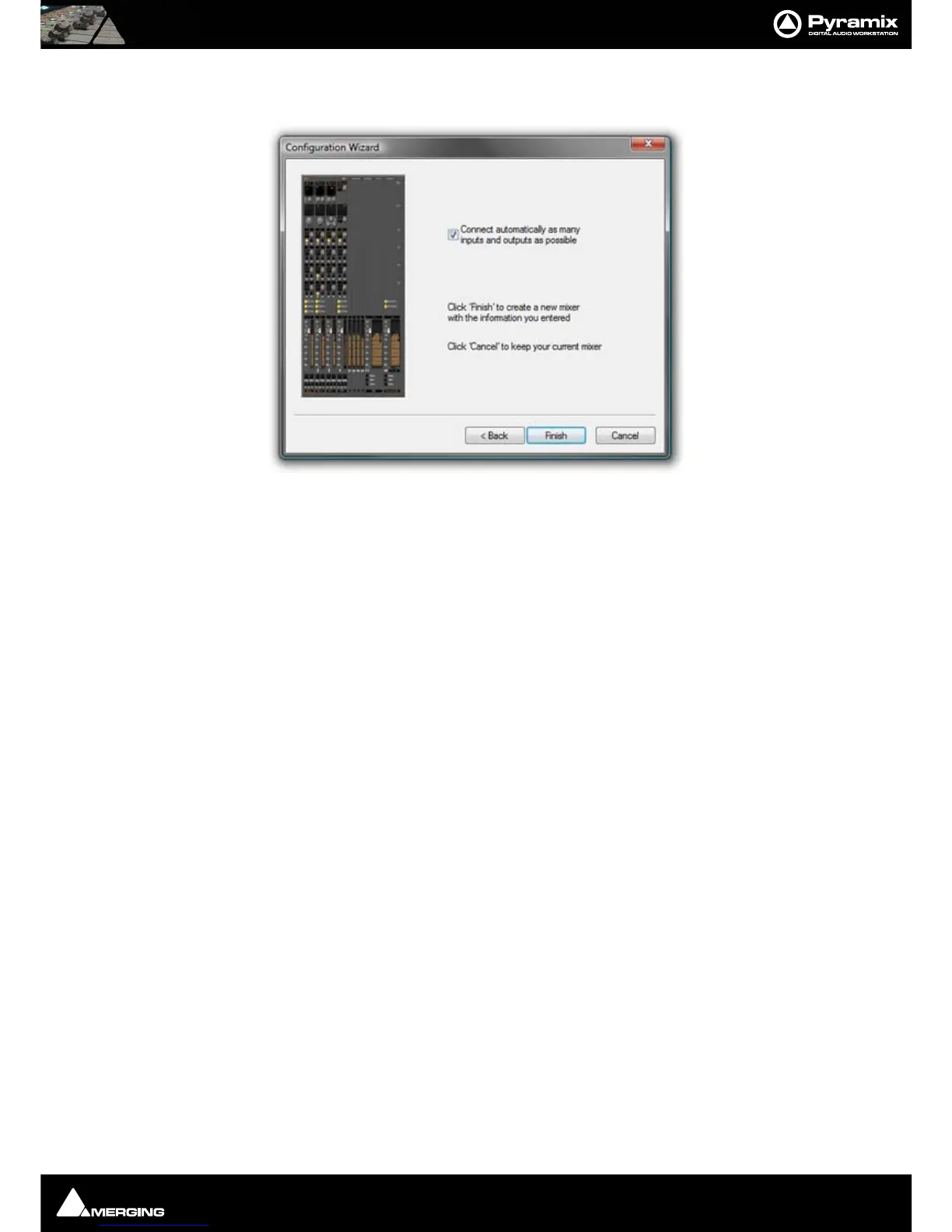
Checking the Connect automatically as many inputs and outputs as possible check-box will create the same
number and types of Tracks as there are Input Strips and connect as many as possible to the available physical
inputs in ascending order and output Buses to the physical I/O attached to the Mykerinos board(s) and Track out-
puts to Mixer Input Strips, although you can easily reconfigure this later. If the box is not ticked, the tracks will be
created in the same way with Track outputs connected to Mixer strips but no physical Inputs or Outputs will be
connected.
Clicking Cancel opens the new Project with a Blank Mixer Window (See below).
Step 4: Open the New Project
Clicking Finish creates the Mixer and opens the new Project.
It is VERY IMPORTANT to ensure the Mixer’s sample rate, synchronization and I/O mode are configured correctly.
To check or adjust settings, right-click anywhere on the Mixer window, then choose Settings > General... which
will open the Mixer Settings window. (Or choose Settings > Mixer Settings : General from the main Settings
menu.
Blank Mixer Window
Note: If you click the Finish button before defining a Mixer, the Default Mixer will be
used and the new Project opened. If no Default Mixer has yet been defined a window
opens with options of Double-clicking on a Mixer Preset from the list, using the Wiz-
ard or
Use right mouse button to configure your mixer
This is the equivalent of right-clicking on a blank area of an existing mixer. We recommend only experienced users
choose this option. Please see: Pyramix User Manual.
Mixer configuration dialog



 To Next Page