4
OPERATION
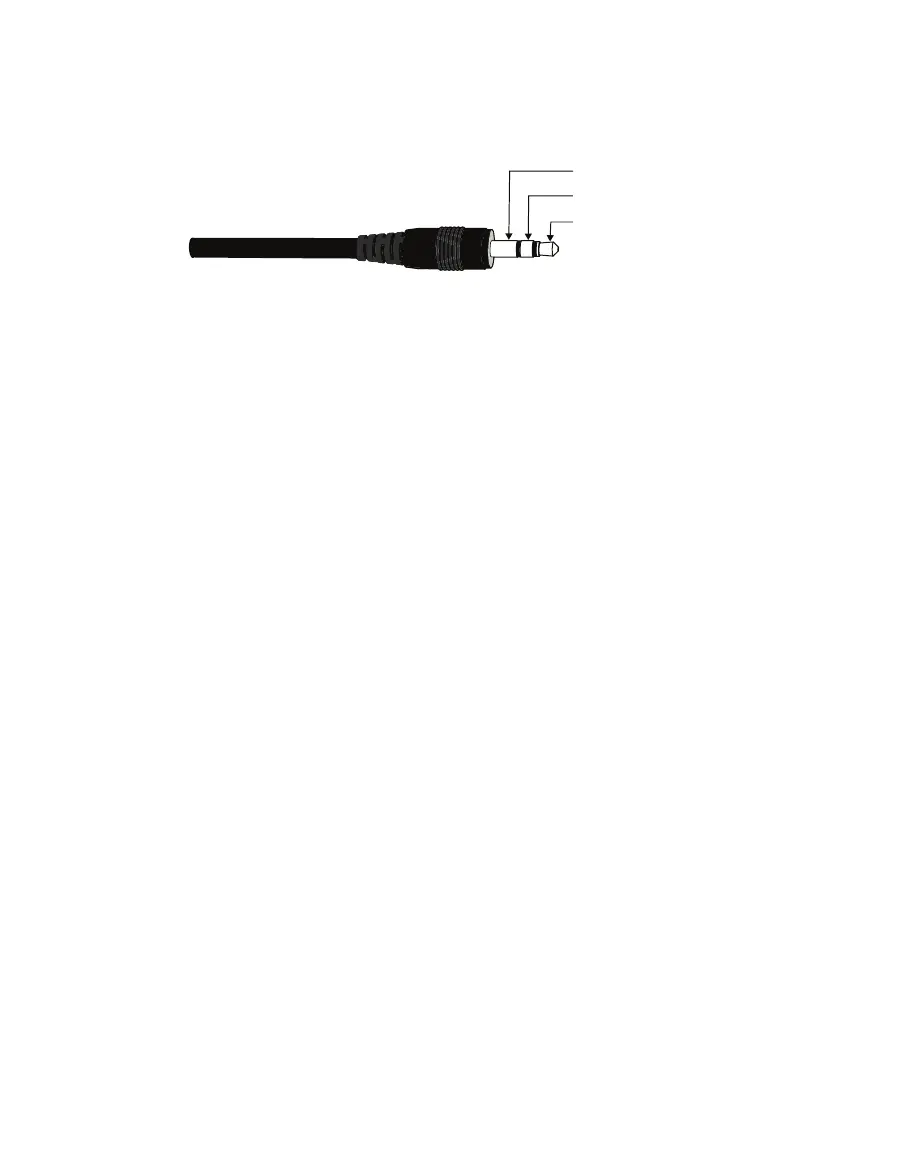
ATMOS41 sensors come with a 3.5-mm stereo plug connector (Figure1) to facilitate easy
connection with METER loggers. ATMOS41 sensors may be ordered with stripped and tinned
wires to facilitate connecting to some third-party loggers (Section 2.2.2).
Ground
Digital communication
Power
Figure1 3.5-mm stereo plug connector wiring
The ATMOS41 comes standard with a 5-m cable. It may be purchased with custom cable
lengths for an additional fee (on a per-meter basis). In some instances, the cable can be
extended beyond 75 m by the user, but this is discouraged for a variety of reasons. Please
contact Customer Support for more details before extending or splicing cables.
2.2.1 CONNECT TO METER LOGGER
The ATMOS41 works most efficiently with ZENTRA series data loggers. Check the
METER downloads webpage (metergroup.com/downloads) for the most recent data
logger firmware. Logger configuration may be done using either ZENTRA Utility (desktop
and mobile application) or ZENTRA Cloud (web-based application for cell-enabled data
loggers).
NOTE: This system will not work with legacy data loggers (Decagon Em5, Em5B, Em50, Em50R, and Em50G).
1. Plug the stereo plug connector into one of the sensor ports on the logger.
2. Use the appropriate software application to configure the chosen logger port for the
ATMOS 41. METER data loggers will automatically recognize ATMOS 41 sensors.
3. Set the measurement interval.
METER data loggers measure the ATMOS 41 every minute and return the average of the
1-min data across the chosen measurement interval.
NOTE: The ATMOS41 draws more current than most other METER sensors because it makes frequent wind
speed and precipitation measurements. As a result, plugging multiple ATMOS41 stations into a single ZENTRA or
EM60 data logger may have significant impact on battery life. At times or in regions with plentiful sunshine, the
solar panel should provide ample charge and this should not be an issue. During the winter or periods of extended
heavy clouds, the solar panel may not provide enough charging current to keep the system running with multiple
ATMOS41 units. METER recommends using only one ATMOS41 per ZENTRA or EM60 data logger.
ATMOS 41 data can be downloaded from METER data loggers using either ZENTRA Utility or
ZENTRA Cloud. Refer to the logger user manual for more information about these programs.


 To Next Page