28
SERVICE
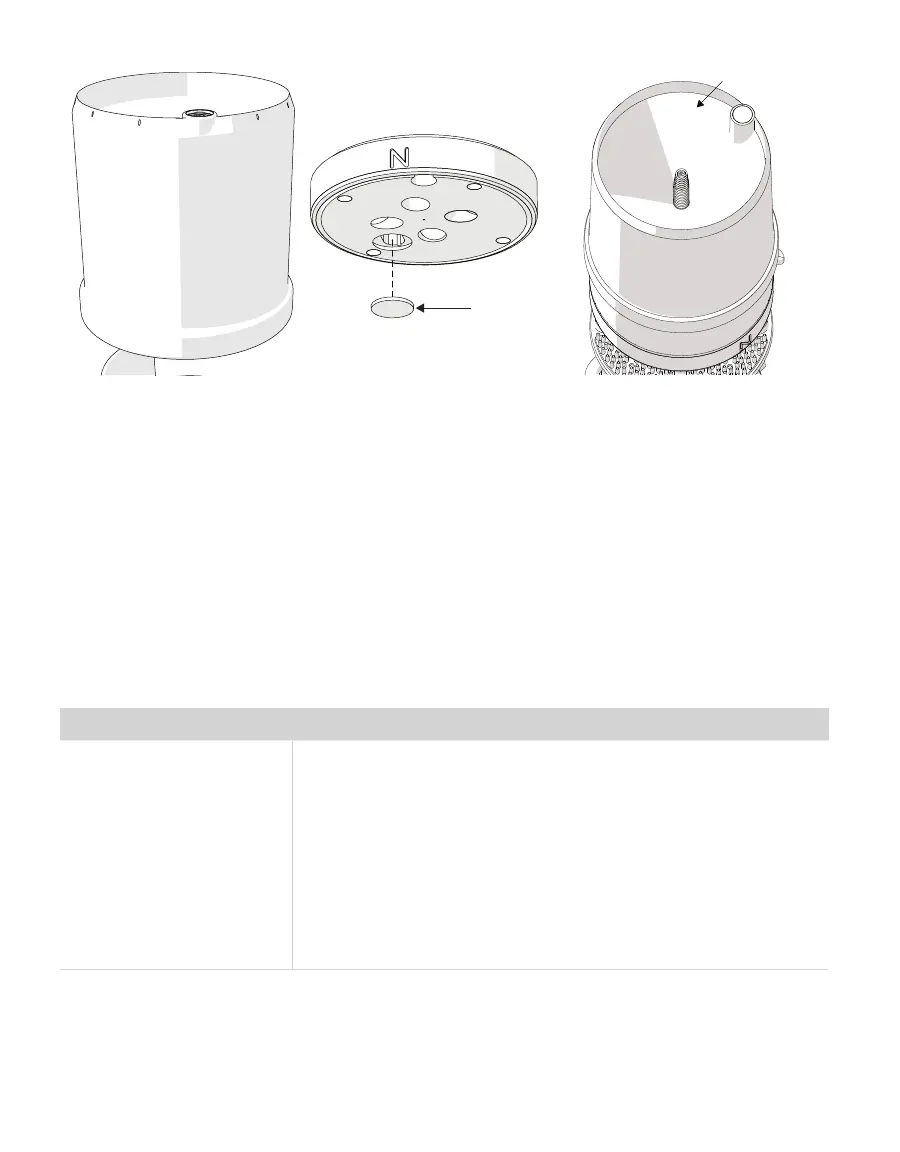
Teon screen
Figure14 Downspout Figure15 Teflon screen Figure16 Rain funnel
andpyranometer
4.4 UPDATE FIRMWARE
METER will occasionally release firmware updates that improve ATMOS 41 performance.
Instructions for updating firmware and links to the latest firmware files can be found at
the tech note Instructions for updating ATMOS 41 firmware (metergroup.com/environment/
articles/updating-atmos-41-firmware/). Please consult with Customer Support about any
questions about the necessity or process of updating firmware on ATMOS 41.
4.5 TROUBLESHOOTING
Table 5 Troubleshooting the ATMOS 41
Problem Possible Solutions
ATMOS 41 not responding
Check power to the sensor.
Check sensor cable and stereo plug connector integrity.
Try a different port on the data logger.
Check data logger wiring to ensure the following connections:
Brown—3.6- to 15.0-V power supply
Orange—digital out
Bare—ground
If sensor does not respond, use the PROCHECK to make sure it is
working satisfactorily.


 To Next Page