27
ATMOS 41
a. Rain funnel (Figure16)
b. Pyranometer (Figure16)
c. Ultrasonic transducer openings (Figure13)
d. Sintered glass reflection plate (Figure7)
3. Clean the ATMOS41 body.
a. Scrub with light to medium pressure using a warm, damp cloth.
b. Clean around posts and between crevices using a dry brush.
CAUTIONS
• DO NOT immerse the sensor in water.
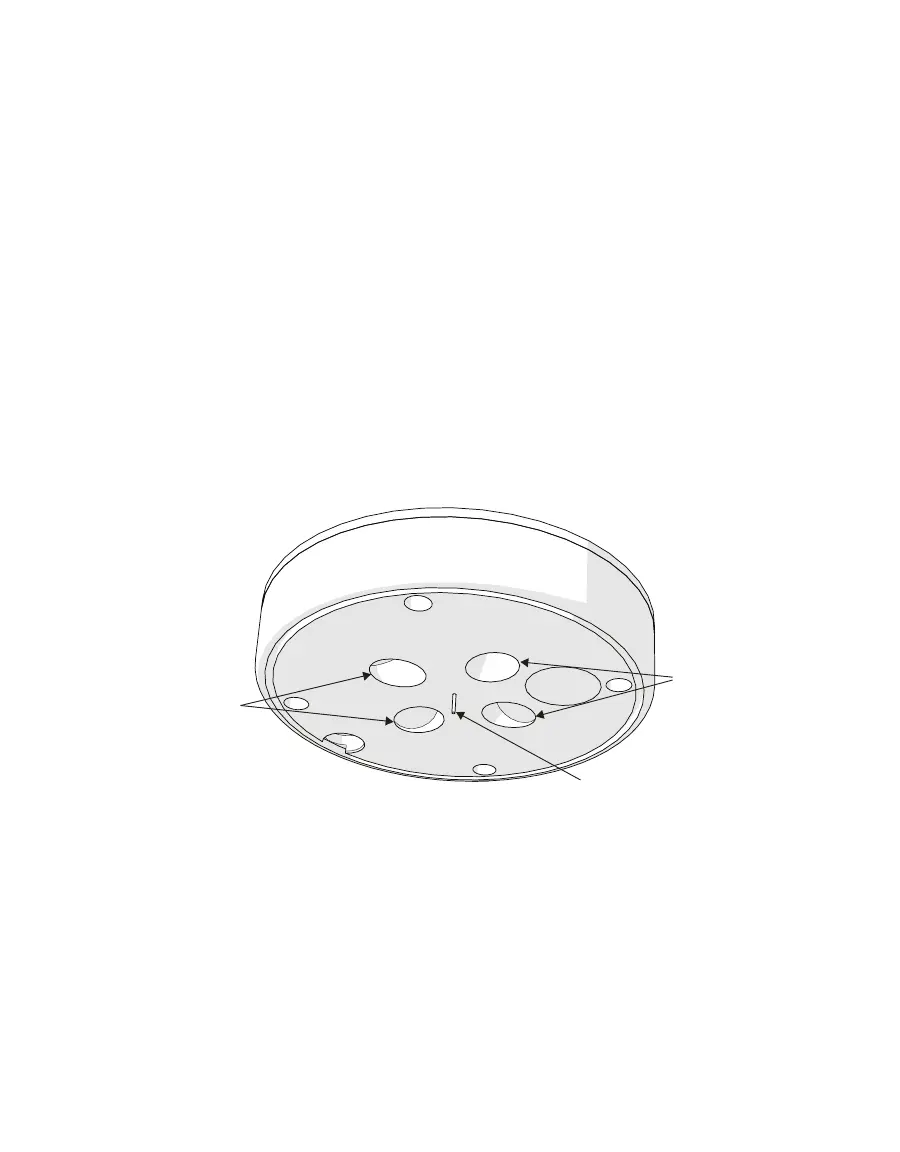
• DO NOT touch the temperature sensor needle (Figure13).
CAUTION: The temperature sensor needle lead wires are very delicate and can be easily damaged.
• Avoid more than light pressure on the sonic transducers (Figure13).
• Be sure the sensor is level after cleaning.
Temperature sensor
Ultrasonic
transducers
Ultrasonic
transducers
Figure13 Temperature needle and ultrasonic transducers
NOTE: Do not allow water to enter the ultrasonic sensors (Figure13). Water may corrode the metal parts inside the
sensors and ruin them. Do not touch the temperature sensor when cleaning because it is very delicate and can be
damaged if pushed into the ATMOS41 body.
c. Check the downspout (Figure14) for debris.
d. Observe the Teflon screen (Figure15) to see if it is dirty.
If the screen is dirty, it is best to replace it.
Contact Customer Support for a replacement Teflon screen.


 To Next Page