1.800.221.0932
|
MetraOnline.com
PROGRAMMING
10
Attention! If the interface loses power for any reason, the following steps will need to be
performed again.
1. Refer to step 2 from the “Installation” section.
2. Press the push-to-start button to start the vehicle.
3. Program the kit:
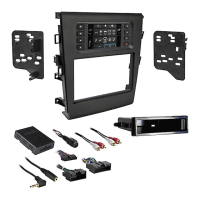
a. Once the touchscreen display loads up, select the vehicle type; “Ford Fusion 2013-2017”.
b. Wait until the radio comes on, and the touchscreen display shows “SWC Configured”.
This process may take up to 3 minutes.
Note: If the touchscreen display does not load up, or the radio doesn’t come on within 3
minutes, and/or the touchscreen display does not show
“SWC Configured”
, turn the vehicle
off and disconnect the
5841 harnesse
s from port “A” in the touchscreen display. Check all
the connections, reconnect the harness into the touchscreen display, and then try again.
4. Cycle the key off, then back on. If the driver’s door is closed, open and close the door
5. Test all functions of the installation for proper operation, before reassembling the dash.
1. Secure the completed assembly into the dash using the factory hardware removed in step 7
of dash disassembly. Only use the upper mounting tabs.
2. Snap the
radio trim panel with touchscreen display
over the completed assembly, and then
reassemble the dash in reverse order of disassembly.
FINAL ASSEMBLY
EXTRA FEATURES
SYNC (4.2-inch display screen models only):
If the vehicle is equipped with SYNC, the 99-5841CH can retain this feature.
1. Change the source of the radio to AUX-IN.
2. Press the “Info” button on the touchscreen display to enter the SYNC menu.
3. Press the “HVAC” button to get back to the main menu.



 To Next Page