1.800.221.0932
|
MetraOnline.com
12
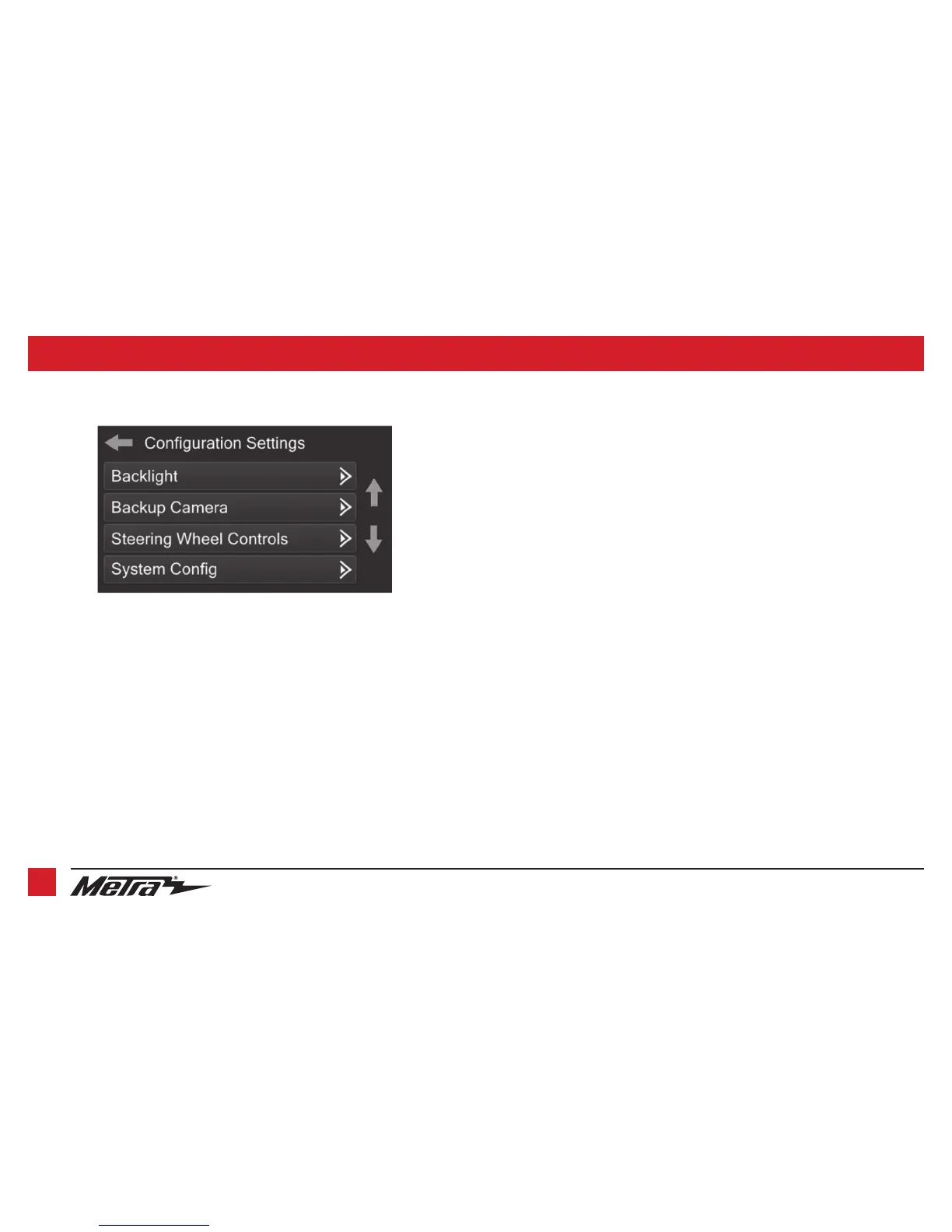
• Backlight
• Four slide bars control the color of the buttons and the back-light intensity:
Red / Green / Blue / Backlight
• Backup Camera
• Enable – Enables the backup camera image to the touchscreen display
• Disable – Disables the backup camera image to the touchscreen display (default)
Configuration Settings screen
• Steering Wheel Controls
• Remap Buttons – For remapping the steering wheel control buttons
• Dual Assign – For dual assigning the steering wheel control buttons (long button press)
• Select Radio – For auto detecting the radio, or changing the radio type
• System Configuration
• About - Information regarding the software in the kit
• Temperature Unit - To change between Celsius and Fahrenheit
• Digital Amp Gain - For adjusting the output gain to the amplifier
• Reset Vehicle Type - To reset the kit to default settings
TOUCHSCREEN DISPLAY OPERATION (CONT.)



 To Next Page