99-7803G
®
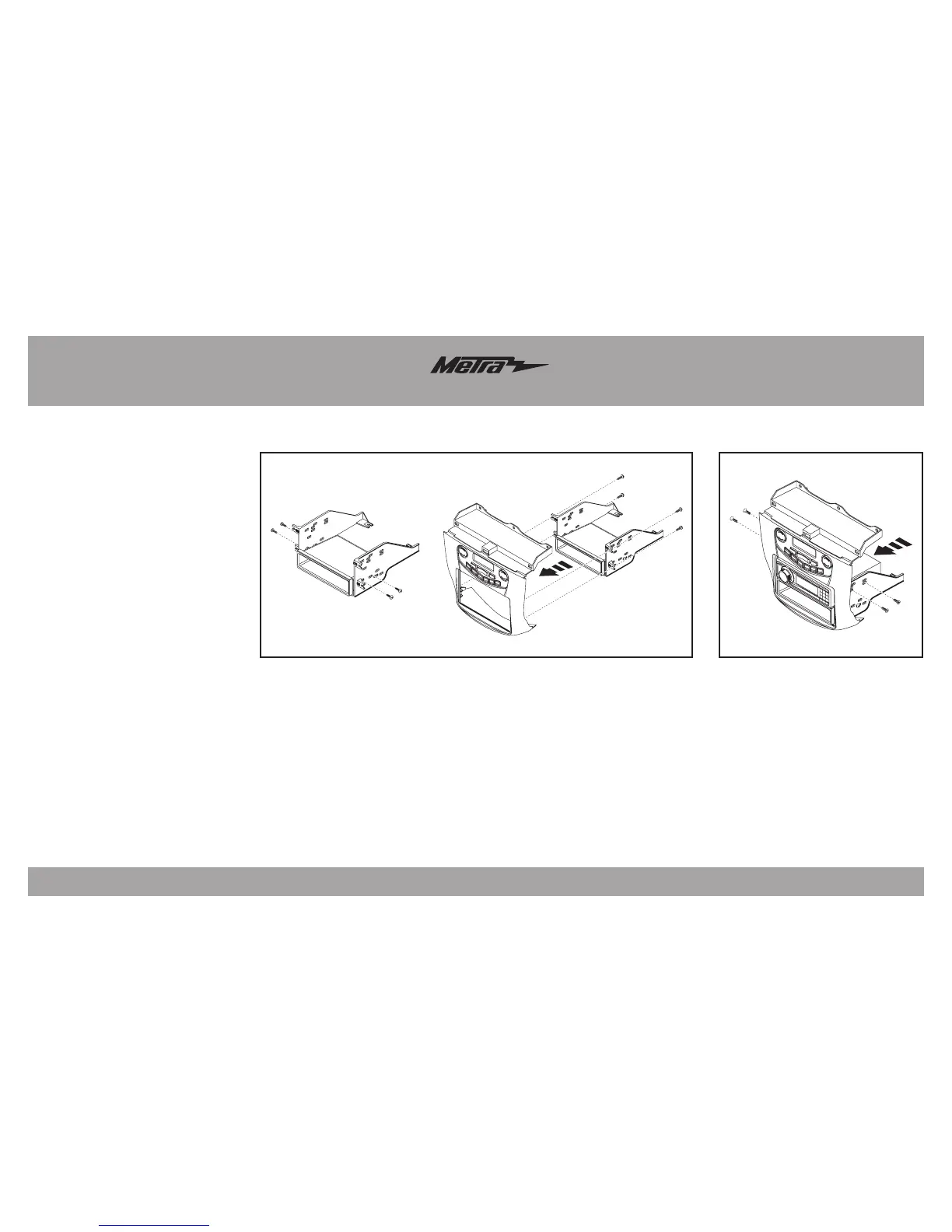
Kit Assembly
(Figure B)
4
ISO DIN radio provision with pocket
1. Secure the pocket to the radio
brackets with the (4) #8 x 3/8”
Phillips truss-head screws
provided. (Figure A, Step 1)
2.
Secure the bracket/pocket assembly
to the radio trim panel with the (4)
#8 x 3/8” Phillips truss-head screws
provided. (Figure A, Step 2)
3. Remove the metal DIN sleeve and
trim ring from the aftermarket radio
.
4. Slide the radio into the assembly
and then secure with the screws
supplied with the radio. (Figure B)
Continue to Axxess
Interface Installation
(Figure A)
Step 1
Step 2




 To Next Page