99-7804B
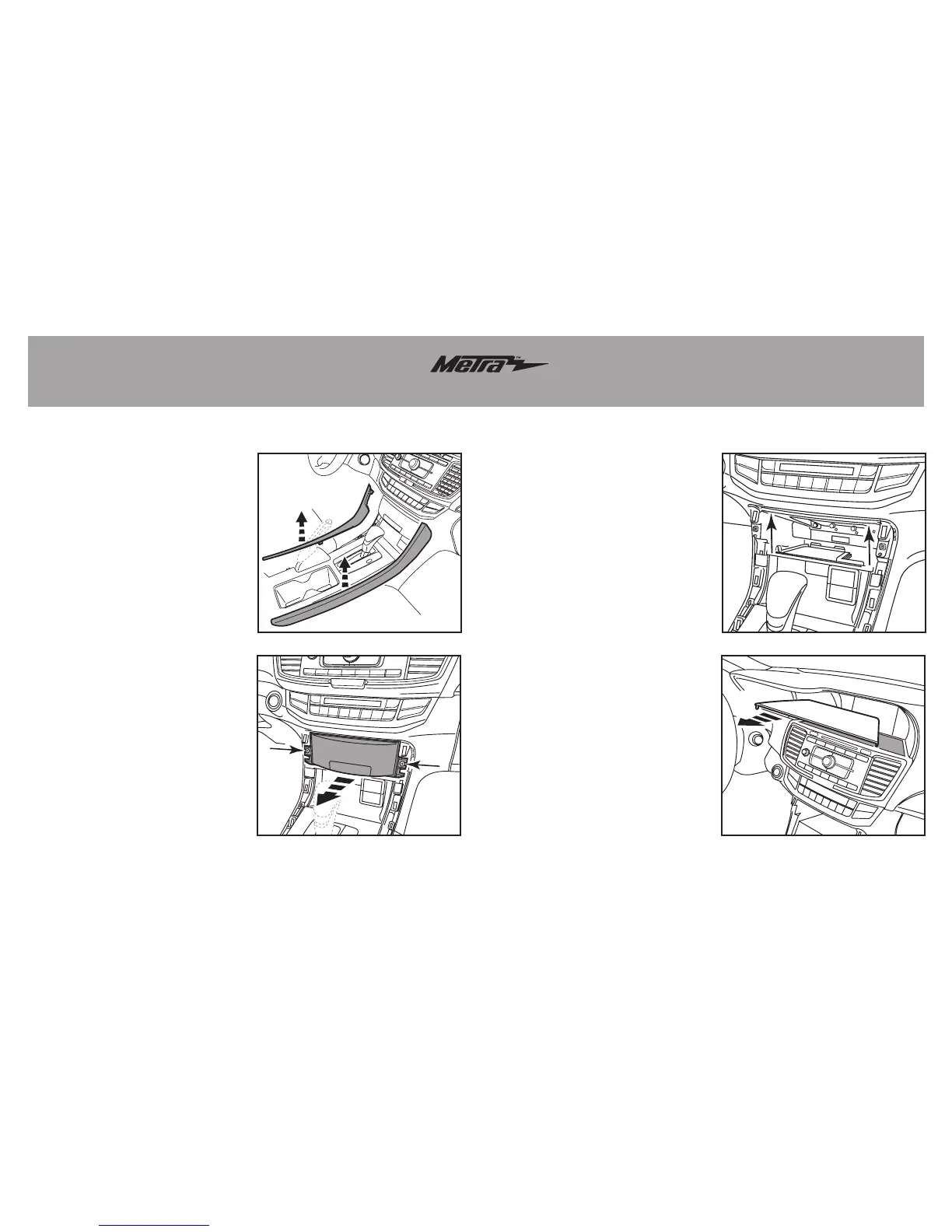
Dash Disassembly
1. Unclip and remove the side trim
panels from each side of the
console. (Figure A)
2. Remove (2) Phillips screws
exposed on pocket then remove
the pocket. (Figure B)
3. Remove (2) 8 mm screws facing
up on bottom of radio chassis
inside pocket cavity. (Figure C)
4. Unclip and remove the small trim
panel between the radio and
steering column. (Models with auto
climate will have a thermistor hose
attached to this panel. Disconnect
the hose under the dash above the
gas pedal to give it enough slack
before re-installing the panel.)
(Figure D)
Continue on next page
(Figure A) (Figure C)
(Figure B) (Figure D)



 To Next Page