MFJ-464 Instruction Manual CW Keyer/Reader
12
Within each setup menu:
• Press the Mode button to exit the setup mode and go back to the main mode.
• Press the Next button to view the next setup menu; press the Previous button to view the
previous setup menu.
• Press the “100” button to set incremental step to 100; press the “1” button to set incremental
step to 1. This affects the Set dial control in the PTT Hang Time and Serial Number setup
menus.
• Turn the Set dial control to change the setting for that setup menu.
Overall Speed
The Overall Speed menu allows you to set the code speed in the range of 5 to 99 words per
minute (WPM). By "overall" speed, we mean the speed at which the words are sent. A "word"
is defined as 50 units of time, and the word "PARIS" is exactly 50 units in length. Therefore, if
"PARIS" is sent 13 times in one minute, the sending speed is 13 WPM. Standard Morse code
timing defines a dit as one unit of time and a dah as three units of time. Within each character,
there is one unit between elements (dits and dahs). Three units separate characters and seven
units separate words. Farnsworth spacing (see below) will increase the amount of time between
characters and words. Note that setting the overall speed greater than or equal to the Farnsworth
speed will disable Farnsworth spacing.
Farnsworth
The Farnsworth menu allows you to disable or enable Farnsworth mode and set the Farnsworth
speed (character speed) in the range of 10 to 99 WPM. When Farnsworth mode is enabled,
characters (dots, dashes, and intra-character spaces) are sent at the Farnsworth speed, but the
spacing between characters and words is increased to produce a slower overall speed. This
technique is useful for helping the novice learn the sounds of the code characters and avoid the
tendency of counting individual dots and dashes. The Farnsworth speed is always higher than
the overall speed. As a result, Farnsworth mode (if enabled) is automatically disabled when the
overall speed is changed to one that is greater than or equal to the current Farnsworth speed.
Also, Farnsworth speed cannot be enabled when the overall speed is at its maximum of 99 WPM.
Weight
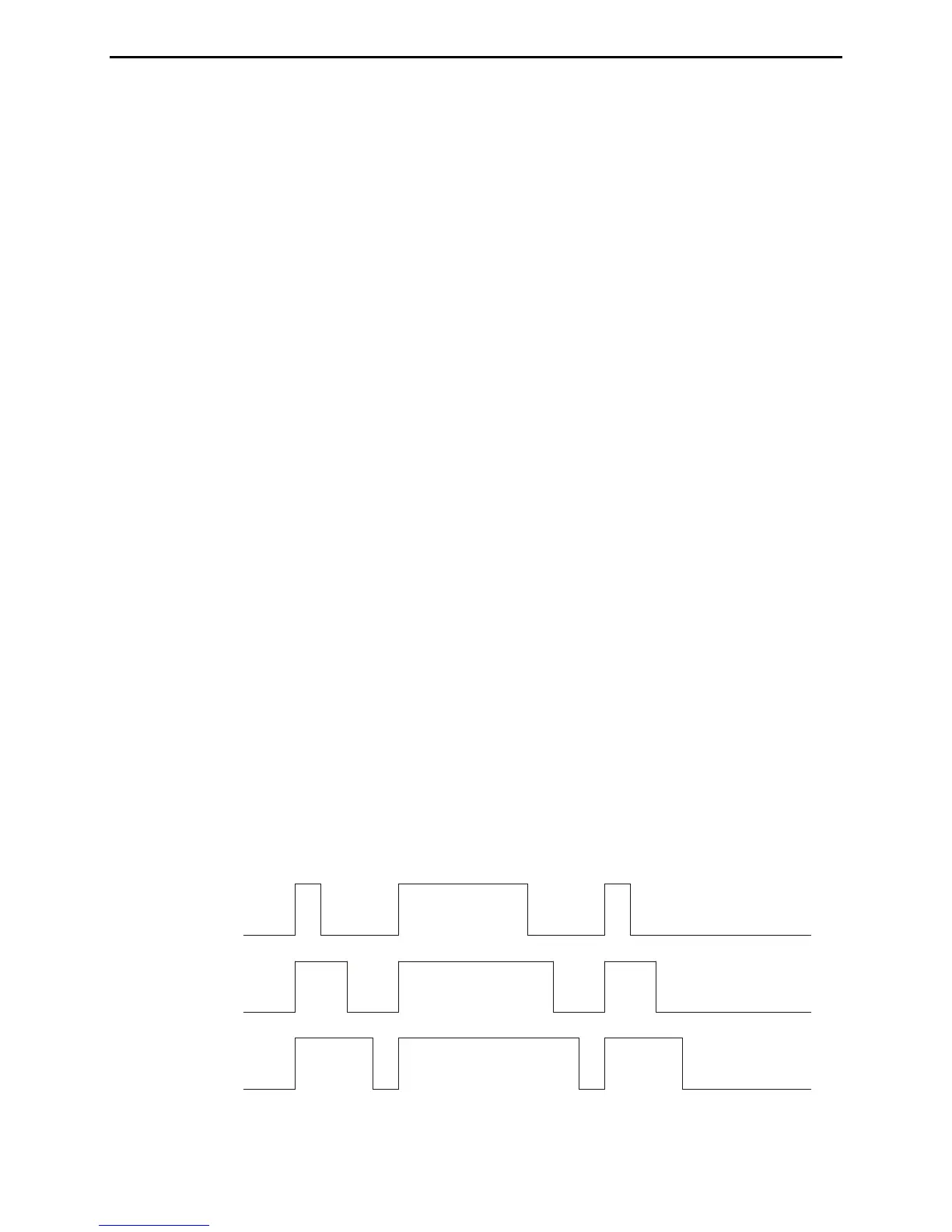
The Weight menu is used to set the code weight in the range of 25% to 75%. Weight is the duty
cycle of a continuous string of dots, where 50% for perfect code. A higher weight produces a
heavier sound and a lower weight causes characters to sound lighter.



 To Next Page