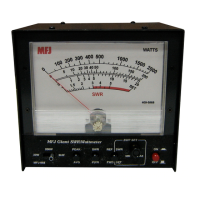
MFJ-869 MFJ Giant automatic SWR/Wattmeter Instruction Manual
© 2009-2010 MFJ Enterprises, Inc.
8
Appendices
Factory Defaults
Each time the wattmeter is powered off, the microprocessor saves all memories and configurations to
non-volatile memory ready to be used the next time the unit is turned on. If the unit is not working
properly, even on initial power on, try resetting to the factory defaults.
The unit is shipped with the following default settings:
• Mode SWR
• Meter Range Auto
• Alarm SWR 3.0
• Beep On
• Peak Hold Off (Average)
• Alarm On
To reset the unit to these defaults:
1. Turn off the power to the unit.
2. Press and hold only the [PEAK] button while turning the power on.
3. Release the button after the unit responds with three beeps and the meter going to full scale.
4. Resume with normal operation.
WARNING: If the MFJ-869 is not behaving properly or acting erratic, try resetting the unit to
factory defaults.
Self Test
A self-test routine will check the functions of the MFJ-869. This routine checks the analog meter, the
front-panel buttons, the internal memory, the audio circuitry, and the power-down circuitry. During the
self-test, you may stop the test by turning off the unit; however, this should NOT be done during the
memory test or the memory could be corrupted. The self-test can be completed in approximately 30
seconds.
Note: Performing the self-test will reset the unit to its factory default settings.
Here is the self-test procedure:
1. Turn off the power to the unit.
2. Press and hold only the [MODE] button while turning the power on.
3. The test begins by the analog meter needle moving slowly up to full scale and then dropping to zero.
At the same time the LEDs indicate the firmware version number X.Y, where X is represented by
[SWR:FWD:REF] and Y is represented by [20:200:2K:PEAK]. This tests the analog meter. Release
the [MODE] button before the analog meter needle drops to zero. All LEDs are turned off.
4. Press each of the front-panel buttons in the sequence of [MODE], [PEAK] and [ALARM].
5. The unit then tests its non-volatile memory. Notice this step will reset the unit to its factory default
settings.


 To Next Page