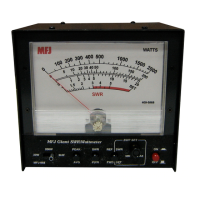
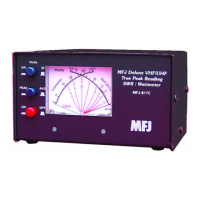
MFJ-869 MFJ Giant automatic SWR/Wattmeter Instruction Manual
© 2009-2010 MFJ Enterprises, Inc.
9
6. If the unit is okay, the ALRM LED will turn on steady and a message PASS will send repetitively as
Morse code (di-dah-dah-dit di-dah di-di-dit di-di-dit). If there is a problem, the ALRM LED will
blink continuously, a mode LED will turn on steady and a failure message will send repetitively.
7. Once you have confirmed that the audio is okay, turn the unit off.
8. Turn the unit on again to test the power-down detection circuitry.
9. If the power-down detection circuitry is okay, the ALRM LED will turn on steady and a message
PASS will send repetitively as Morse code (di-dah-dah-dit di-dah di-di-dit di-di-dit). If there is a
problem, the ALRM LED will blink continuously, the 200 LED will turn on steady and a message PD
FAIL will send as Morse code repetitively.
10. Turn the power off.
Failure
Message
LED Indicates
ALARM FAIL SWR [ALARM] button is shorted or improperly connected.
MEMORY FAIL 20 Non-volatile memory circuitry is improperly connected.
MODE FAIL FWD [MODE] button is shorted or improperly connected.
PD FAIL 200 Power-down circuitry problem.
PEAK FAIL PEAK [PEAK] button is shorted or improperly connected.
WAKEUP FAIL 2K Microprocessor wakeup circuitry problem.
Table 1. Failure Messages.
LEDs Test
To test the LEDs and their control circuitry:
1. Turn off the power to the unit.
2. Press and hold only the [ALARM] button while turning the power on.
3. All eight LEDs will blink on and off until the buttons are released.
4. Press the [MODE] button to illuminate one LED at a time in the following sequence: SWR, FWD,
REF, green 20, red 20, green 200, red 200, green 2K, red 2K, PEAK, and ALRM.
5. Press the [MODE] button to resume normal operation.


 To Next Page