MGL Avionics Stratomaster Ultra “L” Owner’s manual
Page 28
The Altimeter
The digital altimeter displays the pressure altitude in
either feet or meters (select in the mode menu).
QNH or local pressure as given to you by ATC is
selected by pressing the + or the – keys.
Pressing both + and – keys at the same time selects
QNE (1013 mb). QNH can be displayed in either
millibars (mb) or in inches or mercury (InHg), selectable
in the mode menu.
The digital altimeter is very accurate and has an
exceptional resolution of as little as one foot in flight (or
one meter if selected).
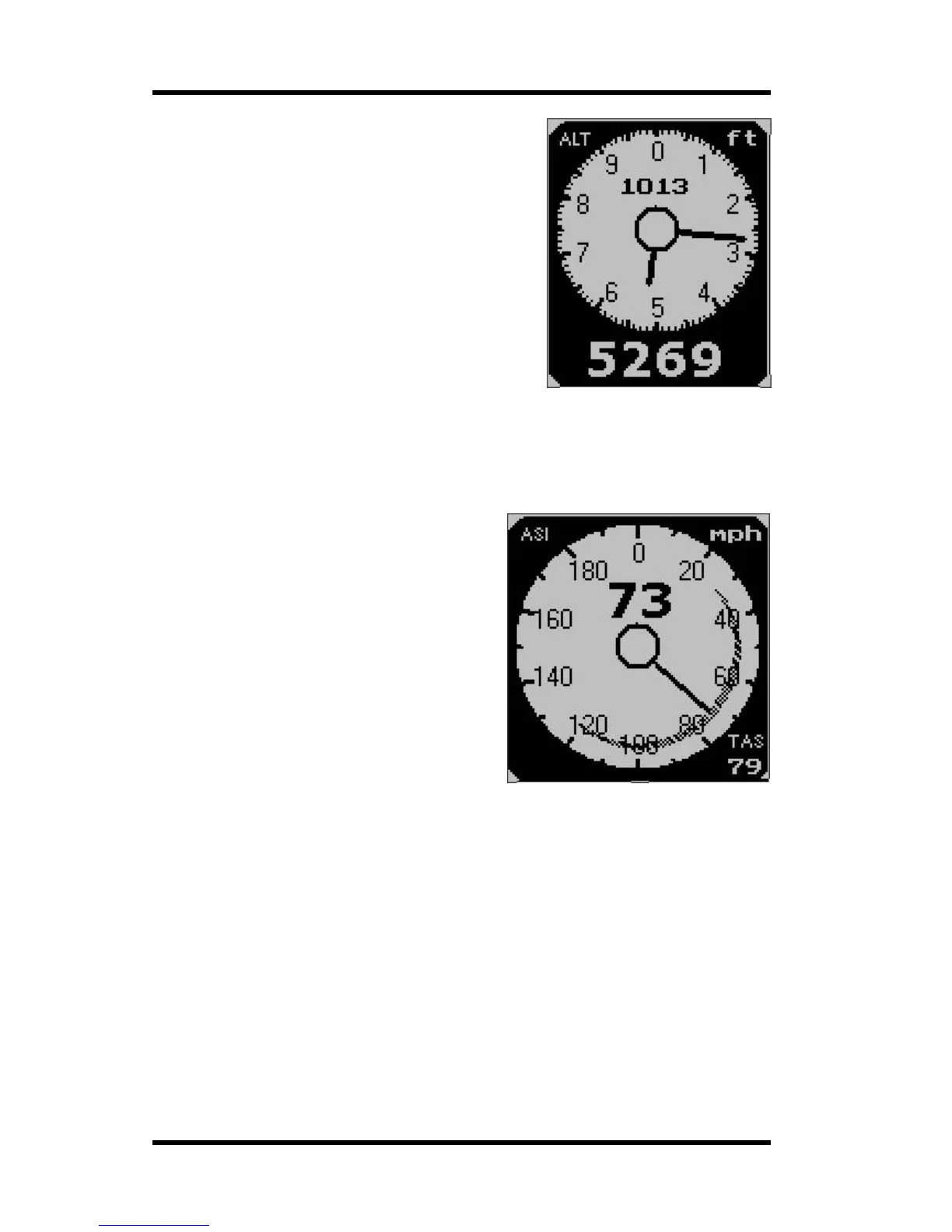
The Stratomaster Ultra provides you with a total of
three altimeters. The analog, two pointer altimeter shown here and a digital readout of the
same altitude. The third altimeter is shown in the information field below this altimeter. This is
a density altitude altimeter that determines the lift performance of your aircraft.
The Air speed indicator
The airspeed indicator (ASI) can indicate
airspeed in mph (miles per hour), knots (nautical
miles per hour) or km/h (kilometers per hour).
This is selected in the mode menu.
The scale can be set in 100,200,300 or 400 units
of measure. This is done in the User setup menu.
The airspeed indicator displays ASI (indicated
airspeed). A second, digital airspeed indicator
shows TAS (true airspeed). TAS is indicated
airspeed corrected for air density. As air density
decreases with altitude, an airspeed indicator will
under read at altitude. This error can be
appreciable, for example at an altitude of 5 000 ft
(1 524 m) errors of 5% to 10% are possible
depending on local weather and temperature
conditions. As you increase the altitude the error
gets larger quickly. Setting your instrument to read TAS will correct for this error based on
the pressure altitude reading, taking your current QNH setting into account. This results in an
airspeed reading that can be as accurate as 1%, depending mainly on the errors introduced
by the airflow around your aircraft and pitot tube.
However: A word of warning when using TAS: You aircraft’s stall, rotation and approach
speeds are based on sea-level ASI indication. Should you use TAS indication at altitude you
must correct for the reduced ambient pressure effects on the control and flight surfaces of
your aircraft. Should you fail to do so you will endanger your flight by flying to slowly for
prevailing conditions. Always use the ASI indication to determine your rotation or approach
speeds.
The ASI can display a safe speed arc as shown in the above picture. This arc is automatically
drawn from your low speed alarm to your high speed alarm settings. These settings are
entered in the “user setup menu”. The arc is only drawn if both high speed and low speed
points are contained in the selected scale of the ASI.



 To Next Page