MGL Avionics Stratomaster Ultra “L” Owner’s manual
Page 51
Automatic Lesson start/end
Select if you want to enable automatic lesson start and end detections.
Use the + and – keys to change the setting.
Airtalk
If you have two Stratomaster units interconnected within your cockpit using the airtalk link,
you must set one unit to be the slave while the other is the master. This is relevant for the
QNH setting. If both instruments power up at the same time, the QNH from the master is
transferred to the slave.
You can interconnect any Stratomaster Flight, Ultra and Ultra models, even in a mixed batch.
Checklist
Select if you want the checklist to be activated automatically once you start your engine. Note
this will not happen if you start your engine while you are in flight.
Should you disable this function, you can still activate your checklist from the main menu.
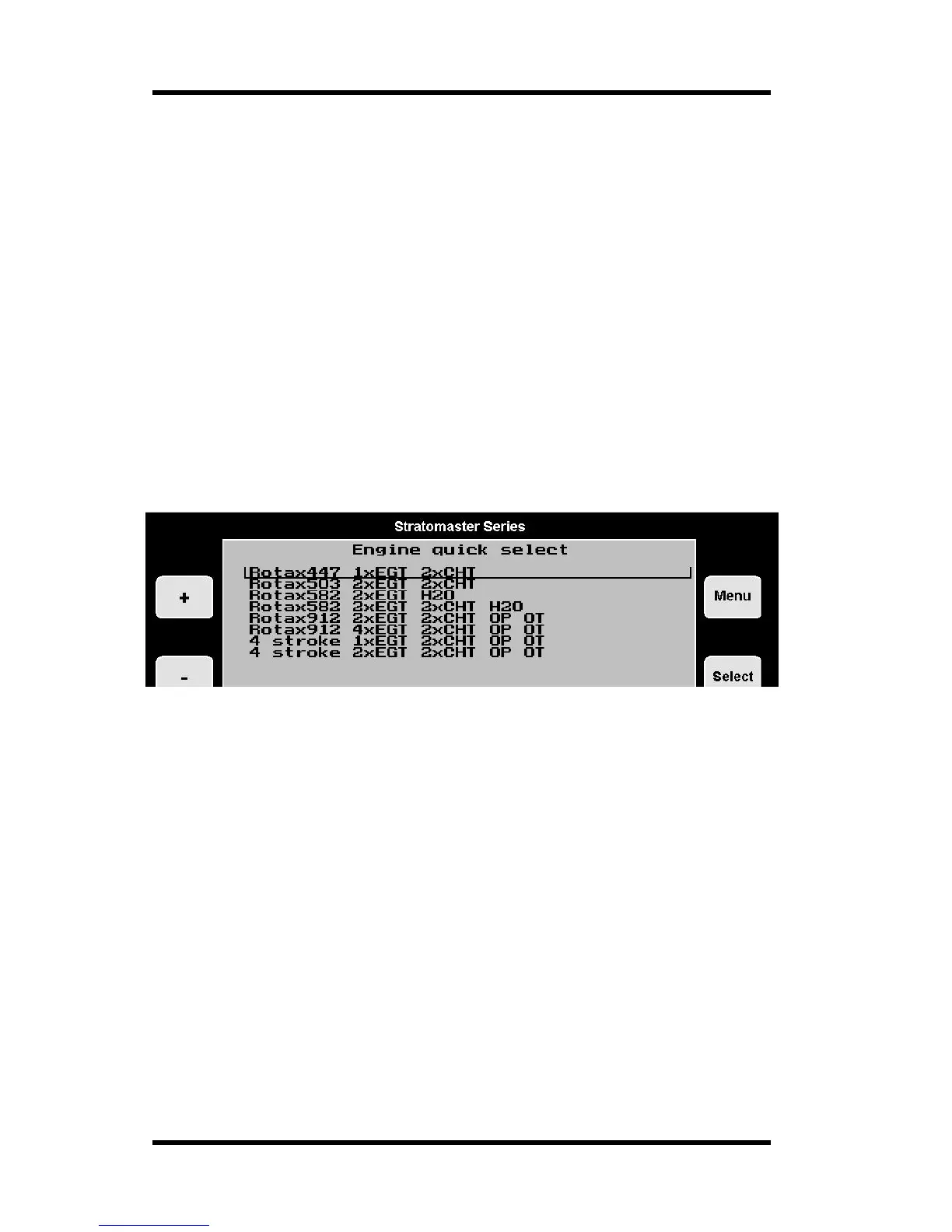
Engine type quick select
This menu allows you to quickly select an engine type for your Ultra setup. This selection
presets many of the programmable items to our recommended values for the selected
engine. The engine types presented should be seen as samples. If you have an engine not
in the list, select a type that is closest and use the Engine detail setup to modify relevant
settings.
As example, many operators with a 503 engine may select the 582 engine in this menu as
they prefer to rather have two large EGT/CHT bargraph indicators in a scanning mode than
four smaller ones in a non-scanning mode. The water temperature indicator is then switched
off in the Engine detail setup.
Once you have selected a basic engine from the list presented, please view the engine detail
setup and verify that all settings are as you would like them. Feel free to change anything you
like according to your engines needs.



 To Next Page