MGL Avionics Stratomaster Ultra “L” Owner’s manual
Page 35
flow rate indication will tell you that you have a problem before you take to the air. If the fuel
flow rate is not where you remember it should be, it is not because your engine is very
economical today but because you have a potentially dangerous problem!
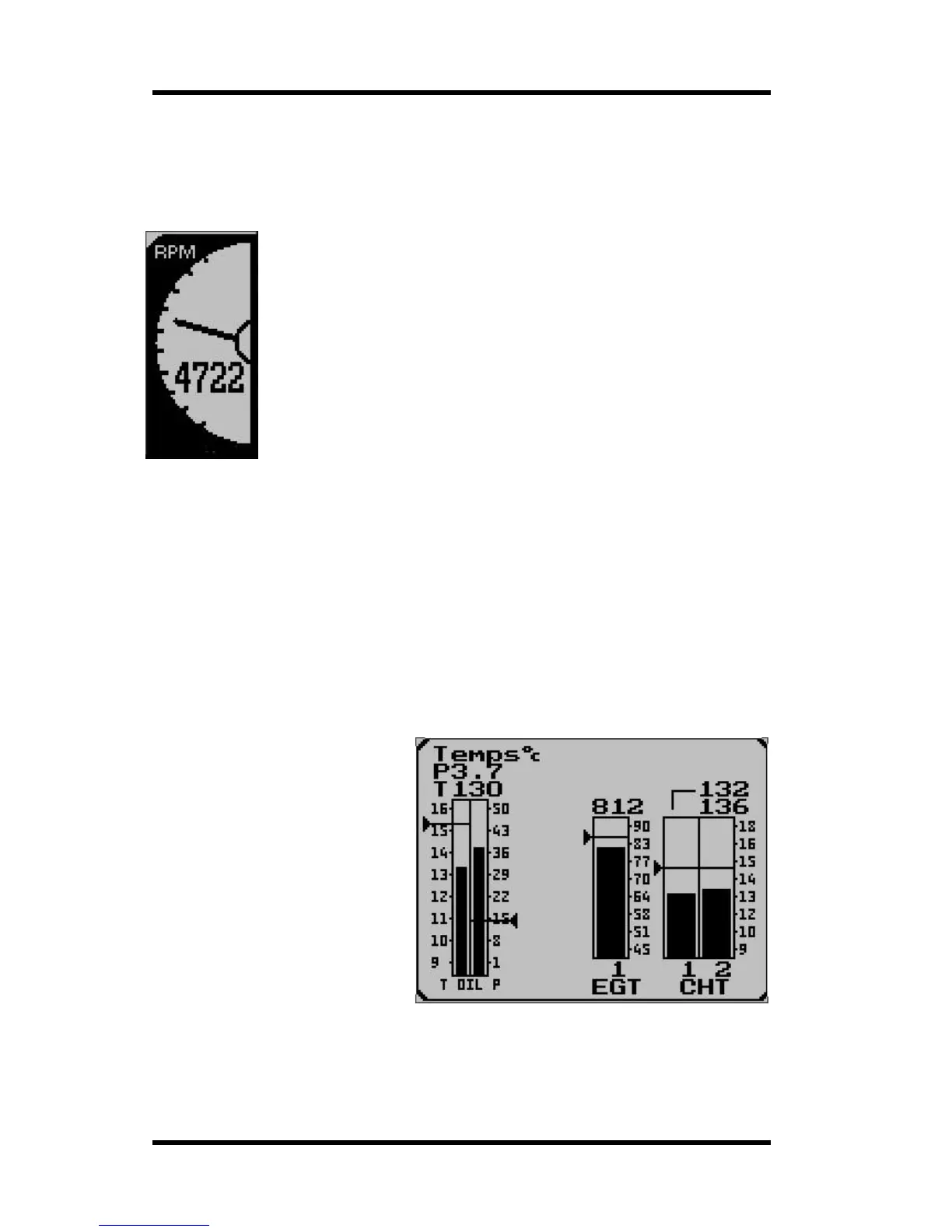
The rev counter
The Stratomaster Ultra includes a very flexible rev counter that can be
adapted to a very wide variety of engines. In the main this is done in the
Device setup menu under “Basic device setup”. Here you enter the number of
pulses the rev counter pickup (whatever it may be) will generate for every ten
revolutions. The instrument will actually use this information to work out revs
from the time it takes to complete ten revolutions of the engine. This way high
resolution of the rev counter is guaranteed even if only one pulse is generated
for a single revolution as would be the case for the 912 engine.
Pickups vary from those provided by the engine manufacturers in the form of
magneto coil tapings (Rotax / Ducati) but can be anything from a few loops of
wire coiled tightly around one of the ignition wires to pickups from generator
A/C outputs or the W output of a car type alternator. In fact, anything that is
able to provide at least a 3-4 volt, reasonably stable signal at the rev counter
input of the RDAC EIS system. Signals with a voltage as high as 100 volts can be used as
well as is the case with Ducati systems if no ballast resistor is fitted.
On unusual engines it is often a matter of experimenting with various pickup methods to find
a satisfactory solution. Once a stable reading can be obtained, set the calibration of the rev
counter so that correct revs are indicated.
The range of the rev counter is up to 9 999 revs.
You need to select the scale of the analog RPM display. This is done in the user setup menu.
You can choose from 3000 to 9000 RPM full scale. For example, if you have a typical Rotax
two-stroke engine you might select 7000 RPM full scale. A Rotax 912 would call for 6000
RPM full scale.
EIS Panel display
The engine information panel is a
flexible display that is configured to
the needs of your engine. In this
picture you have a typical setup for
a single carburetor four stroke
engine.
This panel is used to display EGT
and CHT temperatures, oil and
water temperatures as well as oil
pressure.
The panel will configure itself
depending on how you setup your
engine monitoring.



 To Next Page