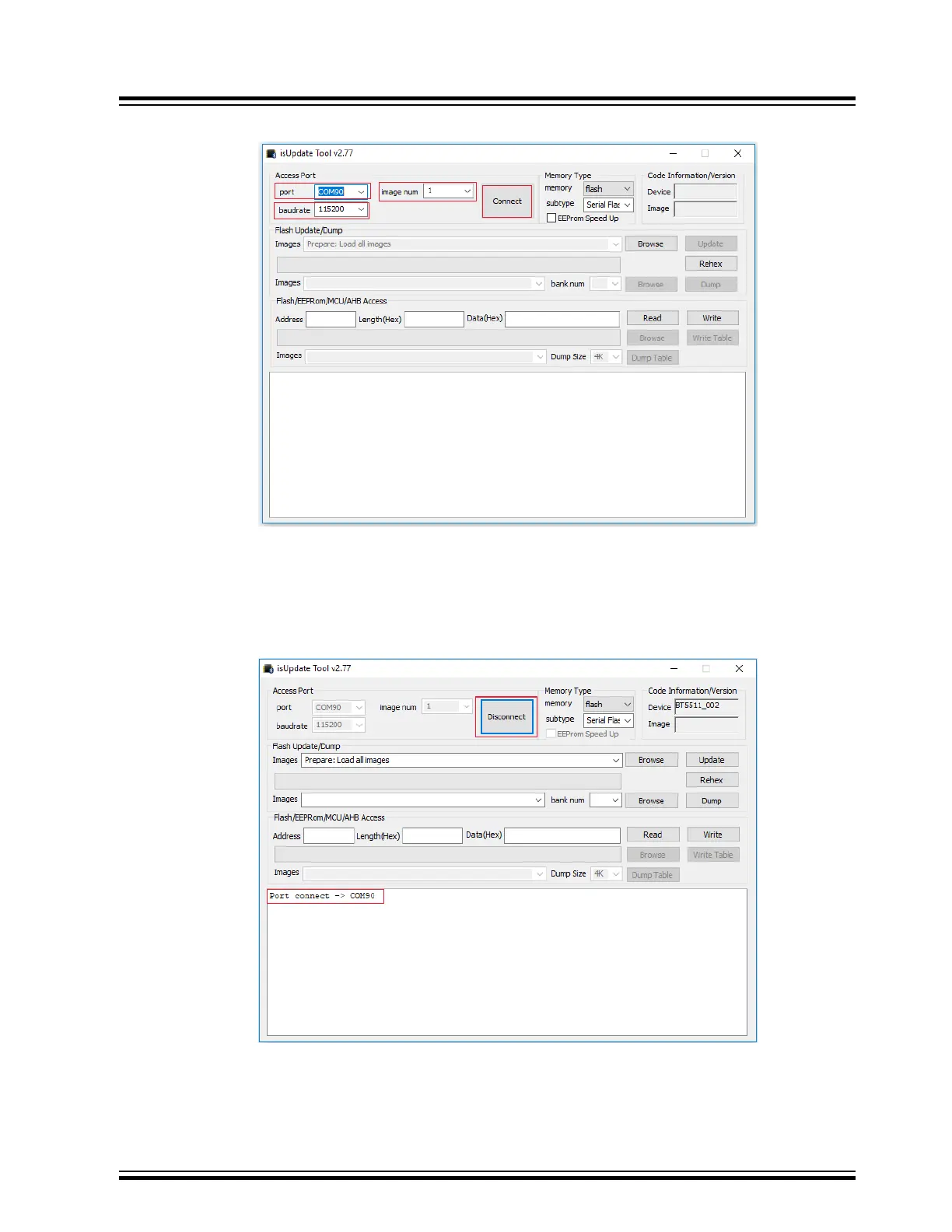
Figure 5-1. isUpdate Tool Window
Note: In isUpdate tool, image num values must be equal to the number of images to be programmed on the
device. For example, to program firmware (image1), DSP (image2), and configuration (image3), the image
num value must be selected as 3.
5. The message on console and the transition of Connect button to Disconnect indicates that the connection is
established successfully between the PC and the BM83 module.
Figure 5-2. Connection Established
BM83 EVB
Firmware Update
© 2019 Microchip Technology Inc.
User Guide
DS50002902A-page 21




 To Next Page