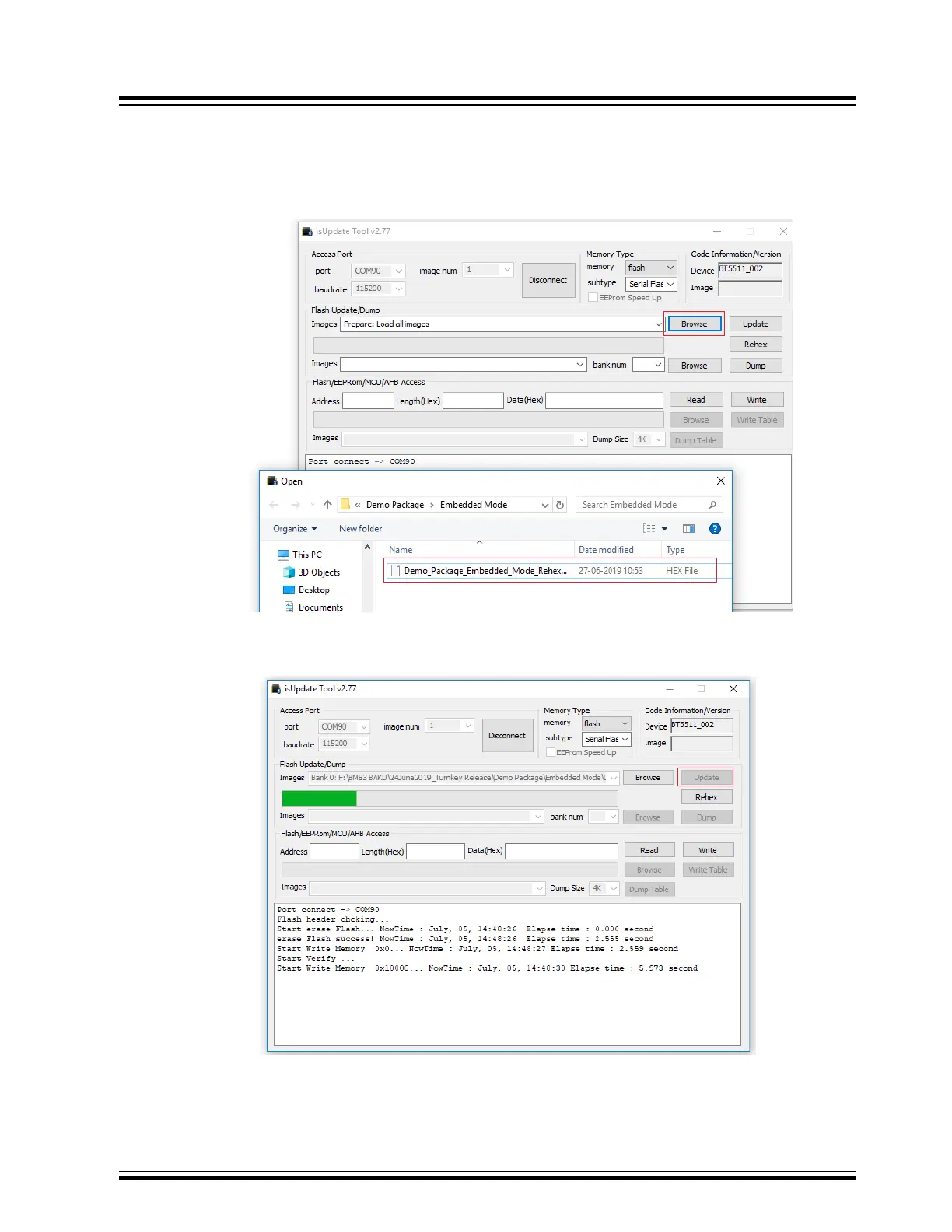
6. Once the connection is established, click Browse and locate the firmware image provided in the release
package.
Note: The Embedded mode firmware images are available in the package, refer to http://www.microchip.com/
BM83.
Figure 5-3. Browsing and Loading the Files
7. Click Update to load the firmware to BM83 module and observe the progress.
Figure 5-4. Updating the Firmware
BM83 EVB
Firmware Update
© 2019 Microchip Technology Inc.
User Guide
DS50002902A-page 22




 To Next Page