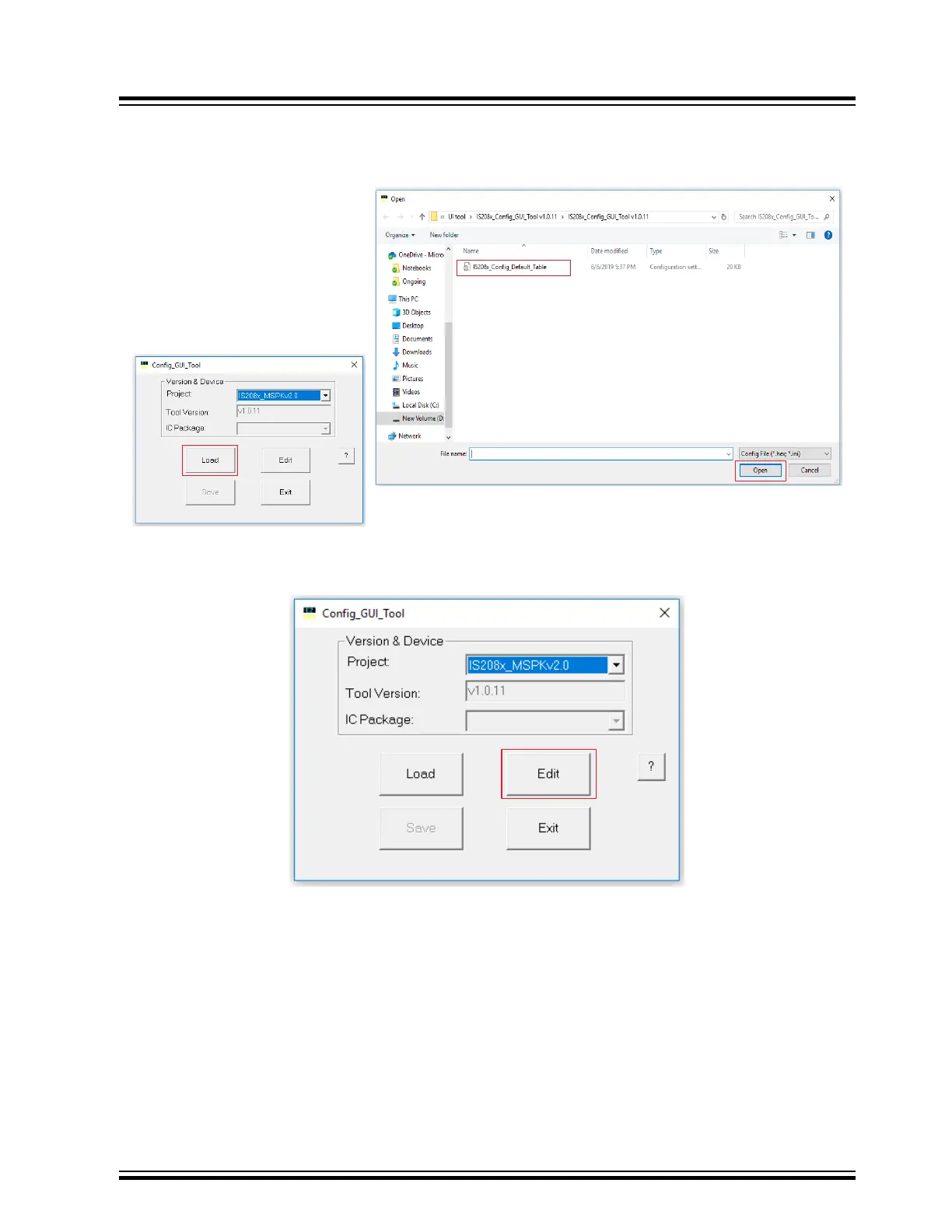
3. From the Open window, select the default GUI parameters file (provided with the UI tool) for this module (BM83),
and then click Open, see the following figure.
Figure 6-3. Loading Default GUI Parameters
4. After loading the GUI parameters, click Edit to customize the GUI parameters on the Main Feature window.
Figure 6-4. Editing Parameters
BM83 EVB
Customizing Module Parameters
© 2019 Microchip Technology Inc.
User Guide
DS50002902A-page 29




 To Next Page