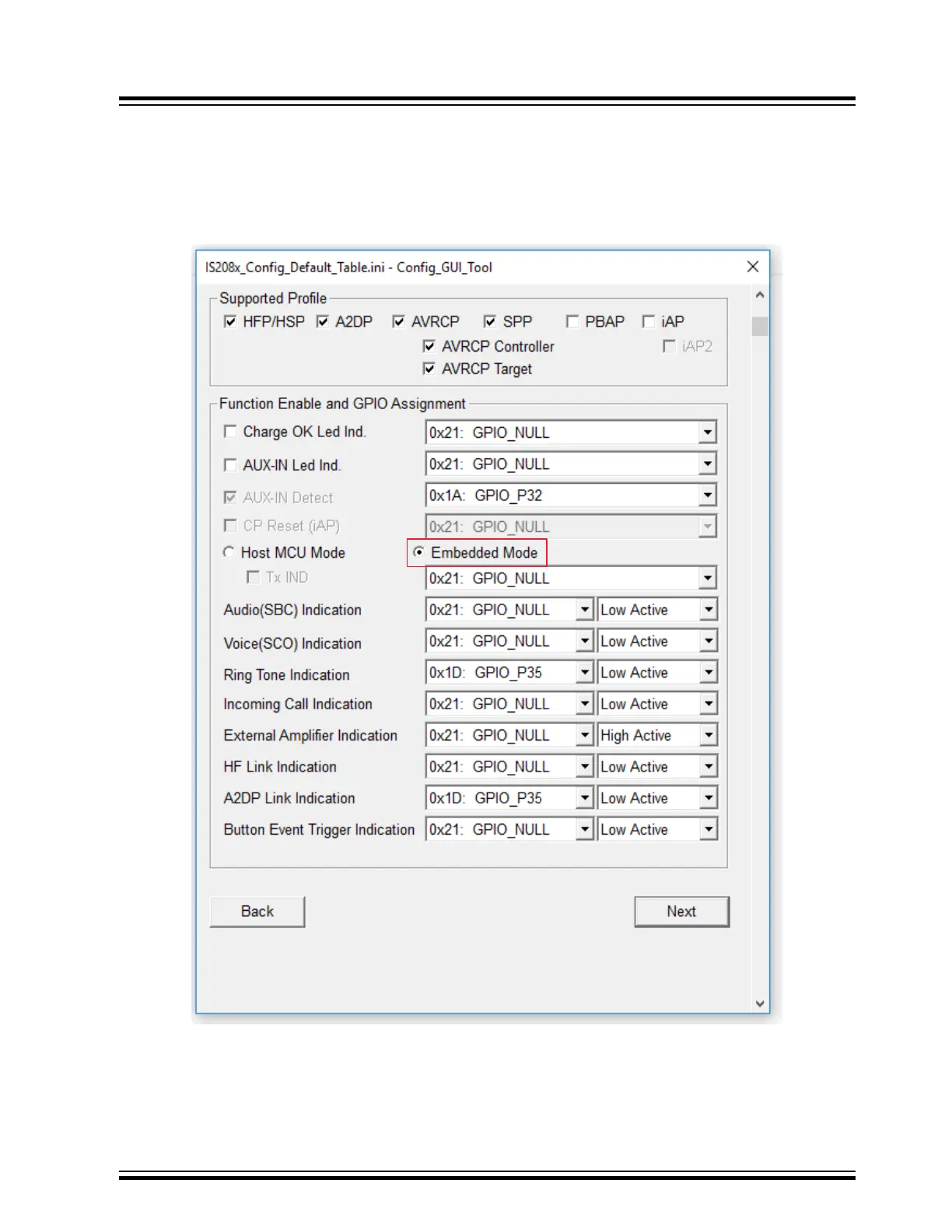
5. In the Main Feature window, the user can enable or disable the features required for their application. Select the
“Embedded Mode” option (see Figure 6-5) and click Next.
Note:
• For Host MCU mode, select the “Host MCU Mode”.
• For Embedded mode, select the “Embedded Mode”.
Figure 6-5. Main Feature Settings
BM83 EVB
Customizing Module Parameters
© 2019 Microchip Technology Inc.
User Guide
DS50002902A-page 30




 To Next Page