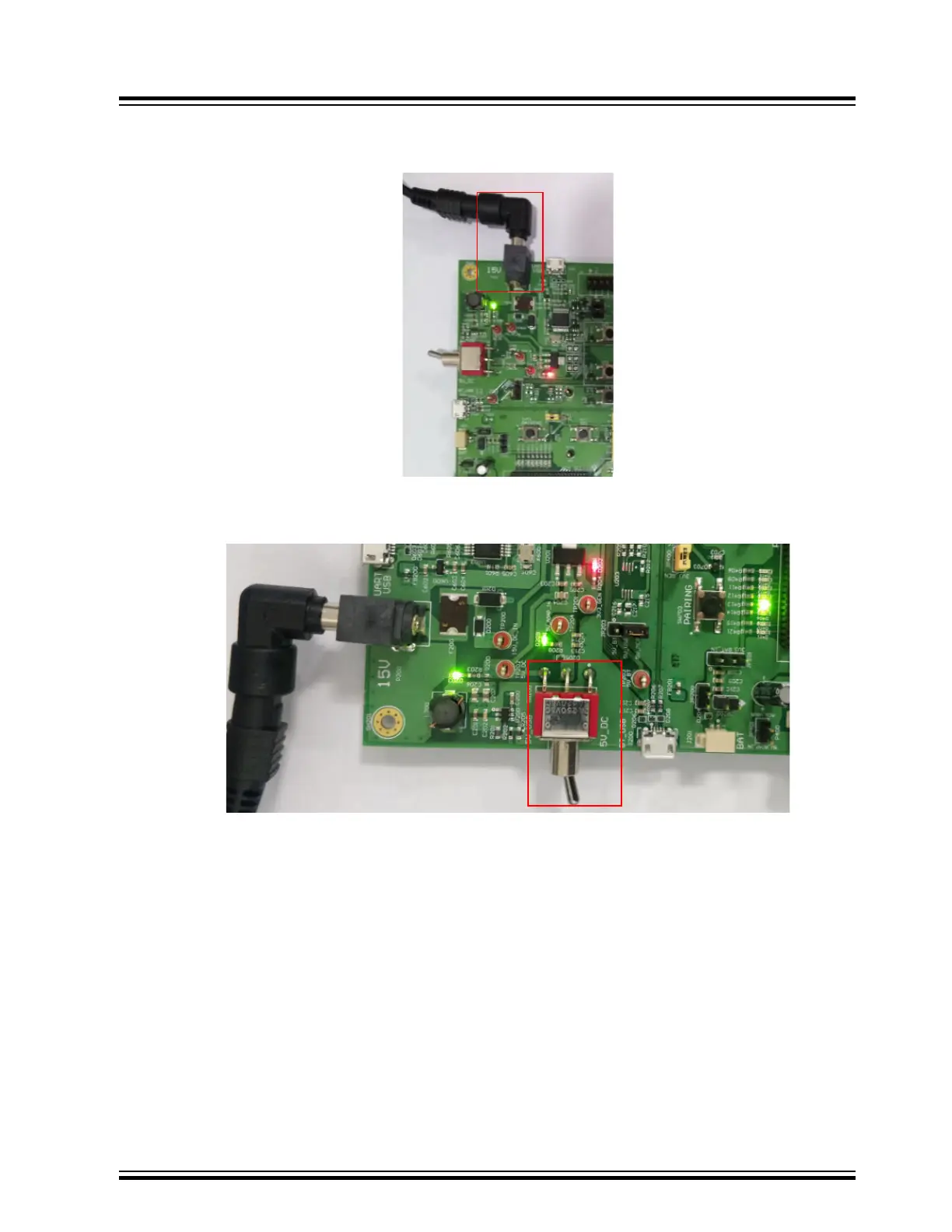
3. Connect the 15V DC adapter at DC power jack P200. Notice that the green LED (D203) and red LED (D202)
turn ON as shown in the following figure.
Figure 12-3. 15V DC Adapter Plugged In
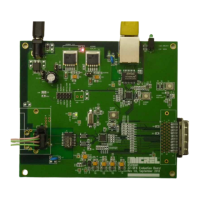
4. Change the SW200 switch to 5V_DC position. Notice that the green LEDs (D209 and D405) turn ON, as
shown in the following figure.
Figure 12-4. LED Indication as SW200 is Turned to 5V_DC position
5. Long press SEL button (SW711) to turn on the system. Observe the sound on the speakers and the following
LED behavior:
– Green LED (D401) turns ON
– Blue (D300) and green (D402) LEDs blink
6. Long press SEL button (SW711) to make the BM83 module discoverable to other devices. Observe the sound
on the speakers and the alternate blinking of red LED (D301) and blue LED (D300).
7. Follow the steps to pair the BM83 module with a smartphone:
7.1. Turn on the smartphone's Bluetooth to scan for the available devices.
7.2. Select the module device name "BM83" from the scan results. Pair and then connect the device.
7.3. On successful pairing, see the device name with status as Connected.
Note: This demonstration uses the EA1 demo version of the firmware.
BM83 EVB
Appendix F: Hardware Setup for Application Dem...
© 2019 Microchip Technology Inc.
User Guide
DS50002902A-page 65




 To Next Page