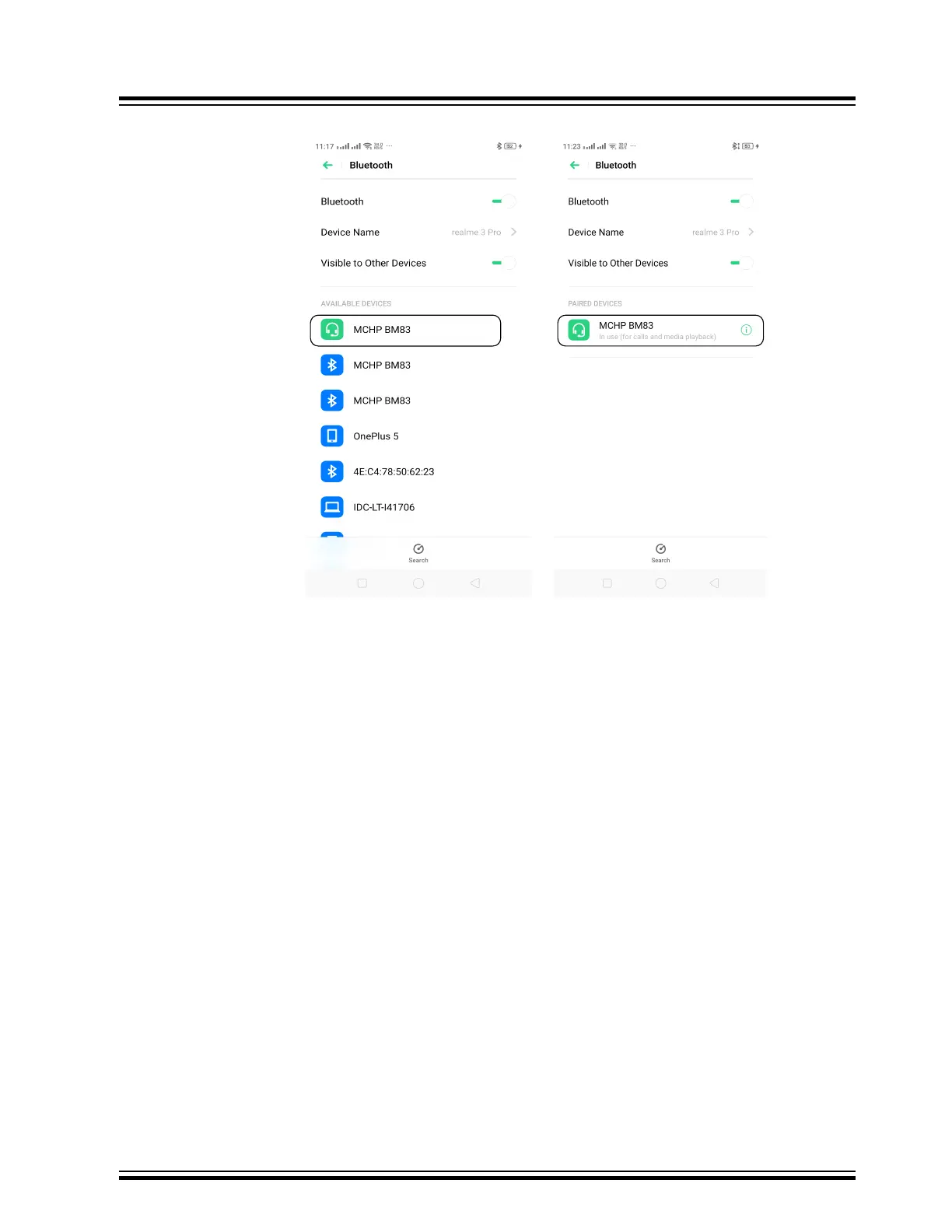
Figure 12-5. Pairing and Connection
7.4. Stream the audio from the smartphone to the BM83 over Bluetooth connection, and listen to it over
the speakers.
8. Control the audio with the following buttons:
8.1. Press VOL_UP button(SW702) to increase the volume.
8.2. Press VOL_DN button (SW705) to reduce the volume.
8.3. Press Pause button (SW704) to pause the audio.
8.4. Press Play button (SW704) to play the audio.
8.5. Press FWD button (SW707) to jump to next audio file.
8.6. Press REV button (SW708) to jump to previous audio file.
8.7. Press SEL button (SW711) to turn OFF the system.
BM83 EVB
Appendix F: Hardware Setup for Application Dem...
© 2019 Microchip Technology Inc.
User Guide
DS50002902A-page 66




 To Next Page