© Microhard Systems Inc. 18
2.3.2 Connecting to WiFi
Now that the IPn4G has connection to the Cellular Carrier (See Section 2.2) and
the WiFI has been set up (See Section 2.3), WiFi devices should be able to de-
tect and connect to the IPn4G.
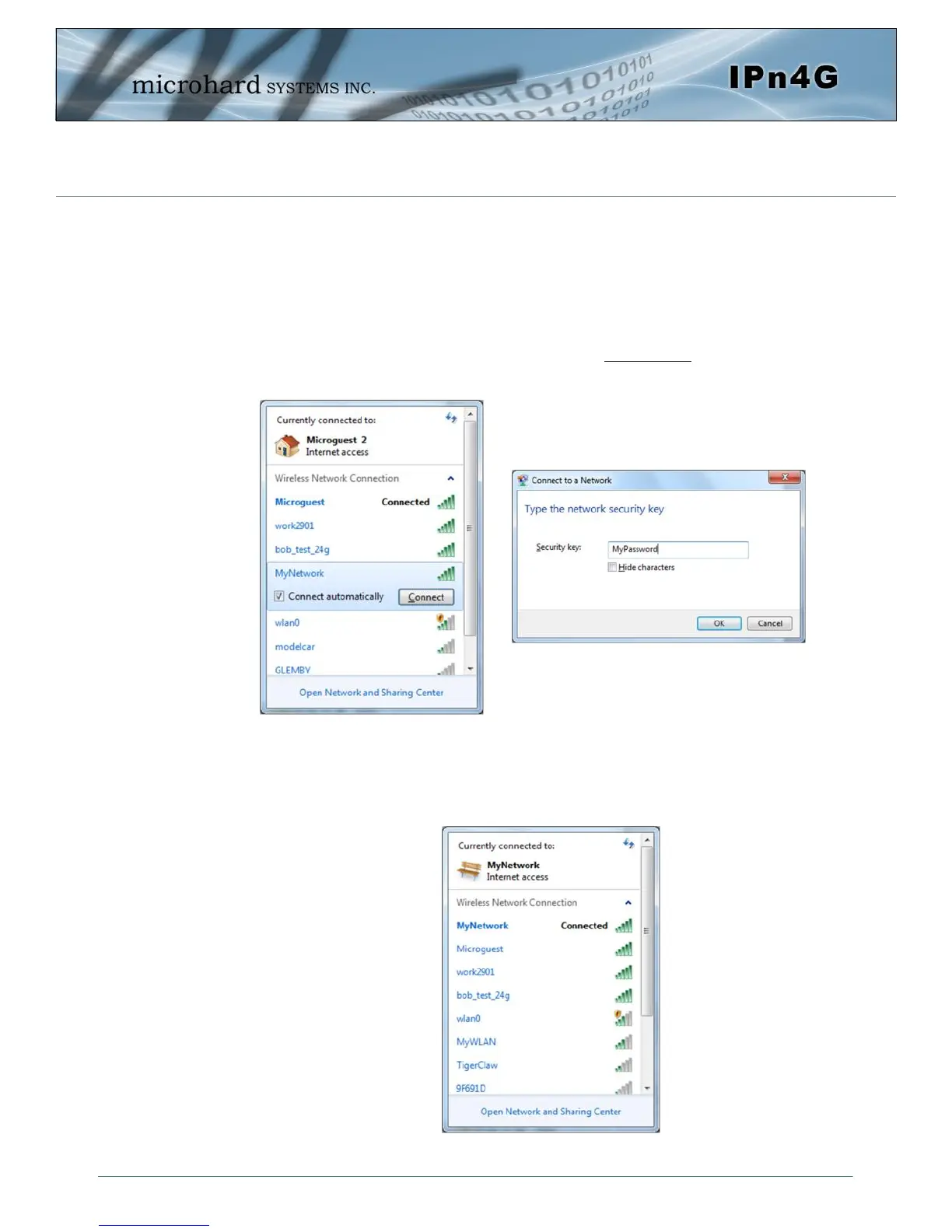
On a WiFi enabled PC/Device, the SSID of MyNetwork, that was created in the
last example should be visible. Connect to that SSID and enter the password.
Once connected the status should change to connected, and network access
should be enabled.
2.0 Quick Start



 To Next Page