© Microhard Systems Inc. 66
4.0 Configuration
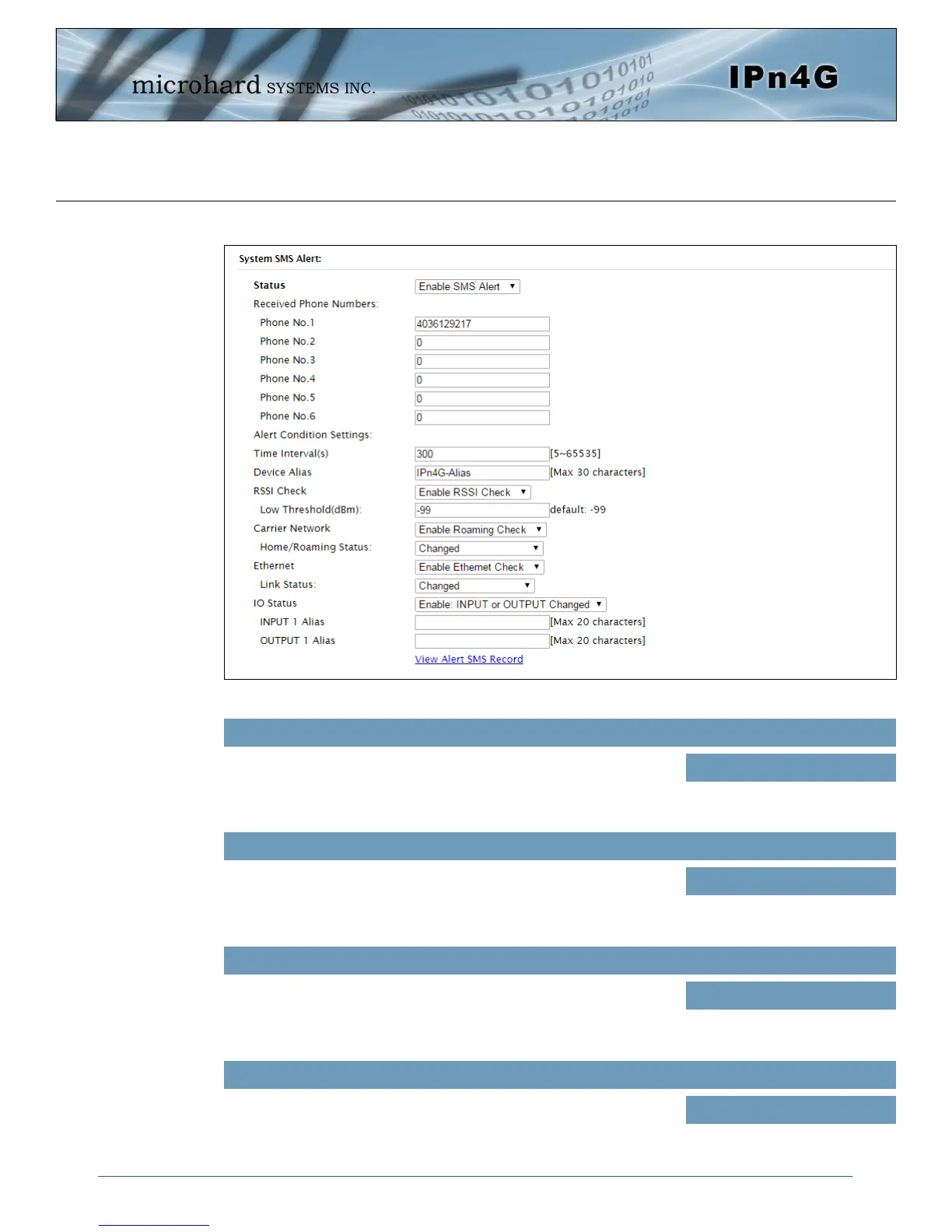
Image 4-3-7: SMS > SMS Alerts
System SMS Alerts
Enable SMS Alerts. IF enabled SMS alerts will be send when
conditions are met as configured to the phone numbers listed.
Status
Values (Selection)
Enable / Disable
SMS Alerts can be sent to up to 6 different phone numbers that
are listed here.
Received Phone Numbers
Values (Selection)
(no default)
SMS alerts, when active, will be sent out at the frequency
defined here.
Time Interval(s)
Values (Seconds)
300
A text field that allows up to 30 characters to add an alias or
other information that will be included with the SMS message.
Device Alias
Values (characters)
300



 To Next Page