EasyManua.ls Logo

Microlight TX Series - Configure Corresponding Functions

Default Icon
27 pages
Print Icon
To Next Page IconTo Next Page
To Previous Page IconTo Previous Page
Loading...
18
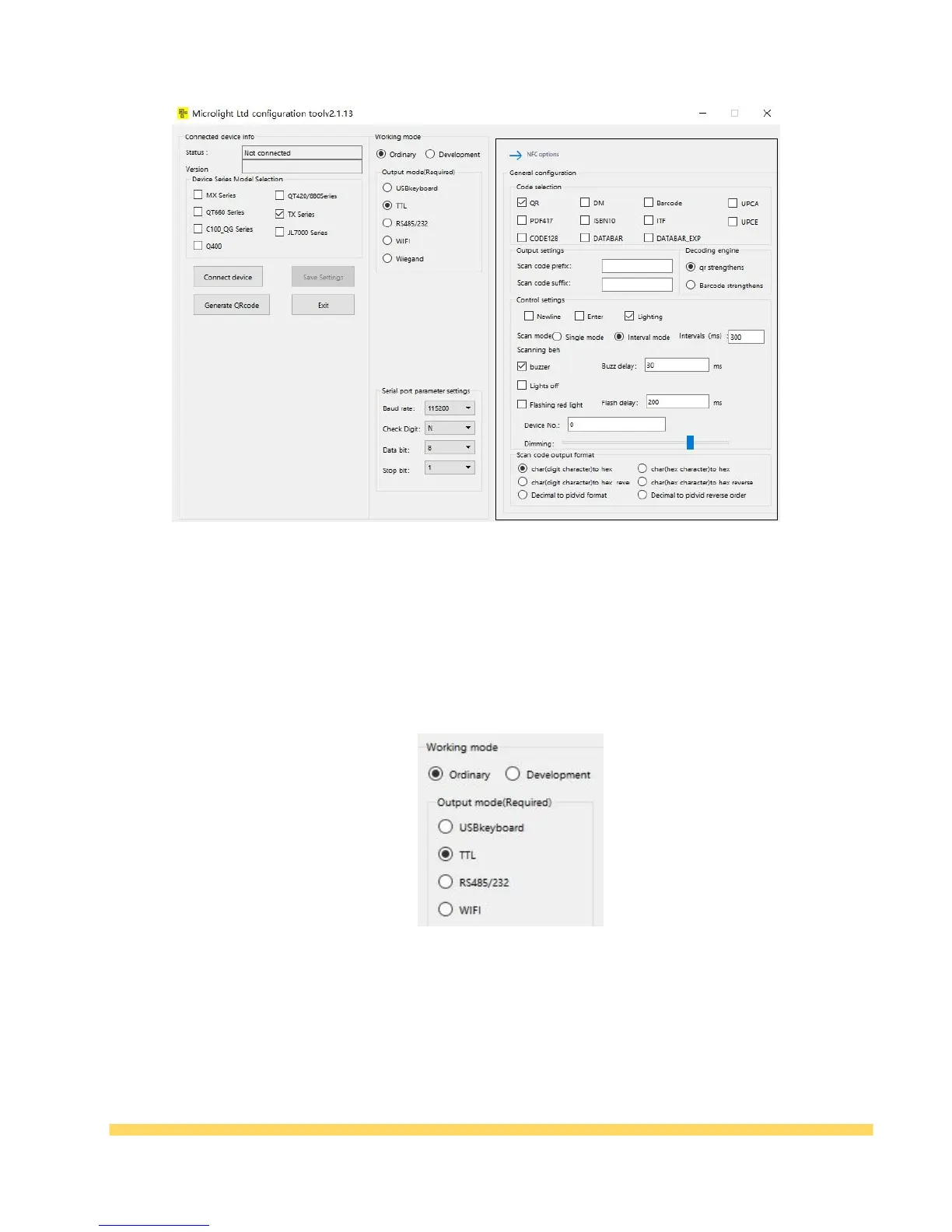
Table 3-2 Configuration tool interface
(2) Device Connection: Click the [Connect Device] button and the message "Device Connection
Successful" appears.
Configure Corresponding Functions
(1)Working Mode: Can be configured as normal mode or development mode, under normal mode,
Adjustable to USB, TTL, Serial port 232/485, WiFi four output methods.
Table 3-3 Ordinary mode
Under development mode, can be configured as USB, serial protocol, communication protocols
methods etc. choose according to your needs.